EasyManua.ls Logo

Sylvania LC420SS8 - User Manual

Sylvania LC420SS8
76 pages
Print Icon
To Next Page IconTo Next Page
Loading...
WATCHING TVINTRODUCTION PREPARATION INITIAL SETTING OPTIONAL SETTING
INFORMATION
TROUBLESHOOTING
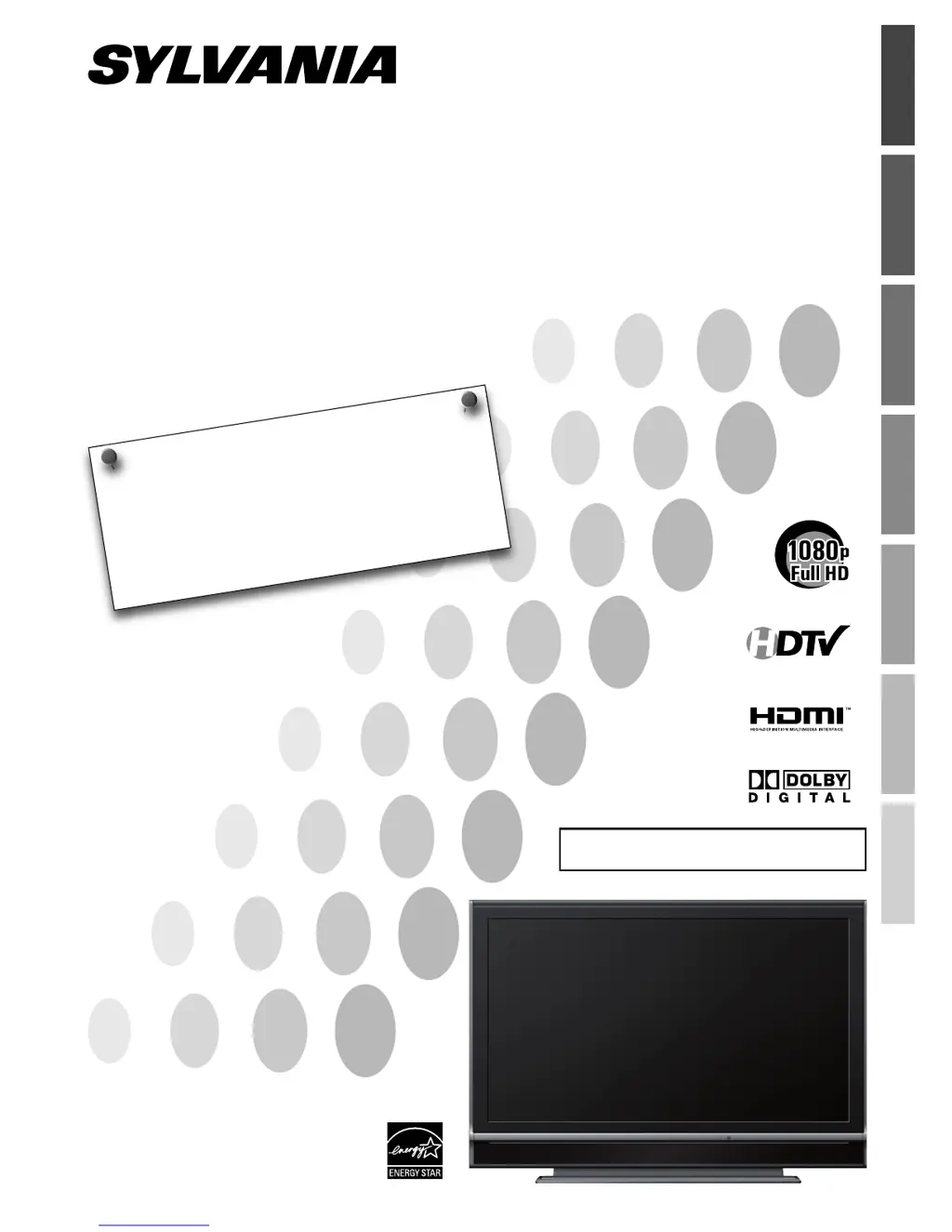
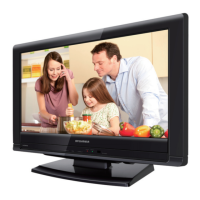
42” Digital LCD TV
Owners Manual
LC420SS8
TO RECEIVE DIGITAL/ANALOG SIGNAL,
YOU MUST CONNECT ANTENNA.
© 2007 Funai Electric Co., Ltd.
NEED HELP?
PLEASE CALL TOLL FREE!
1-800-968-3429
OR VISIT OUR WEB SITE AT
www.SylvaniaConsumerElectronics.com
HIGH-DEFINITION TELEVISION

Table of Contents

Other manuals for Sylvania LC420SS8

Questions and Answers

Summary

Introduction and Setup

Safety Precautions

Covers essential safety measures to prevent hazards like electric shock and fire.

Critical Safety Instructions

Detailed instructions for safe operation, including warnings and precautions.

Handling and Placement Guidelines

Guidance on proper positioning, ventilation, and avoiding environmental hazards.

Recycling and Disposal Information

Information on responsible disposal of packaging materials and batteries.

Safe Unit Carrying Procedures

Instructions for safely moving the TV unit, emphasizing the need for two people.

Included Accessories List

Details of items provided with the TV, such as manuals, remote, and batteries.

Stand Installation Guide

Step-by-step instructions for attaching the TV stand securely to the unit.

Manual Symbol Reference

Explanation of symbols used throughout the owner's manual for clarity.

Trademark and Brand Information

Details regarding trademarks and copyrights associated with the product.

Key Product Features

Overview of the TV's main capabilities, including digital tuning and special modes.

Remote Control Button Functions

Description of each button on the remote control and its purpose.

Remote Battery Installation

Instructions for correctly inserting batteries into the remote control.

TV Control Panel Layout

Identification and function of buttons located directly on the TV unit.

Rear Panel Input;Output Ports

Diagram and explanation of all connection jacks on the back of the TV.

Preparation and Connections

Basic Connection Guide

Instructions for connecting the TV to an antenna or cable/satellite box.

Connecting External Devices

Guidance on linking various external video and audio sources to the TV.

HDMI Connection Types

Details on connecting devices via HDMI and HDMI-DVI interfaces.

Component Video Connection

Instructions for connecting devices using component video cables for better quality.

S-Video Connection Guide

Steps for connecting devices via S-Video for improved picture quality.

RCA Video Connection

Instructions for standard video connections using RCA cables.

Audio Output Configurations

Options for connecting external audio devices for digital or analog sound.

PC Monitor Connection

How to connect and use the TV as a computer monitor.

Wall Mounting Instructions

Steps for securely mounting the TV to a wall using a compatible bracket.

Initial Settings and Configuration

First-Time Setup Process

Guide for initial setup, including language and channel scanning.

Accessing the Main Menu

How to open and navigate the TV's main settings menu.

Auto Channel Scan Process

Procedure for automatically scanning and storing available TV channels.

Setting Display Language

How to change the language for on-screen menus and prompts.

Watching TV and Features

How to Select Channels

Methods for tuning into different TV channels using the remote or buttons.

Adjusting Volume and Mute

Instructions for controlling the TV's audio output level.

Using the Sleep Timer

How to set the TV to automatically turn off after a specified time.

Freezing the TV Picture

Instructions for pausing the current video image on the screen.

Changing Audio Tracks

How to select different audio languages or modes for broadcasts.

Selecting Input Sources

Guide for switching between different connected video and audio inputs.

Viewing Program Information

How to display details about the current TV program and broadcast.

Adjusting Screen Display Modes

Options for changing the TV screen aspect ratio for optimal viewing.

Optional Settings and Customization

Managing the Channel List

How to remove unwanted channels from the viewing list.

Manual Channel Registration

Adding channels that were not found during the automatic scan.

Checking Antenna Signal

Function to check the signal strength for each TV channel.

Picture Settings Adjustment

Guide to adjusting brightness, contrast, color, tint, and sharpness.

Sound Settings Adjustment

Guide to adjusting treble, bass, and surround sound settings.

Viewing Closed Captions

How to enable and view text for dialogue and descriptions.

DTV Closed Caption Settings

Specific settings for closed captions on digital TV broadcasts.

CC Style Customization

Options to change font, color, size, and other style elements of captions.

V-chip Content Blocking

System for blocking programs based on rating levels for parental control.

MPAA Rating Settings

Setting parental control limits using the MPAA rating system.

TV Rating Settings

Setting parental control limits using the TV rating system.

V-chip Password Setup

Instructions for setting or changing the V-chip access password.

PC Display Adjustments

Fine-tuning PC display position, clock, and phase for clarity.

Configuring HDMI Audio Input

Selecting the audio input method for the HDMI1 connection.

Troubleshooting and Maintenance

Solving Common TV Problems

A guide to diagnose and resolve typical issues encountered with the TV.

Technical Terminology Glossary

Definitions of technical terms and acronyms used in the manual.

Unit Maintenance Guidelines

Instructions for cleaning the cabinet and screen to maintain the unit.

Remote Control Signal Test

Methods to verify if the remote control is emitting an infrared signal.

Cable Channel Numbering Guide

Reference chart for common cable TV channel designations.

Technical Specifications Overview

Summary of electrical, input, output, and operating specifications.

Physical Dimensions and Weight

Details on the TV's physical size, dimensions, and weight.

Summary

Introduction and Setup

Safety Precautions

Covers essential safety measures to prevent hazards like electric shock and fire.

Critical Safety Instructions

Detailed instructions for safe operation, including warnings and precautions.

Handling and Placement Guidelines

Guidance on proper positioning, ventilation, and avoiding environmental hazards.

Recycling and Disposal Information

Information on responsible disposal of packaging materials and batteries.

Safe Unit Carrying Procedures

Instructions for safely moving the TV unit, emphasizing the need for two people.

Included Accessories List

Details of items provided with the TV, such as manuals, remote, and batteries.

Stand Installation Guide

Step-by-step instructions for attaching the TV stand securely to the unit.

Manual Symbol Reference

Explanation of symbols used throughout the owner's manual for clarity.

Trademark and Brand Information

Details regarding trademarks and copyrights associated with the product.

Key Product Features

Overview of the TV's main capabilities, including digital tuning and special modes.

Remote Control Button Functions

Description of each button on the remote control and its purpose.

Remote Battery Installation

Instructions for correctly inserting batteries into the remote control.

TV Control Panel Layout

Identification and function of buttons located directly on the TV unit.

Rear Panel Input;Output Ports

Diagram and explanation of all connection jacks on the back of the TV.

Preparation and Connections

Basic Connection Guide

Instructions for connecting the TV to an antenna or cable/satellite box.

Connecting External Devices

Guidance on linking various external video and audio sources to the TV.

HDMI Connection Types

Details on connecting devices via HDMI and HDMI-DVI interfaces.

Component Video Connection

Instructions for connecting devices using component video cables for better quality.

S-Video Connection Guide

Steps for connecting devices via S-Video for improved picture quality.

RCA Video Connection

Instructions for standard video connections using RCA cables.

Audio Output Configurations

Options for connecting external audio devices for digital or analog sound.

PC Monitor Connection

How to connect and use the TV as a computer monitor.

Wall Mounting Instructions

Steps for securely mounting the TV to a wall using a compatible bracket.

Initial Settings and Configuration

First-Time Setup Process

Guide for initial setup, including language and channel scanning.

Accessing the Main Menu

How to open and navigate the TV's main settings menu.

Auto Channel Scan Process

Procedure for automatically scanning and storing available TV channels.

Setting Display Language

How to change the language for on-screen menus and prompts.

Watching TV and Features

How to Select Channels

Methods for tuning into different TV channels using the remote or buttons.

Adjusting Volume and Mute

Instructions for controlling the TV's audio output level.

Using the Sleep Timer

How to set the TV to automatically turn off after a specified time.

Freezing the TV Picture

Instructions for pausing the current video image on the screen.

Changing Audio Tracks

How to select different audio languages or modes for broadcasts.

Selecting Input Sources

Guide for switching between different connected video and audio inputs.

Viewing Program Information

How to display details about the current TV program and broadcast.

Adjusting Screen Display Modes

Options for changing the TV screen aspect ratio for optimal viewing.

Optional Settings and Customization

Managing the Channel List

How to remove unwanted channels from the viewing list.

Manual Channel Registration

Adding channels that were not found during the automatic scan.

Checking Antenna Signal

Function to check the signal strength for each TV channel.

Picture Settings Adjustment

Guide to adjusting brightness, contrast, color, tint, and sharpness.

Sound Settings Adjustment

Guide to adjusting treble, bass, and surround sound settings.

Viewing Closed Captions

How to enable and view text for dialogue and descriptions.

DTV Closed Caption Settings

Specific settings for closed captions on digital TV broadcasts.

CC Style Customization

Options to change font, color, size, and other style elements of captions.

V-chip Content Blocking

System for blocking programs based on rating levels for parental control.

MPAA Rating Settings

Setting parental control limits using the MPAA rating system.

TV Rating Settings

Setting parental control limits using the TV rating system.

V-chip Password Setup

Instructions for setting or changing the V-chip access password.

PC Display Adjustments

Fine-tuning PC display position, clock, and phase for clarity.

Configuring HDMI Audio Input

Selecting the audio input method for the HDMI1 connection.

Troubleshooting and Maintenance

Solving Common TV Problems

A guide to diagnose and resolve typical issues encountered with the TV.

Technical Terminology Glossary

Definitions of technical terms and acronyms used in the manual.

Unit Maintenance Guidelines

Instructions for cleaning the cabinet and screen to maintain the unit.

Remote Control Signal Test

Methods to verify if the remote control is emitting an infrared signal.

Cable Channel Numbering Guide

Reference chart for common cable TV channel designations.

Technical Specifications Overview

Summary of electrical, input, output, and operating specifications.

Physical Dimensions and Weight

Details on the TV's physical size, dimensions, and weight.

Sylvania LC420SS8 Specifications

General IconGeneral
Screen Size42 inches
Display TypeLCD
Resolution1920 x 1080
Aspect Ratio16:9
HDMI Ports3
USB Ports1
Weight51.8 lbs
Brightness500 cd/m²
Response Time8 ms
Viewing Angle178°
Speakers2 x 10W
InputsHDMI, Component, Composite, RF

Related product manuals