EasyManua.ls Logo

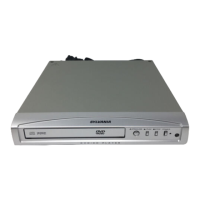
Sylvania DVL245G - User Manual

Sylvania DVL245G
20 pages
Print Icon
To Next Page IconTo Next Page
Loading...
DVD/CD Player
DVL245G
Supplied Accessories
Connecting to RF Modulator
If your TV has AUDIO/VIDEO input jacks, see the section
“Connections” on page 6. If not, it is still possible to
connect this unit to your TV by using a STEREO AUDIO/
VIDEO RF modulator (commercially available). In this
case, follow the instructions below.
1) Connect the AUDIO/VIDEO output jacks of this unit to the
AUDIO/VIDEO input jacks of your RF modulator by
Audio / Video cables.
2) The antenna input jack of your TV may have been already
occupied. If so, disconnect the RF cable from your TV,
and then connect the RF cable to your RF modulator
(usually marked “ANT IN”).
3) Connect your RF modulator to your TV by another RF
cable.
4) Set your RF modulator’s channel 3/4 switch to either 3 or
4, whichever the TV channel is least used in your area. If
your RF modulator has a modulator/antenna switch, set it
according to your RF modulator’s manual.
5) Turn on your TV and choose the same channel as you
set the RF modulator’s channel 3/4 switch to. For more
details, follow the instructions supplied with the RF modu-
lator.
Hint
The quality of picture may become poor if the unit is con-
nected to an RF modulator.
AUDIO OUT
L
R
DIGITAL
AUDIO OUT
COAXIAL VIDEO
OUT
S-VIDEO
OUT
STEREO AUDIO / VIDEO RF Modulator
(commercially available)
TO TVCHANNEL VIDEO AUDIO
R L3 4
ANT IN
AC 120V
(Back of TV)
Audio/Video
Cables
(Supplied)
(Back of this unit)
RF Cable (Not supplied)
Antenna
Cable
Signal
3
2
1
Antenna in jack
If your TV does not have AUDIO / VIDEO input jack.
Owner’s Manual
Please read before using this unit.
If you need additional operating assistance
after reading this owner’s manual, please call
TOLL FREE : 1-800-968-3429
or visit our web site at
http://www.SylvaniaConsumerElectronics.com
Table of Contents
INSTRUCCIONES EN ESPAÑOL INCLUIDAS.
Remote control
(NB080UD) with
two AA batteries
Audio/Video cables
(WPZ0102TM015/
WPZ0102LTE01)
Owner’s Manual
(1VMN22542)
Owner's Manual
PrecautionsSetupFunctionsInformationEspañol
Precautions
Laser Safety ...................................................................2
Important Safeguards ..................................................3
Location and Handling ....................................................4
Avoid the Hazards of Electrical Shock and Fire .............4
Warning of Dew Formation .............................................4
About Copyright ..............................................................4
Symbols Used in This Manual ........................................4
Maintenance ...................................................................4
About the Media............................................................5
Playable Media ...............................................................5
Unplayable Media ...........................................................5
Setup
Connections ..................................................................6
Connection to a TV .........................................................6
Connection to an Audio System .....................................7
Rear Terminals ...............................................................7
About the Remote Control ...........................................8
Remote Control ..............................................................8
Installing the Batteries for the Remote Control ..............8
Functions
Playback ........................................................................9
On-Screen Display ......................................................10
Search Function .........................................................10
Using Track Search ......................................................10
Using Title / Chapter Search ........................................10
Using Time Search .......................................................11
Marker Setup ................................................................11
Repeat / Random / Programmed Playback ..............12
Repeat Playback ..........................................................12
Repeat A-B Playback ...................................................12
Random Playback ........................................................12
Programmed Playback .................................................12
Special Settings ..........................................................13
Subtitle Language .........................................................13
Audio Language ...........................................................13
Camera Angles .............................................................13
Black Level Setting .......................................................13
Stereo Sound Mode......................................................13
Virtual Surround ............................................................13
DVD Setup ...................................................................14
LANGUAGE Setting .....................................................14
DISPLAY Setting ..........................................................15
AUDIO Setting ..............................................................15
PARENTAL Setting ......................................................16
OTHERS Setting ..........................................................16
Reset to the Default Setting
(except for PARENTAL Setting) ...................................17
Information
Troubleshooting Guide ..............................................17
Specifications .............................................................18
Language Code List ...................................................18
Limited Warranty ........................................................
18
Español ........................................................................19
Quick Use Guide ......................................... Back Cover

DVL245G_E6AC0UD.indd 1 2006/01/10 11:00:03

Other manuals for Sylvania DVL245G

Questions and Answers

  • A
    amy32Aug 20, 2025
    What to do if Sylvania DVL245G DVD Player has no power?
    • D
      Deanna RobinsonAug 20, 2025
      If your Sylvania DVD player isn't powering on, first ensure the AC power cord is properly connected. If it is, try unplugging the player from the outlet, waiting 5-10 seconds, and then plugging it back in.
  • A
    andrea54Aug 22, 2025
    How to reset Sylvania DVL245G DVD Player if buttons do not work?
    • G
      george45Aug 22, 2025
      To completely reset your Sylvania DVD player if the buttons aren't working, unplug the AC cord from the AC outlet for 5-10 seconds.
  • B
    Breanna CochranAug 25, 2025
    Why Sylvania DVD Player remote control not working?
    • W
      Whitney PetersAug 25, 2025
      If the Sylvania DVD player isn't responding to the remote, aim the remote directly at the sensor on the front of the unit and reduce the distance to the unit. Also, replace the batteries, ensuring they are correctly inserted with the proper polarities (+/– signs). To test if the remote is working, tune your radio to an empty AM station, turn the volume up, and listen for signal sounds when pressing the remote's buttons.
  • A
    Amy MooreAug 26, 2025
    What to do if my Sylvania DVD Player disc can’t be played?
    • D
      david69Aug 26, 2025
      If your Sylvania DVD player isn't playing a disc, try the following: - Clean the disc. - Ensure the disc label is facing up. - Test with another disc to check for defects. - Cancel the parental lock or change the control level. - Insert a disc that is compatible with the unit. - Handle the disc carefully to avoid fingerprints, scratches, or dust.
  • T
    Thomas MyersAug 28, 2025
    What to do if Sylvania DVD Player has no sound or picture?
    • T
      Taylor WaltersAug 28, 2025
      If your Sylvania DVD player shows no sound or picture, verify that the TV is switched on and check the video connection. Also, inspect the VIDEO/AUDIO cable connections to the TV.
  • S
    Samuel GarciaAug 30, 2025
    What to do if Sylvania DVL245G picture freezes during playback?
    • W
      William ShawAug 30, 2025
      If the picture on your Sylvania DVD player freezes momentarily during playback, inspect the disc for fingerprints or scratches. Clean the disc with a soft cloth, wiping from the center to the edge.
  • M
    Mary MasseySep 1, 2025
    Why Sylvania DVL245G DVD Player has no sound or distorted sound?
    • D
      Danielle LopezSep 1, 2025
      If your Sylvania DVD player has no sound or distorted sound, first adjust the volume. Then, check that the speakers are connected correctly.
  • D
    Douglas CobbSep 3, 2025
    Why Sylvania DVL245G has a distorted picture?
    • K
      Kristin BlakeSep 3, 2025
      A small amount of picture distortion may sometimes appear on your Sylvania DVD player; this is not a malfunction. Try connecting the unit directly to the TV.
  • L
    Lisa HernandezSep 5, 2025
    What to do if Sylvania DVL245G picture is completely distorted or black/white?
    • K
      Katherine ClarkSep 5, 2025
      If your Sylvania DVD player displays a completely distorted or black and white picture, connect the unit directly to the TV. Also, make sure the disc is compatible with the unit.
  • U
    ubellSep 6, 2025
    What to do if Sylvania DVD Player angle does not switch?
    • M
      Melissa TrevinoSep 7, 2025
      The angle cannot be switched on your Sylvania DVD player if the DVD does not contain multiple angles. In some cases, multiple angles are only recorded for specific scenes.

Summary

Precautions

Laser Safety

Safety information regarding laser operation.

Important Safeguards

Critical safety instructions for appliance use.

Setup

Functions

Basic Playback and Navigation

Initial playback, menus, resume, and slow motion.

DVD Setup Configuration

Main menu for DVD configuration.

Parental Control and Other Settings

Setting playback restrictions and miscellaneous options.

Information

Troubleshooting Common Issues

Solutions for common operational problems.

Sylvania DVL245G Specifications

General IconGeneral
TypeDVD Player
Remote ControlYes
Progressive ScanYes
Power SupplyAC 120V, 60Hz
Playback FormatsDVD, CD, MP3, JPEG
Video OutputComposite Video, Component Video
Audio OutputStereo

Related product manuals