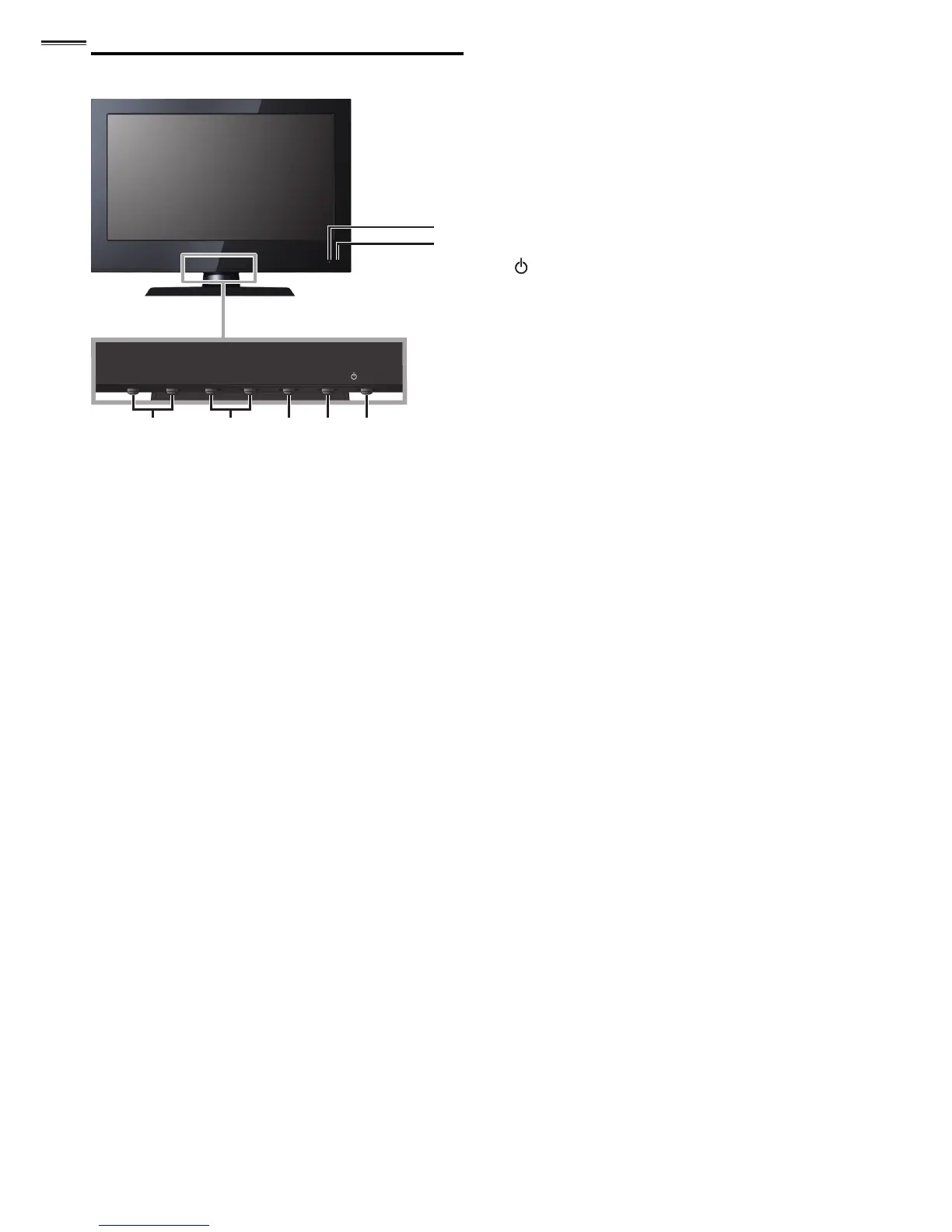
7
6
21 543
1 VOLUME + / −
➠
p. 12
Press to adjust the volume up /down or move right
(
+
) / left (
−
) through the main menu items.
2 CHANNEL + / −
➠
p. 13
Press to select channels or move up (
+
) / down (
−
)
through the main menu items.
3 MENU
➠
p. 15
4 SOURCE
➠
p. 13
5
POWER
➠
p. 11
Press to turn the unit on and go into standby mode.
To completely turn off the unit, you must unplug the AC
power cord.
6 Infrared sensor window
Receives infrared rays transmitted from the remote
control.
7 Standby indicator
Lights up red when the unit is in standby mode and
fl ashes when the unit goes into standby mode.




 To Next Page