EasyManua.ls Logo

Sylvania LC260SC8 - User Manual

Sylvania LC260SC8
72 pages
Print Icon
To Next Page IconTo Next Page
Loading...
WATCHING TVINTRODUCTION CONNECTION INITIAL SETTING OPTIONAL SETTING
INFORMATION
TROUBLESHOOTING
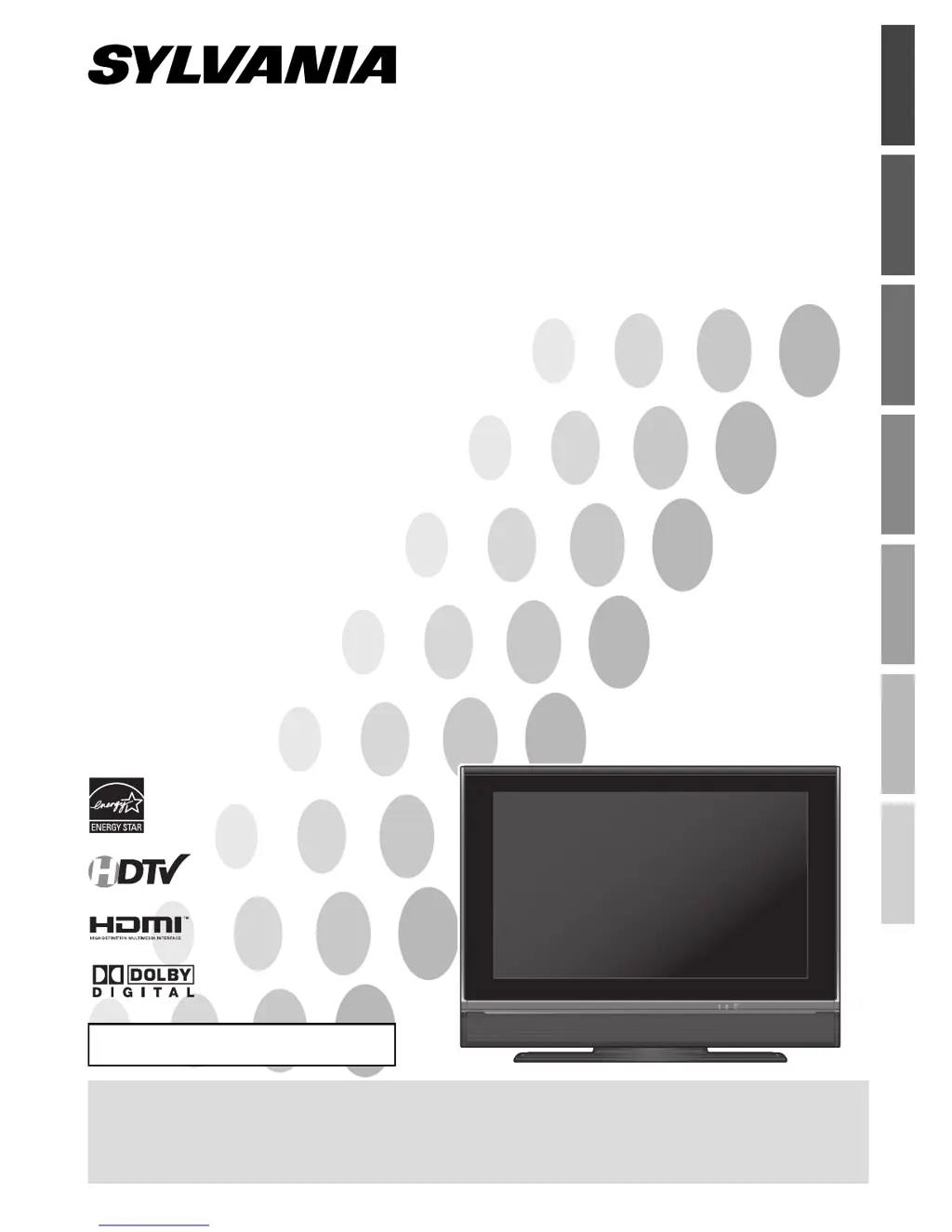
26” Digital / Analog
LCD TV
Owners Manual
LC260SC8
IF YOU NEED ADDITIONAL ASSISTANCE WITH SETUP OR OPERATING AFTER
READING OWNER’S MANUAL, PLEASE CALL TOLL FREE 1-800-968-3429, OR
VISIT OUR WEB SITE AT http://www.SylvaniaConsumerElectronics.com
TO RECEIVE DIGITAL/ANALOG SIGNAL,
YOU MUST CONNECT ANTENNA.
HIGH-DEFINITION TELEVISION
© 2007 Funai Electric Co., Ltd.

Table of Contents

Questions and Answers

  • A
    Andrew WeaverSep 2, 2025
    What causes a distorted picture on Sylvania LC260SC8?
    • N
      Nathan LopezSep 2, 2025
      If you're using an outside antenna, check the wire condition and connection. Also, try viewing other TV channels to see if the problem is limited to the broadcasting station.
  • R
    Rodney JonesAug 31, 2025
    Why is the reception poor on some channels on my Sylvania LC260SC8 LCD TV?
    • K
      Kelly MilesAug 31, 2025
      Check the antenna or cable connection to the main unit. If you're using an outside antenna, inspect the wire condition and connection. It's also possible that electrical interference from nearby appliances is affecting the picture quality, or the problem might be limited to the broadcasting station, so try viewing other TV channels.
  • C
    Charles LindseyAug 29, 2025
    How to fix weak picture on Sylvania LC260SC8 LCD TV?
    • M
      Marcus WellsAug 29, 2025
      Check the antenna or cable connection to the main unit. If using an outside antenna, check the wire condition and connection. You can also try adjusting the “Contrast” and “Brightness” in the main menu. Additionally, view other TV channels to determine if the problem is limited to the broadcasting station.
  • C
    Caleb GonzalesAug 28, 2025
    Why does my Sylvania LCD TV have sound but a poor picture?
    • R
      Robert AlexanderAug 28, 2025
      Check the antenna or cable connection to the main unit. If using an outside antenna, check the wire condition and connection. Electrical interference from nearby appliances may be the cause, so adjust the “Contrast” and “Brightness” in the main menu. Also, view other TV channels to see if the problem is limited to the broadcasting station.
  • T
    Traci TorresAug 27, 2025
    How to fix no color on Sylvania LC260SC8?
    • N
      Natalie MillsAug 27, 2025
      Check the antenna or cable connection to the main unit. If you're using an outside antenna, inspect the wire condition and connection. Try viewing other TV channels to see if the issue is with the broadcasting station. Finally, adjust the “Color” setting in the main menu.
  • R
    Raymond MartinAug 25, 2025
    Why is there no picture or sound on my Sylvania LC260SC8 LCD TV?
    • J
      James KennedyAug 25, 2025
      First, check if the TV is powered on and the outlet connection is working. Then, verify the antenna or cable connection to the main unit. If using an outside antenna, inspect the wire condition and connection. Try viewing other TV channels to rule out a broadcasting station issue. As a last resort, turn off the power, wait a minute, and then turn it back on.
  • G
    gorrAug 22, 2025
    How to fix Sylvania LCD TV no power?
    • T
      Terri CookAug 22, 2025
      First, ensure the power cord is securely plugged into the outlet. If there was a recent power failure, unplug the TV for 30 minutes to allow it to reset.

Summary

INTRODUCTION

Important Safeguards

Safety and operating instructions to be followed for safe use of the appliance.

Precautions

Warnings and precautions for safe operation and handling of the TV.

CONNECTION

Basic Connection (Antenna;Cable)

How to connect the TV to an antenna or cable/satellite box.

External Device Connections (HDMI;DVI)

Connecting external devices via HDMI and DVI interfaces.

INITIAL SETTING

Initial Setup Procedure

Guide to the initial setup process, including language and channel scanning.

WATCHING TV

Channel Selection and Volume Adjustment

Methods for selecting channels and adjusting the TV volume.

OPTIONAL SETTING

Picture Adjustment

Adjusting brightness, contrast, color, tint, and sharpness.

V-chip Parental Controls

Setting parental controls based on program ratings.

TROUBLESHOOTING

Troubleshooting Guide

Diagnosing and resolving common TV operational problems.

Sylvania LC260SC8 Specifications

General IconGeneral
BrandSylvania
ModelLC260SC8
CategoryLCD TV
LanguageEnglish

Related product manuals