EasyManua.ls Logo

Sylvania LD155SL8 - User Manual

Sylvania LD155SL8
48 pages
Print Icon
To Next Page IconTo Next Page
Loading...
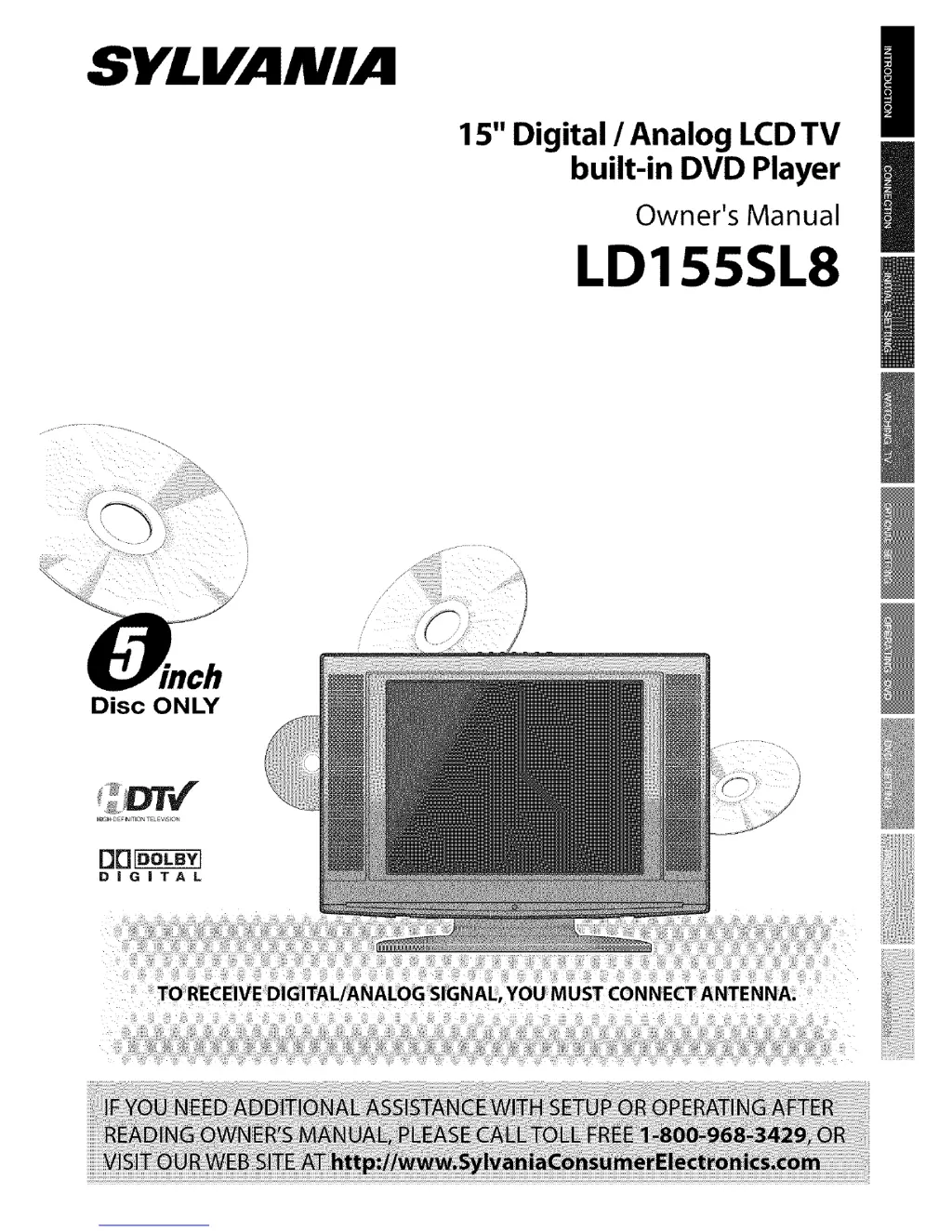
SYLVANIA
15" Digital / Analog LCD TV
built-in DVD Player
Owner's Manual
LD155SL8
Disc ONLY

Other manuals for Sylvania LD155SL8

Questions and Answers

Summary

SYLVANIA LCD TV Operation Manual

Introduction to the LD155 SL8 Model

Overview of the SYLVANIA 15" Digital/Analog LCD TV with built-in DVD Player and basic contact information.

Introduction and Important Safeguards

Core Safety Instructions

Essential safety guidelines for operating the TV, including reading instructions and heeding warnings.

Electrical Shock and Fire Prevention

Specific warnings and precautions to prevent electrical hazards like shock and fire.

Safety, Compliance, and Copyright

General Safety Precautions and Warnings

Covers various cautions regarding usage, attachments, water, and placement.

FCC Compliance and Interference Information

Details regulatory compliance and how to manage radio frequency interference.

Installation, Accessories, and Symbols

Optimal Installation Location and Hazard Avoidance

Guidance on placing the TV safely away from heat, dust, moisture, and magnetic fields.

Included Accessories and Manual Symbol Guide

Lists supplied accessories and explains symbols used in the manual.

Product Features and Capabilities

TV and DTV Features

Functions related to television reception, including channel scanning and closed captioning.

DVD Player Features

Functions related to disc playback, such as Dolby Digital, parental lock, and playback modes.

Remote Control Operation

Understanding Remote Control Buttons

Explains the function and operation of each button on the remote control.

Device Controls and Connections

Control Panel Overview

Identifies and explains the buttons located on the TV's control panel.

Rear Panel Input;Output Ports

Details the various input and output connections available on the rear of the unit.

Wall Mount Bracket Installation Guide

Attaching the TV to a Wall Mount

Step-by-step instructions for safely mounting the television using a compatible wall bracket.

Connection Procedures

Basic Antenna and Cable Box Connections

Instructions for connecting the TV to an antenna or cable/satellite box.

External Device Connectivity Options

Component and S-Video Input Connections

How to connect external video sources using component or S-Video cables.

Video and Digital Audio Input;Output

Standard Video Input and Digital Audio Output

Connecting composite video devices and outputting digital audio signals.

Initial Setup and Configuration

Step-by-Step Initial Setup Guide

Comprehensive guide for the initial setup process, including language and channel scanning.

Initial Setting Menus and Options

Main Menu Navigation and Auto Scan

Overview of the main menu and how to perform an automatic channel scan.

On-Screen Language Selection

Instructions for choosing the preferred display language for menus and prompts.

Watching TV: Basic Operations

Channel Selection and Volume Adjustment

How to tune channels and adjust the TV's volume.

Watching TV: Input and Audio Modes

Switching Input Sources and MTS System

Changing between TV, DTV, and external inputs, and selecting analog audio modes.

Watching TV: Screen Information

Displaying Channel and Program Data

How to view current channel, program title, and broadcast information.

Watching TV: Display Modes and Sleep Timer

DTV Screen Display Modes

Adjusting aspect ratio for digital TV broadcasts (Letterbox, Zoom).

Setting the Sleep Timer Function

Configuring the automatic power-off feature for convenience.

Optional TV Settings

Channel Management and Picture Adjustment

Adding/deleting channels and adjusting picture quality settings like brightness and contrast.

Closed Captioning Features

Configuring Closed Caption Display

Enabling and setting closed caption modes (Caption1, Caption2, Text1, Text2).

DTV Closed Caption and Style Options

DTVCC Settings and Customization

Setting DTVCC options and selecting caption services.

Backlight and Caption Style Settings

Back Light Brightness Adjustment

Adjusting the screen's backlight brightness level.

Caption Font and Style Customization

Customizing caption font, edge, opacity, and colors.

Color Temperature and V-Chip Setup

Adjusting Color Temperature

Fine-tuning the screen's color balance (Normal, Warm, Cool).

V-Chip Parental Control Setup

Setting up parental controls to block content based on ratings.

V-Chip Rating System Configuration

Setting TV Program Ratings and Sub-Ratings

Configuring TV rating levels and sub-rating elements to block content.

MPAA Ratings and Password Management

Setting MPAA Movie Ratings

Configuring movie rating levels (G, PG, PG-13, R, NC-17, X) to block content.

Changing Parental Control Password

Setting or changing the 4-digit password for parental controls.

DVD Media Compatibility

Supported and Unsupported Disc Formats

Information on which types of discs are compatible or incompatible with the player.

Basic DVD Playback Operations

Starting, Stopping, and Pausing DVD Playback

Fundamental controls for playing, stopping, and pausing DVDs.

DVD Menu Navigation and Resume Playback

Using disc menus and resuming playback from a stopped point.

Advanced DVD Playback Features

Step-by-Step Playback and Zoom Function

Frame-by-frame playback and enlarging the video image.

Fast, Slow, and Reverse Playback Modes

Adjusting playback speed for fast forward, rewind, and slow motion.

MP3 File Playback from CD

Playing MP3 Files on the Unit

Instructions for playing MP3 audio files from compatible discs.

DVD and CD Content Search Functions

Searching by Chapter, Title, or Track

Locating specific chapters, titles on DVDs, or tracks on CDs/MP3s.

DVD;CD Search, Repeat, and A-B Playback

Time Search and Direct Search Methods

Navigating playback by specific time points or direct selection.

Repeat Playback Modes (A-B Included)

Repeating specific sections (A-B) or entire discs/tracks.

Programmed and Random Playback Modes

Programmed Playback Order

Customizing the playback sequence of tracks or files.

Random Playback Shuffling

Playing tracks or files in a shuffled, random order.

On-Screen Display for DVD and CD

Viewing Playback Status and Information

Displaying current playback status, time, and settings on the TV screen.

DVD Special Playback Settings

Subtitle and Audio Language Selection

Choosing preferred subtitle and audio languages available on the DVD.

Camera Angle Selection

Changing viewing angles for DVDs that offer multiple camera perspectives.

DVD Audio and Surround Sound Settings

Black Level and Virtual Surround Adjustment

Enhancing picture contrast and creating virtual surround sound effects.

CD Stereo Sound Mode Options

Selecting audio modes (Stereo, L-ch, R-ch) for CD playback.

DVD Marker Setup Function

Setting and Returning to Playback Markers

Marking specific points on a disc for later recall and playback.

DVD Setting Menus: Language

DVD Language Setup

Setting disc menu, subtitle, and audio languages for DVD playback.

DVD Setting: Display and Still Mode

Display Aspect Ratio and TV Mode

Adjusting the picture's aspect ratio (e.g., 4:3 Letter Box, Pan & Scan).

Still Mode Clarity and Frame Settings

Improving still image quality by selecting appropriate frame or field modes.

DVD Setting: Audio Configuration

DVD Audio Output and DRC Settings

Configuring audio output, Dynamic Range Control (DRC), and Down Sampling.

DVD Setting: Parental Controls

Setting Parental Control Levels and Password

Restricting content access based on ratings and managing the parental control password.

DVD Setting: Other Options

Angle Icon and Screen Saver Configuration

Customizing the display of the angle icon and enabling the screen saver.

DVD Setting: Defaults and Language Codes

Resetting to Default Settings

Restoring all settings (except language) to their factory defaults.

Language Code Reference List

A lookup table for language codes used in settings.

Troubleshooting Guide

Common Symptoms and Remedies

A chart to diagnose and resolve common operational problems.

Troubleshooting Specific Issues

Closed Caption and Playback Problems

Resolving issues related to caption display and disc playback errors.

Information and Maintenance

Glossary of Terms and Maintenance Tips

Definitions of technical terms and guidance on unit care and cleaning.

IR Signal Check and Disc Handling

How to check the remote control signal and proper disc handling procedures.

Technical Specifications and Channel Data

General, Electrical, and Other Specifications

Detailed technical information about the TV's hardware and performance.

Cable Channel Designation Chart

A chart mapping common cable company channel designations.

Limited Warranty Information

Summary

SYLVANIA LCD TV Operation Manual

Introduction to the LD155 SL8 Model

Overview of the SYLVANIA 15" Digital/Analog LCD TV with built-in DVD Player and basic contact information.

Introduction and Important Safeguards

Core Safety Instructions

Essential safety guidelines for operating the TV, including reading instructions and heeding warnings.

Electrical Shock and Fire Prevention

Specific warnings and precautions to prevent electrical hazards like shock and fire.

Safety, Compliance, and Copyright

General Safety Precautions and Warnings

Covers various cautions regarding usage, attachments, water, and placement.

FCC Compliance and Interference Information

Details regulatory compliance and how to manage radio frequency interference.

Installation, Accessories, and Symbols

Optimal Installation Location and Hazard Avoidance

Guidance on placing the TV safely away from heat, dust, moisture, and magnetic fields.

Included Accessories and Manual Symbol Guide

Lists supplied accessories and explains symbols used in the manual.

Product Features and Capabilities

TV and DTV Features

Functions related to television reception, including channel scanning and closed captioning.

DVD Player Features

Functions related to disc playback, such as Dolby Digital, parental lock, and playback modes.

Remote Control Operation

Understanding Remote Control Buttons

Explains the function and operation of each button on the remote control.

Device Controls and Connections

Control Panel Overview

Identifies and explains the buttons located on the TV's control panel.

Rear Panel Input;Output Ports

Details the various input and output connections available on the rear of the unit.

Wall Mount Bracket Installation Guide

Attaching the TV to a Wall Mount

Step-by-step instructions for safely mounting the television using a compatible wall bracket.

Connection Procedures

Basic Antenna and Cable Box Connections

Instructions for connecting the TV to an antenna or cable/satellite box.

External Device Connectivity Options

Component and S-Video Input Connections

How to connect external video sources using component or S-Video cables.

Video and Digital Audio Input;Output

Standard Video Input and Digital Audio Output

Connecting composite video devices and outputting digital audio signals.

Initial Setup and Configuration

Step-by-Step Initial Setup Guide

Comprehensive guide for the initial setup process, including language and channel scanning.

Initial Setting Menus and Options

Main Menu Navigation and Auto Scan

Overview of the main menu and how to perform an automatic channel scan.

On-Screen Language Selection

Instructions for choosing the preferred display language for menus and prompts.

Watching TV: Basic Operations

Channel Selection and Volume Adjustment

How to tune channels and adjust the TV's volume.

Watching TV: Input and Audio Modes

Switching Input Sources and MTS System

Changing between TV, DTV, and external inputs, and selecting analog audio modes.

Watching TV: Screen Information

Displaying Channel and Program Data

How to view current channel, program title, and broadcast information.

Watching TV: Display Modes and Sleep Timer

DTV Screen Display Modes

Adjusting aspect ratio for digital TV broadcasts (Letterbox, Zoom).

Setting the Sleep Timer Function

Configuring the automatic power-off feature for convenience.

Optional TV Settings

Channel Management and Picture Adjustment

Adding/deleting channels and adjusting picture quality settings like brightness and contrast.

Closed Captioning Features

Configuring Closed Caption Display

Enabling and setting closed caption modes (Caption1, Caption2, Text1, Text2).

DTV Closed Caption and Style Options

DTVCC Settings and Customization

Setting DTVCC options and selecting caption services.

Backlight and Caption Style Settings

Back Light Brightness Adjustment

Adjusting the screen's backlight brightness level.

Caption Font and Style Customization

Customizing caption font, edge, opacity, and colors.

Color Temperature and V-Chip Setup

Adjusting Color Temperature

Fine-tuning the screen's color balance (Normal, Warm, Cool).

V-Chip Parental Control Setup

Setting up parental controls to block content based on ratings.

V-Chip Rating System Configuration

Setting TV Program Ratings and Sub-Ratings

Configuring TV rating levels and sub-rating elements to block content.

MPAA Ratings and Password Management

Setting MPAA Movie Ratings

Configuring movie rating levels (G, PG, PG-13, R, NC-17, X) to block content.

Changing Parental Control Password

Setting or changing the 4-digit password for parental controls.

DVD Media Compatibility

Supported and Unsupported Disc Formats

Information on which types of discs are compatible or incompatible with the player.

Basic DVD Playback Operations

Starting, Stopping, and Pausing DVD Playback

Fundamental controls for playing, stopping, and pausing DVDs.

DVD Menu Navigation and Resume Playback

Using disc menus and resuming playback from a stopped point.

Advanced DVD Playback Features

Step-by-Step Playback and Zoom Function

Frame-by-frame playback and enlarging the video image.

Fast, Slow, and Reverse Playback Modes

Adjusting playback speed for fast forward, rewind, and slow motion.

MP3 File Playback from CD

Playing MP3 Files on the Unit

Instructions for playing MP3 audio files from compatible discs.

DVD and CD Content Search Functions

Searching by Chapter, Title, or Track

Locating specific chapters, titles on DVDs, or tracks on CDs/MP3s.

DVD;CD Search, Repeat, and A-B Playback

Time Search and Direct Search Methods

Navigating playback by specific time points or direct selection.

Repeat Playback Modes (A-B Included)

Repeating specific sections (A-B) or entire discs/tracks.

Programmed and Random Playback Modes

Programmed Playback Order

Customizing the playback sequence of tracks or files.

Random Playback Shuffling

Playing tracks or files in a shuffled, random order.

On-Screen Display for DVD and CD

Viewing Playback Status and Information

Displaying current playback status, time, and settings on the TV screen.

DVD Special Playback Settings

Subtitle and Audio Language Selection

Choosing preferred subtitle and audio languages available on the DVD.

Camera Angle Selection

Changing viewing angles for DVDs that offer multiple camera perspectives.

DVD Audio and Surround Sound Settings

Black Level and Virtual Surround Adjustment

Enhancing picture contrast and creating virtual surround sound effects.

CD Stereo Sound Mode Options

Selecting audio modes (Stereo, L-ch, R-ch) for CD playback.

DVD Marker Setup Function

Setting and Returning to Playback Markers

Marking specific points on a disc for later recall and playback.

DVD Setting Menus: Language

DVD Language Setup

Setting disc menu, subtitle, and audio languages for DVD playback.

DVD Setting: Display and Still Mode

Display Aspect Ratio and TV Mode

Adjusting the picture's aspect ratio (e.g., 4:3 Letter Box, Pan & Scan).

Still Mode Clarity and Frame Settings

Improving still image quality by selecting appropriate frame or field modes.

DVD Setting: Audio Configuration

DVD Audio Output and DRC Settings

Configuring audio output, Dynamic Range Control (DRC), and Down Sampling.

DVD Setting: Parental Controls

Setting Parental Control Levels and Password

Restricting content access based on ratings and managing the parental control password.

DVD Setting: Other Options

Angle Icon and Screen Saver Configuration

Customizing the display of the angle icon and enabling the screen saver.

DVD Setting: Defaults and Language Codes

Resetting to Default Settings

Restoring all settings (except language) to their factory defaults.

Language Code Reference List

A lookup table for language codes used in settings.

Troubleshooting Guide

Common Symptoms and Remedies

A chart to diagnose and resolve common operational problems.

Troubleshooting Specific Issues

Closed Caption and Playback Problems

Resolving issues related to caption display and disc playback errors.

Information and Maintenance

Glossary of Terms and Maintenance Tips

Definitions of technical terms and guidance on unit care and cleaning.

IR Signal Check and Disc Handling

How to check the remote control signal and proper disc handling procedures.

Technical Specifications and Channel Data

General, Electrical, and Other Specifications

Detailed technical information about the TV's hardware and performance.

Cable Channel Designation Chart

A chart mapping common cable company channel designations.

Limited Warranty Information

Sylvania LD155SL8 Specifications

General IconGeneral
BrandSylvania
ModelLD155SL8
CategoryTV DVD Combo
LanguageEnglish

Related product manuals