Home
Sylvania
Dash Cameras
Roadsight Mirror
Page 36 (Menu Settings)
Sylvania Roadsight Mirror - Menu Settings; Resolution and Loop Recording
43 pages
Manual
Save Page as PDF
To Next Page
To Next Page
To Previous Page
To Previous Page
Loading...
36
Travel the road with assurance.
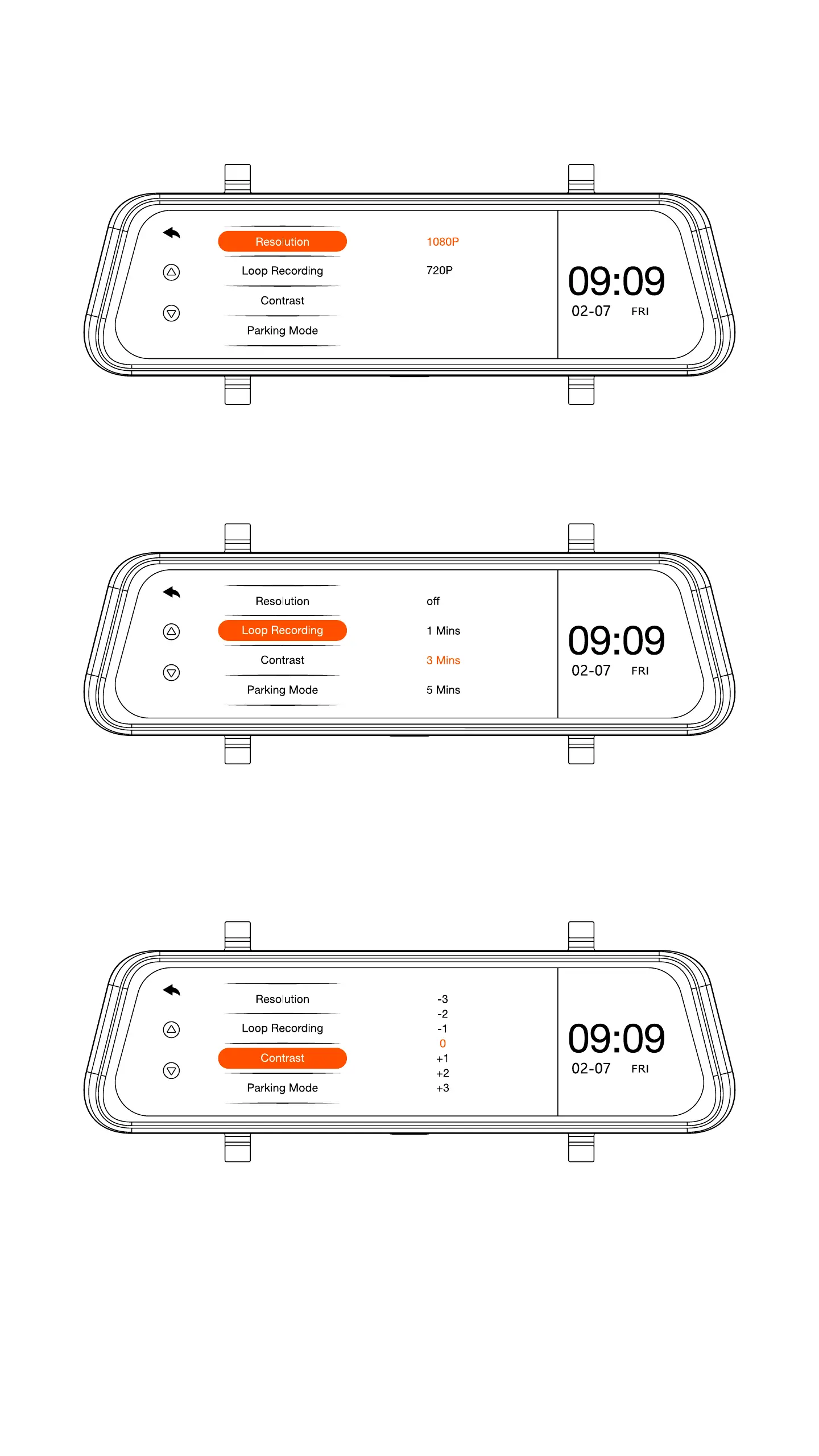
18. Menu Settings
Resolution:
T
oggle between 1080p and 720p.
Loop Recor
ding:
Choose to r
ecord videos in 1, 3, or 5
minute intervals.
Contrast:
Adjusts the exposur
e of the captur
e image/
video up or down manually
.
35
37
Table of Contents
Main Page
Table of Contents
2
Wiring Back up Camera - Option
2
Package Contents
5
Device Specifications
6
Device Layout
12
Installing Micro SD Card
14
Mounting SYLVANIA Roadsight Mirror Dash Camera
15
Wiring Rear Camera
18
Wiring Back up Camera - Option
19
Placing Rear Camera
25
Toggle Camera Display from LED Display to Traditional Mirror
26
Main Camera Functions
27
Dash Camera Viewing Angle
28
Playback Menu
29
Video Folders
30
Video Player
32
Image Folder
33
Image Viewer
35
Menu Settings
36
Updating Firmware
41
Camera Information
42
Related product manuals
Sylvania ROADSIGHT PLUS
26 pages
Sylvania ROADSIGHT BASIC
23 pages



 To Next Page