screw
After connecting power adapter, the unit will power on automatically for the first time.
2
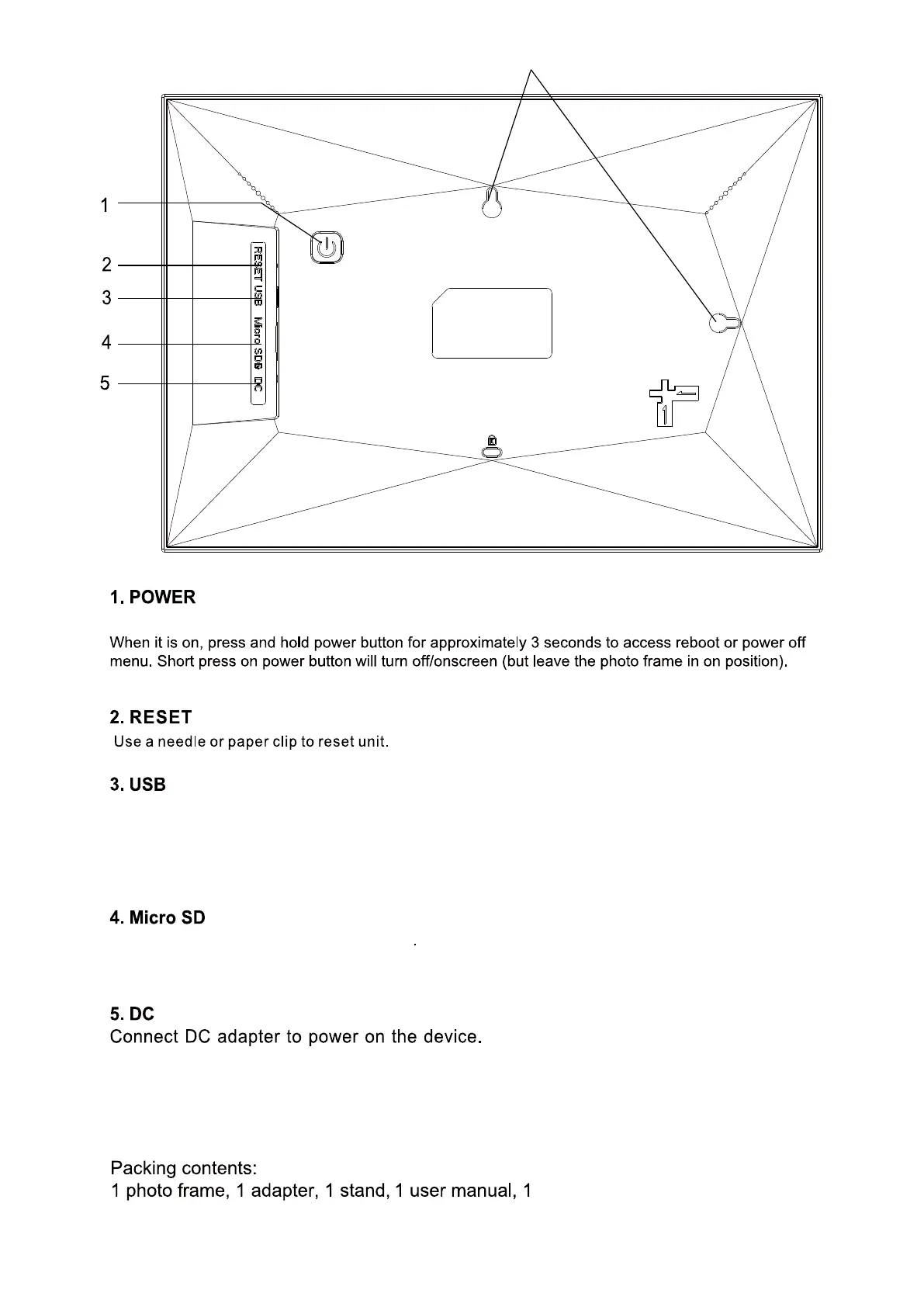
Connect with a USB flash driver via OTG cable or connect to a computer to transfer data. can import photos
from USB disk/computer to photo frame,can't copy photos from photo frame to USB disk/computer, can't
playback photos from USB disk directly. Note: The micro USB port is only for data transfering, not for
charging.
Load external microSD memory cards here. Note: Consumer can import photos from micro SD card to photo
frame,can copy photos from photo frame to microSD card,but can't playback photos from micro SD card directly.
Use the screw to mount the frame on wall, portrait and landscape available.
6. Wall mounting holes
6



 To Next Page