10 11
When playing disc of DVD,MPEG4,SVCD,VCD,CD,Mp3,user can repeatedly
play a specific section.
During playback,press“A-B”button at a point A,then press
this button again in point B,the unit will automatically repeat
playing the part between“A-B”
Press it the third time,the unit will return to normal playback.
AB
A
Number
During playing DVD disc with multi-angle, press“Angle”button to change the display angle.
Note:
The function is available only for discs with multi-angle.
Angle
A-B
Repeat playing of favorite scene
MP3
CDVCD
SVCD
MPEG4
DVD
Angle
DVD
MPEG4 SVCD
VCD CD
2X 4X
8X16X32X
2X 4X
8X
16X32X
Search forward
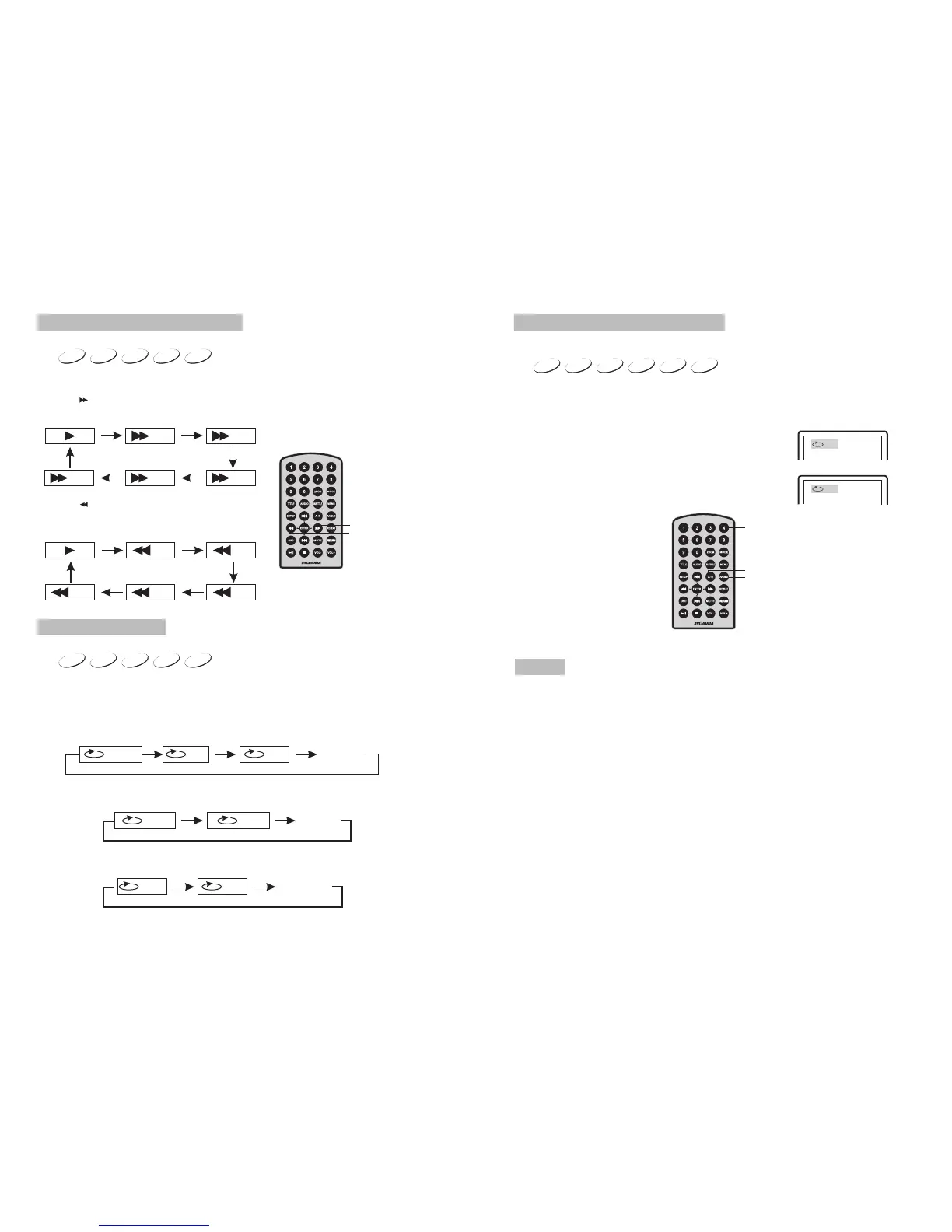
When playing disc of DVD,MPEG4,SVCD,VCD,CD, the machine can search forward or
backward.
1. Press“ ”,the machine will search forward. Press it repeatedly ,the machine will play
at 2, 4,8, 16, 32 times of speed.
2. Press“ ”, the machine will search backward.
Press it repeatedly,the machine will play at
2,4,8,16,32 times of speed.
Search backward
Fast forward and fast backward
DVD
MPEG4
SVCD VCD CD
When playing disc of DVD,MPEG4,SVCD,VCD,CD,user can repeat playing one
chapter, title or all the whole disc.
For DVD disc,press“repeat”button,user can repeat playing one Chapter;press it
again to repeat playing Title;press it the third time to repeat playing the whole disc.
For MP3 disc,press“repeat”button to repeat playing present file;press it again to repeat
playing the folder;press it the third time to cancel repeat function.
Chapter Title All
Repeat off
one folder
Repeat off
Repeat playing
Track
All
Repeat off
For CD/VCD disc, press repeatedly to repeat the track and the whole disc. “repeat”button



 To Next Page