14 15
00 00 03 43
001/008
\Ctyy\
......
Mp3
TRACK01
Mp3
TRACK02
Mp3
TRACK03
Mp3
TRACK04
Mp3
TRACK05
In the Browser Mode,the system will show the list of file and folder.
, , key:select and play
:Enter the folder
:Quit the folder
Note:
if you want to return to the Main Menu,first,the system must be in List of file and folder
status, and you can press RETURN KEY to return to the Main Menu.
“ ” “ ” “ENTER”
“ ”
“ ”
“”
Browser mode
Photo mode
Slide Show Menu Prev Next
In the Photo Mode,the System will show the thumbnail Mode first.
, , , , :select and play.
Slide Show:play the JPEG.
Menu:Enter the Help Menu.
Prev:Page Up.
Next:Page Down.
“ ” “ ” “ ” “ ” “ENTER”
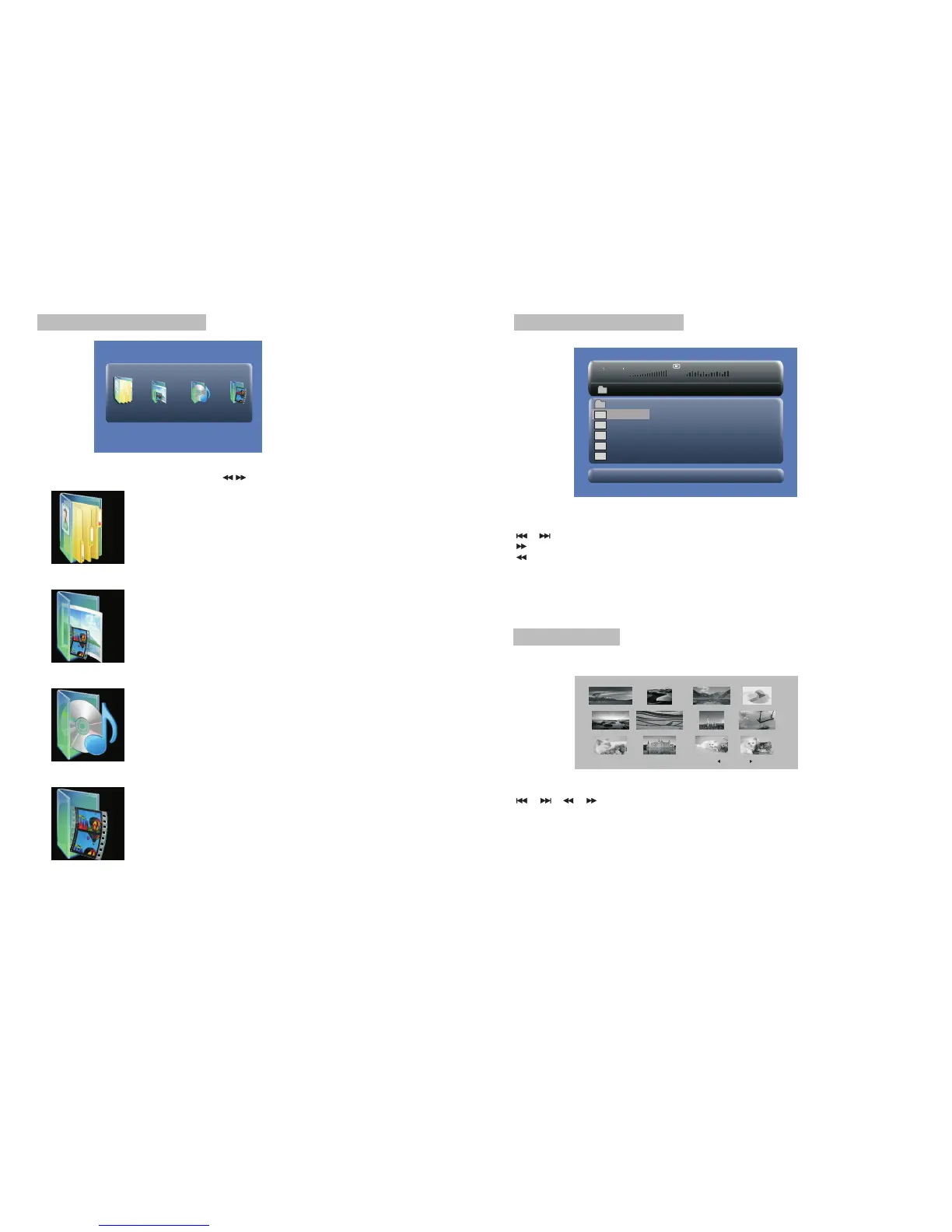
SD/MMC/USB main menu
After Enter the SD/MMC or USB,the system will show Main Menu which includes 4
Function ICONS.You can select them by and press key to confirm.“ ” “ENTER”
Photo Mode
Detail explanation please refer to P15 -16
Browser Mode
Detail explanation please refer to P15
Music Mode
Detail explanation please refer to P16
Movie Mode
Detail explanation please refer to P17
Note:Media cards formatted in exFAT file system not supported.



 To Next Page