ON/OFF
Hold the power button for about 3 seconds to turn on/off the speaker.
Pairing and Bluetooth Connection
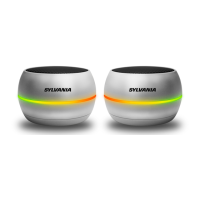
1. Turn both speakers on at the same time. Speakers will start to search for pairing after the
audio message “Pairing”.
2. After audio message “Beep” from both speakers, the two speakers are paired.
3. If not paired successfully, push power button of both speakers once to search for pairing.
4. Turn on the Bluetooth function of your device and select Bluetooth name “Sylvania
SP926”. You will hear an audio message “Connected” after your device is connected to
TWS speaker successfully.
Function
1. Short press "Play/Pause/Phone" key to pause or play/pause music and to answer a call.
A second short press second will resume playing music again.
2. Short press "vol-/Previous song”, the speaker will play the previous song
3. Short press "Vol+/Next song", the speaker will skip to the next song
4. long press "vol-/Previous song", reduces speaker volume
5. long press "Vol+/Next song" increase speaker volume and you will hear “maximum
volume” when maximum volume is reached
Hands free phone call operation
1. When a phone call is incoming, hold and press "Play/Pause/Phone" key to reject the call.
2. When on an active call, short press "Play/Pause/Phone" to hang up


 To Next Page