EasyManua.ls Logo

Sylvania SPA059 - User Manual

Sylvania SPA059
22 pages
Print Icon
To Next Page IconTo Next Page
Loading...
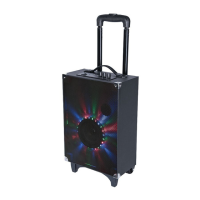
BLUETOOTH TAILGATE SPEAKER-WITH LED LIGHTING
MODEL:SPA059
PLEASE READ CAREFULLY BEFORE OPERATING THIS EQUIPMENT
KEEP IT IN A SAFE PLACE FOR FUTURE REFERENCE
          
FCC ID:OKUSPA059
IC ID:10765A-SPA059
mavis
数字签名者:mavis
DNcn=mavis, o=junlan, ou=marketing,
email=mkts, c=CN-中国
日期:2017.09.09 15:42:03 +08'00'
Question and Answer IconNeed help?

Do you have a question about the Sylvania SPA059 and is the answer not in the manual?

Summary

IMPORTANT SAFETY INSTRUCTIONS

Electric Shock Warning

Warning about opening the unit and user-serviceable parts.

Weather Hazard Warning

Do not expose unit to rain or moisture to prevent fire or shock.

Advanced Safety & Service Procedures

Professional Servicing & Parts

Refer servicing to qualified personnel; use manufacturer-specified replacement parts.

Service Triggering Conditions

Lists conditions like damage or malfunction requiring professional service.

Product Components and Controls

Using the Speaker Controls

Speaker Charging Guide

Instructions for charging the built-in battery before first use.

Bluetooth Device Pairing

Steps to connect a Bluetooth device for wireless audio streaming.

Wireless Audio Playback and Tips

Streaming Music Wirelessly

How to play music from a paired Bluetooth device.

Volume and Playback Management

Using the main volume knob and play/pause button.

Audio Input and Handle Operation

Microphone Connectivity and Use

Steps for connecting and using microphones for speaking or karaoke.

Troubleshooting and Product Details

Common Problem Solutions

Solutions for issues like no power, no sound, or distorted audio.
Summary

IMPORTANT SAFETY INSTRUCTIONS

Electric Shock Warning

Warning about opening the unit and user-serviceable parts.

Weather Hazard Warning

Do not expose unit to rain or moisture to prevent fire or shock.

Advanced Safety & Service Procedures

Professional Servicing & Parts

Refer servicing to qualified personnel; use manufacturer-specified replacement parts.

Service Triggering Conditions

Lists conditions like damage or malfunction requiring professional service.

Product Components and Controls

Using the Speaker Controls

Speaker Charging Guide

Instructions for charging the built-in battery before first use.

Bluetooth Device Pairing

Steps to connect a Bluetooth device for wireless audio streaming.

Wireless Audio Playback and Tips

Streaming Music Wirelessly

How to play music from a paired Bluetooth device.

Volume and Playback Management

Using the main volume knob and play/pause button.

Audio Input and Handle Operation

Microphone Connectivity and Use

Steps for connecting and using microphones for speaking or karaoke.

Troubleshooting and Product Details

Common Problem Solutions

Solutions for issues like no power, no sound, or distorted audio.

Sylvania SPA059 Specifications

General IconGeneral
BrandSylvania
ModelSPA059
CategorySpeakers
LanguageEnglish

Related product manuals