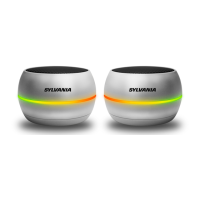
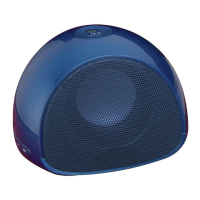
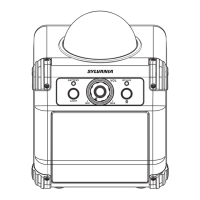
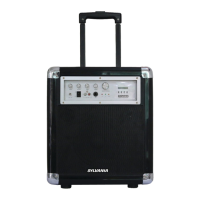
The Sylvania SP953 is a portable Bluetooth speaker designed to provide entertainment through wireless music streaming. It offers a 360-degree sound experience with deep bass, making it suitable for various audio needs. The speaker features a stylish rubberized design and includes a convenient carrying hook for portability. Large control buttons are integrated for easy operation, ensuring a user-friendly experience.
Function Description:
The primary function of the Sylvania SP953 is to play audio wirelessly via Bluetooth or through a wired auxiliary connection. It is compatible with a wide range of Bluetooth-enabled devices, including iPads, iPhones, iPods, and various smartphones. The speaker allows users to stream music, control playback, and adjust volume directly from the unit or the connected device.
Usage Features:
- Power On/Off: To power on the speaker, press and hold the "ON/OFF" button for 2 seconds. The blue LED will flash, indicating it is powered on. To power off, press and hold the "ON/OFF" button for 2 seconds again.
- Bluetooth Pairing: The unit enters "Pairing Mode" when the Bluetooth pairing button is pressed. Users can then find "Sylvania SP953" in their Bluetooth device settings menu to connect. Once paired, the speaker will automatically reconnect to the last-paired device when powered on and within range. If you wish to unpair the current device and search for new ones, press and hold the Bluetooth pairing button. The Bluetooth connection has a timeout of 10 minutes.
- Music Playback (Bluetooth Mode):
- Press the "Play/Pause" button to start or pause music.
- To play the next track, press and hold the "+" button for 2 seconds.
- To play the previous track, press and hold the "-" button for 2 seconds.
- To control the volume, press either the "+" or "-" button. An audible alert will sound when the maximum or minimum volume level is reached.
- Aux-In Mode: The speaker includes a 3.5mm standard auxiliary input, allowing for a wired connection to devices without Bluetooth capabilities. When a 3.5mm cable is connected, the blue LED will turn off, and a green LED will illuminate, indicating that the unit is in Aux-In mode. In this mode, music playback and volume control are managed directly from the connected device.
- LED Indicators:
- Blue LED flashing & Blue LED solid: Indicates Bluetooth Mode.
- Green LED on solid: Indicates Aux Mode.
- Red LED: Illuminates during charging.
- Red LED off: Indicates the battery is fully charged.
- Charging: The speaker has a built-in rechargeable battery. When the battery is low, a beep will sound, and the speaker will automatically turn off when completely drained. To charge, connect the Micro USB cable to the unit and plug it into any USB charger. The red LED will light up during charging and turn off once fully charged. A complete charge from a fully discharged state takes approximately 5 hours. It is recommended to fully charge the speaker before its first use.
Maintenance Features:
- General Care: To ensure the longevity of the speaker, keep it away from heat sources, direct sunlight, humidity, water, and other liquids. Avoid operating the unit if it has been exposed to water or moisture to prevent electrical shock or damage.
- Handling: Do not use the unit if it has been dropped or damaged. Do not use it with wet hands or put objects into any of its openings. Keep the unit free from dust, lint, and other debris.
- Cleaning: Do not use abrasive cleaning solvents to clean the device.
- Temperature Exposure: Avoid exposing the device to extremely high or low temperatures, as this can shorten the life of electronic components, damage the battery, or distort plastic parts.
- Disposal: Do not dispose of the device in a fire, as it may result in an explosion.
- Physical Damage Prevention: Do not expose the device to sharp objects, as this can cause scratches and damage. Avoid dropping the device, as it may damage the internal circuit.
- Repairs: Repairs to electrical equipment should only be performed by a qualified electrician. Attempting to disassemble the device if you are not a professional may cause damage.
- Intended Use: Do not use this unit for anything other than its intended purpose.
- Child Safety: Keep the unit out of reach of children, as this product is not a toy.

 Need help?
 General

 To Next Page