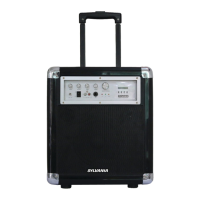
Operation
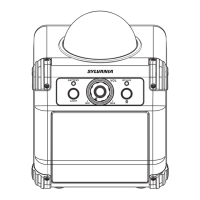
• Press and Hold "ON/OFF" button 2 seconds to power ON, the Blue LED will start to
flash.
• If an Aux (3.5 mm) cable is connected to the unit, the Blue LED will turn off, and the
Green LED will stay illuminated, notifying you, the unit is in Aux-In mode.
• Press and Hold "ON/OFF" button 2 seconds to power OFF.
Bluetooth Mode
Pairing
The unit will go into “Pairing Mode” when the Bluetooth pairing button is pressed. Go into
your Bluetooth device settings menu and look for “Sylvania SP953”
After the unit has paired and connected, it will re-connect automatically when the unit is
powered on and the device is in range.
Note: Bluetooth Timeout: 10 minutes. You can press and hold the Bluetooth pairing
button to unpair your current device and search for new devices in Bluetooth mode.
Begin Streaming Music
• Press Play/Pause button to start playing music
• Press and Hold “+” button 2 seconds to play the next track
• Press and Hold “-” button 2 seconds to play previous track
• Press either “+” or “-” button for volume control
Note: You will hear an audible alert when the maximum / minimum volume level has
been reached.
Aux-In Mode
Plug in the supplied 3.5 mm cable into the unit. The other end is connected to your device.
The Green LED will only illuminate when in “Aux” mode.
Please note music and volume can be controlled by your device.



 To Next Page