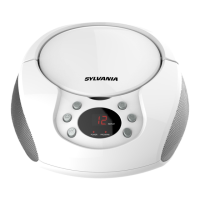
• Press the POWER button to turn on the unit.
• Press and toggle the FUNCTION button to select Bluetooth mode. The unit will
search the paired device with the “BLUETOOTH” Indicator lit.
• Press and hold the STOP/PAIR Button for 4~5 seconds. Then the “BLUETOOTH”
Indicator is flashing, the unit will goes into Pairing/Discoverable mode.
• Turn on the Bluetooth function of your Bluetooth device and enable the search or
scan function to find the unit.
• Select "SRCD1368BT ecived eht morf"li ecived ruoy no sraeppa ti nehw tssc fI .neer
required, enter the pass code
“0000” to pair (link) the unit with your device.
• After successfully pairing (linking) the Bluetooth enabled device the “BLUETOOTH”
Indicator steadily and a short beep will heard.
Note: If you can’t pair the unit with your Bluetooth enabled device, you can try to turn Off &
On the power of your unit to solve the problem.
The unit is designed to receive FM Stereo / FM and AM radio bands.
1. Switch and toggle the FUNCTION button on the top of the unit to switch to AM
or FM mode.
2. Adjust the TUNING knob on the top of unit to tune the frequency of desired radio
station.
3.
To turn off the unit power, press the STANDBY button to switch off the unit.
Remark:
The unit has built-in AM ferrite bar antenna, which can provide adequate reception in
most areas. If the AM reception is weak, try to adjust the location of the unit or
relocatethe unit to improve the reception. If the FM reception is weak, try to adjust the
length and the angle of the XQLW to improve the signal reception.
1. If the unit has never been paired with a Bluetooth device before, you need to follow the
pairing instructions below to link the SRCD1368BT with your Bluetooth device.
Bluetooth Operation
Radio Operation
9



 To Next Page