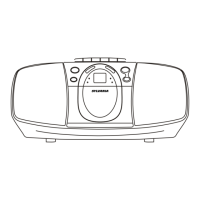
Switching On for the first time
Plug into AC power or install batteries by following instructions on the previous Power
C
the unit. The STANDBY indicator will be lighted off.
To turn the unit off, slide the POWER switch again to turn the unit off.
onnection section. The STANDBY indicator willl lit. Slide the POWER switch to turn on
Switching between different sources (CD/BLUETOOTH/FM/AM)
After turning on the unit, press and toggle FUNCTION switch to select different sound
sources.
Adjusting sound volume level
After turning on the unit, turn the VOLUME knob to adjust the level of sound volume.
Main Operation
Caution:
There is a danger of explosion if batteries are replaced incorrectly.
Replace batteries with the same type and same brand only.
When the unit is intended for being unused for a long period of the time, press the
POWER button to turn OFF the unit and remove all batteries from the main unit.
6



 To Next Page