6
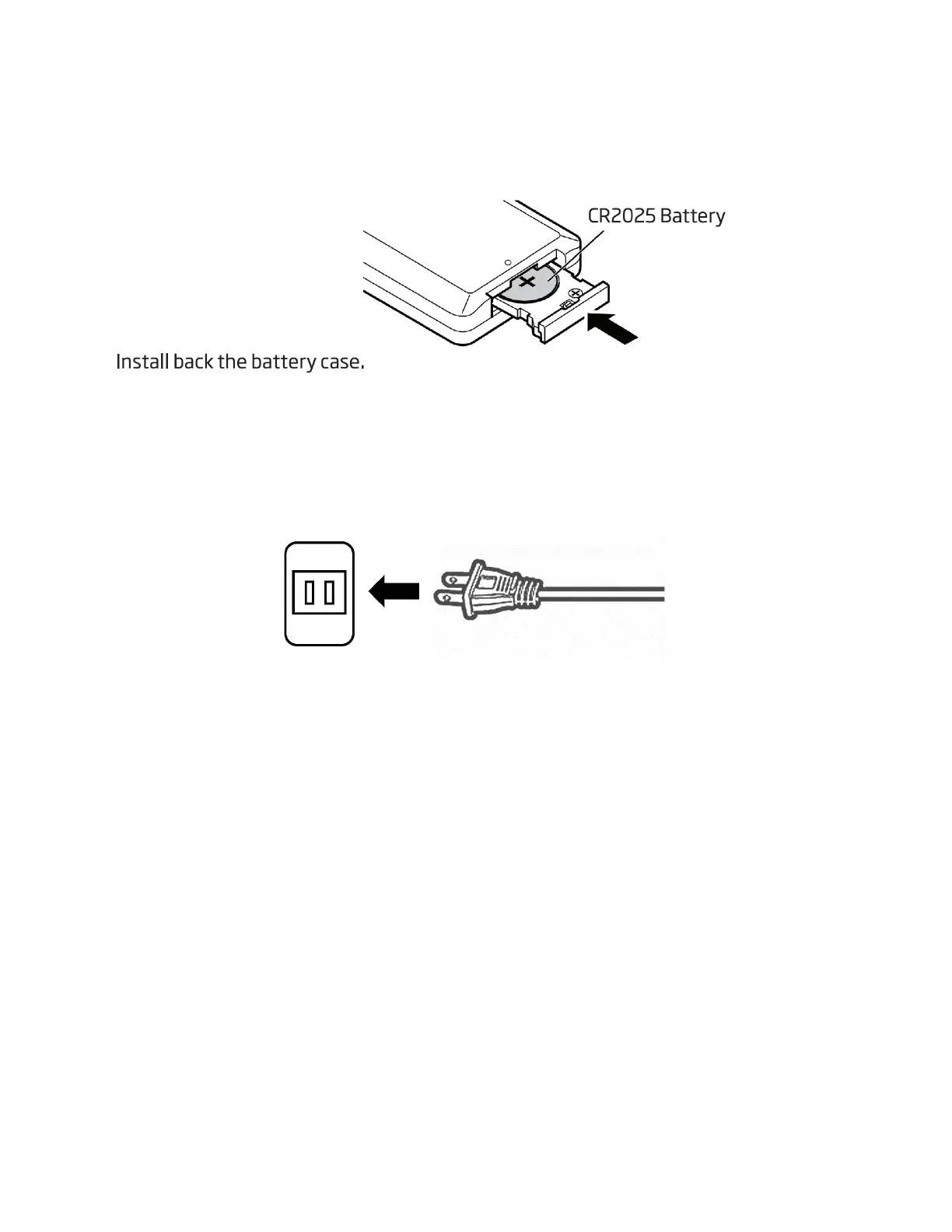
Replace the battery by a new CR2025 size battery. When inserting the battery, be sure
to do so in the proper direction as shown below.
Connecting to the Power Supply
Plug the AC/DC adapter into the AC wall socket.
Basic Operation
Press the STANDBY button to turn on the unit. To turn off the unit, press the STANDBY
button again.
CD / FM / BT / AUX IN
Press the SOURCE button to select from the different modes.
Volume Control
Turn the VOLUME control or press the VOL- / VOL+ buttons on the remote control to
change the volume.
Adjusting the Antenna
The wire antenna at the rear panel of the unit should be extended to ensure a good FM
reception. Alter the wire antenna position for the best reception.


 To Next Page