EasyManua.ls Logo

Symbol MC9090G - User Manual

Symbol MC9090G
246 pages
Print Icon
To Next Page IconTo Next Page
Loading...
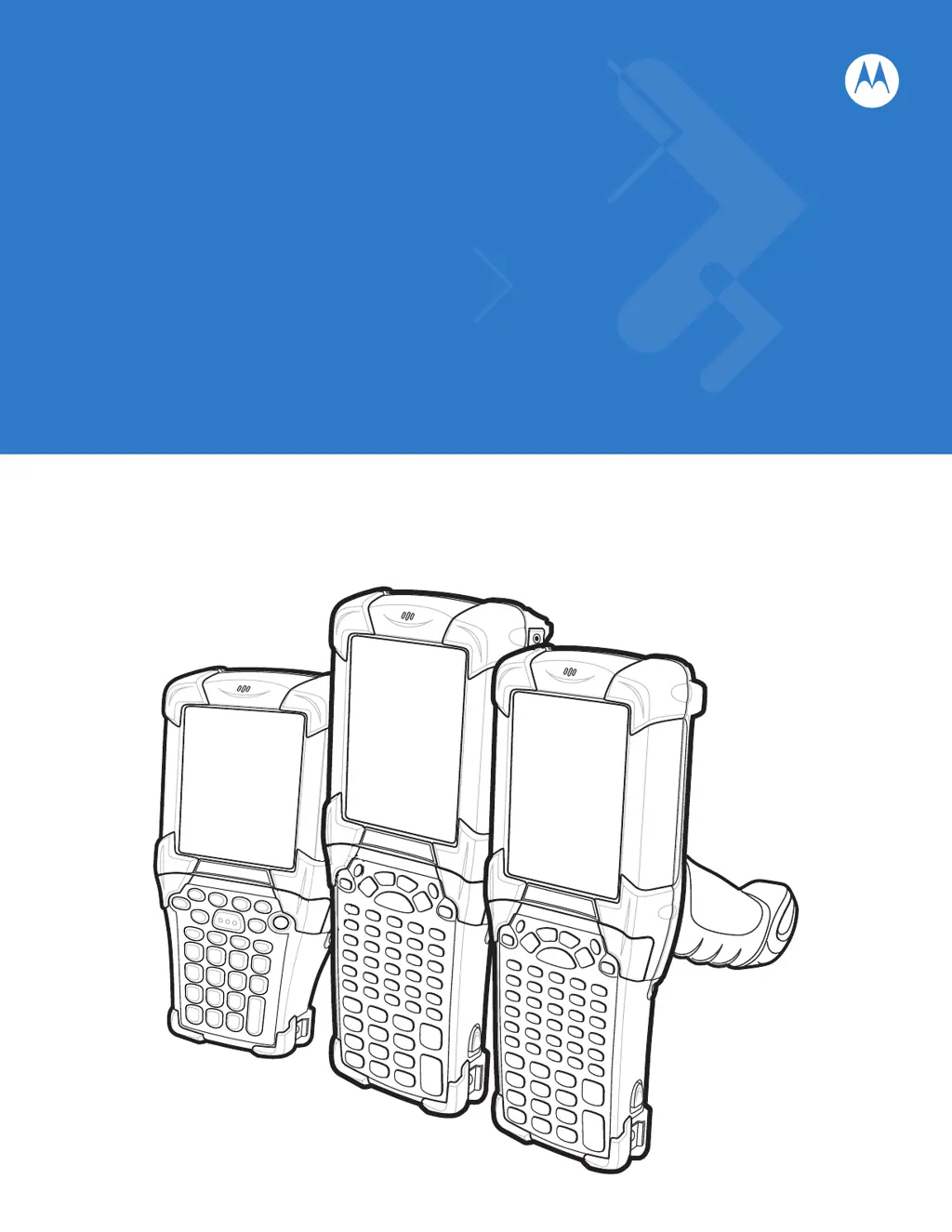
MC909X Mobile Computer
User Guide

Table of Contents

Questions and Answers

Summary

About This Guide

Introduction

Provides information about using the MC9090 family of mobile computers and accessories.

Configurations

Outlines the various configurations covered in this guide for the MC909X.

Software Versions

Covers various software configurations and references for operating system and software versions.

Chapter 1 Getting Started

Unpacking the Mobile Computer

Instructions for carefully removing protective material and verifying received equipment.

Battery Management

Covers battery saving tips, changing power settings, and display backlight adjustments.

SIM Card

Details the installation and use of the Subscriber Identification Module (SIM) card.

Chapter 2 Operating the MC909 X

Introduction

Explains physical buttons, status icons, controls, and basic operations like powering on/resetting.

Status Icons

Describes the Taskbar and status icons indicating device status on CE 5.0 and WM 5.0.

Keypads

Discusses the various interchangeable modular keypads and their functions.

Chapter 3 Using Bluetooth

Introduction

Explains Bluetooth wireless technology, its capabilities, and use with mobile computers.

Security

Discusses link-level and application-level security mechanisms for Bluetooth connections.

Discovering Bluetooth Device(s)

Steps to discover and identify Bluetooth devices in the vicinity.

File Transfer Services

Instructions for transferring files between the mobile computer and other Bluetooth devices.

Chapter 4 Using MC9094 Phone

Introduction

Explains using the MC9094 phone for calls, messages, and internet access.

Making a Call Using the Keypad

Step-by-step guide to making phone calls using the keypad.

Using Speed Dial

How to create, edit, delete, and use speed dial entries for quick dialing.

Using Call History

How to view and manage call history, including missed, outgoing, and incoming calls.

Chapter 5 Using the MC9097 Phone

Introduction

Explains MC9097 phone features like calls, messages, and GPS.

Walkie-Talkie Calls

Instructions for making and receiving walkie-talkie calls and using call alerts.

Establishing a Data Packet Connection

Steps to connect to the internet or transfer data using the iDEN modem.

Chapter 6 Accessories

Introduction

Introduces MC909X accessories like cradles, cables, and charges.

Single Slot Serial;USB Cradle

Instructions on using the single slot cradle for charging and communication.

Magnetic Stripe Reader

How to set up and use the snap-on MSR for reading magnetic stripe cards.

Cable Adapter Module

How to set up and use the snap-on CAM for connecting cables and power.

Chapter 7 Maintenance & Troubleshooting

Introduction

Covers cleaning, storing, and troubleshooting solutions for mobile computer operation.

Maintaining the Mobile Computer

Provides tips for trouble-free service, including protection and cleaning.

Battery Safety Guidelines

Important safety guidelines for charging and handling batteries.

Mobile Computer Troubleshooting

Lists common problems, causes, and solutions for the mobile computer.

Appendix A Specifications

Technical Specifications

Summarizes mobile computer's operating environment and technical hardware specifications.

Mobile Computer Specifications

Summarizes operating environment and technical specifications for the mobile computer.

Data Capture Options

Lists laser and imaging decode capabilities for data capture.

Appendix B Keypad Special Keys

Keypads

Lists available keypads and explains color coding for functions.

Appendix C Regulatory

Accessory Power Supply Regulatory Compliance

Lists compliance statements for various accessory power supplies.

Glossary

Warm Boot

Defines a warm boot as restarting the computer and closing programs.

Index

Numerics

Index entries for terms starting with numbers.

A

Index entries for terms starting with the letter A.

Summary

About This Guide

Introduction

Provides information about using the MC9090 family of mobile computers and accessories.

Configurations

Outlines the various configurations covered in this guide for the MC909X.

Software Versions

Covers various software configurations and references for operating system and software versions.

Chapter 1 Getting Started

Unpacking the Mobile Computer

Instructions for carefully removing protective material and verifying received equipment.

Battery Management

Covers battery saving tips, changing power settings, and display backlight adjustments.

SIM Card

Details the installation and use of the Subscriber Identification Module (SIM) card.

Chapter 2 Operating the MC909 X

Introduction

Explains physical buttons, status icons, controls, and basic operations like powering on/resetting.

Status Icons

Describes the Taskbar and status icons indicating device status on CE 5.0 and WM 5.0.

Keypads

Discusses the various interchangeable modular keypads and their functions.

Chapter 3 Using Bluetooth

Introduction

Explains Bluetooth wireless technology, its capabilities, and use with mobile computers.

Security

Discusses link-level and application-level security mechanisms for Bluetooth connections.

Discovering Bluetooth Device(s)

Steps to discover and identify Bluetooth devices in the vicinity.

File Transfer Services

Instructions for transferring files between the mobile computer and other Bluetooth devices.

Chapter 4 Using MC9094 Phone

Introduction

Explains using the MC9094 phone for calls, messages, and internet access.

Making a Call Using the Keypad

Step-by-step guide to making phone calls using the keypad.

Using Speed Dial

How to create, edit, delete, and use speed dial entries for quick dialing.

Using Call History

How to view and manage call history, including missed, outgoing, and incoming calls.

Chapter 5 Using the MC9097 Phone

Introduction

Explains MC9097 phone features like calls, messages, and GPS.

Walkie-Talkie Calls

Instructions for making and receiving walkie-talkie calls and using call alerts.

Establishing a Data Packet Connection

Steps to connect to the internet or transfer data using the iDEN modem.

Chapter 6 Accessories

Introduction

Introduces MC909X accessories like cradles, cables, and charges.

Single Slot Serial;USB Cradle

Instructions on using the single slot cradle for charging and communication.

Magnetic Stripe Reader

How to set up and use the snap-on MSR for reading magnetic stripe cards.

Cable Adapter Module

How to set up and use the snap-on CAM for connecting cables and power.

Chapter 7 Maintenance & Troubleshooting

Introduction

Covers cleaning, storing, and troubleshooting solutions for mobile computer operation.

Maintaining the Mobile Computer

Provides tips for trouble-free service, including protection and cleaning.

Battery Safety Guidelines

Important safety guidelines for charging and handling batteries.

Mobile Computer Troubleshooting

Lists common problems, causes, and solutions for the mobile computer.

Appendix A Specifications

Technical Specifications

Summarizes mobile computer's operating environment and technical hardware specifications.

Mobile Computer Specifications

Summarizes operating environment and technical specifications for the mobile computer.

Data Capture Options

Lists laser and imaging decode capabilities for data capture.

Appendix B Keypad Special Keys

Keypads

Lists available keypads and explains color coding for functions.

Appendix C Regulatory

Accessory Power Supply Regulatory Compliance

Lists compliance statements for various accessory power supplies.

Glossary

Warm Boot

Defines a warm boot as restarting the computer and closing programs.

Index

Numerics

Index entries for terms starting with numbers.

A

Index entries for terms starting with the letter A.

Symbol MC9090G Specifications

General IconGeneral
CategoryHandhelds
ModelMC9090G
Operating SystemWindows Mobile 5.0 or Windows CE 5.0
Memory128 MB RAM, 256 MB Flash
Display TypeColor TFT
BluetoothBluetooth 1.2
ManufacturerZebra Technologies
Display Resolution240 x 320 pixels
Barcode Scanning1D or 2D Imager
Wireless ConnectivityWi-Fi, Bluetooth
DurabilityIP54
Expansion SlotsSDIO
I/O PortsUSB

Related product manuals