22/26
User’s Guide
6200 Digital
Voice Processor
To download the latest version of 6200 Designer, a Windows GUI
application interface for the 6200, go to: www.airtoolsaudio.com
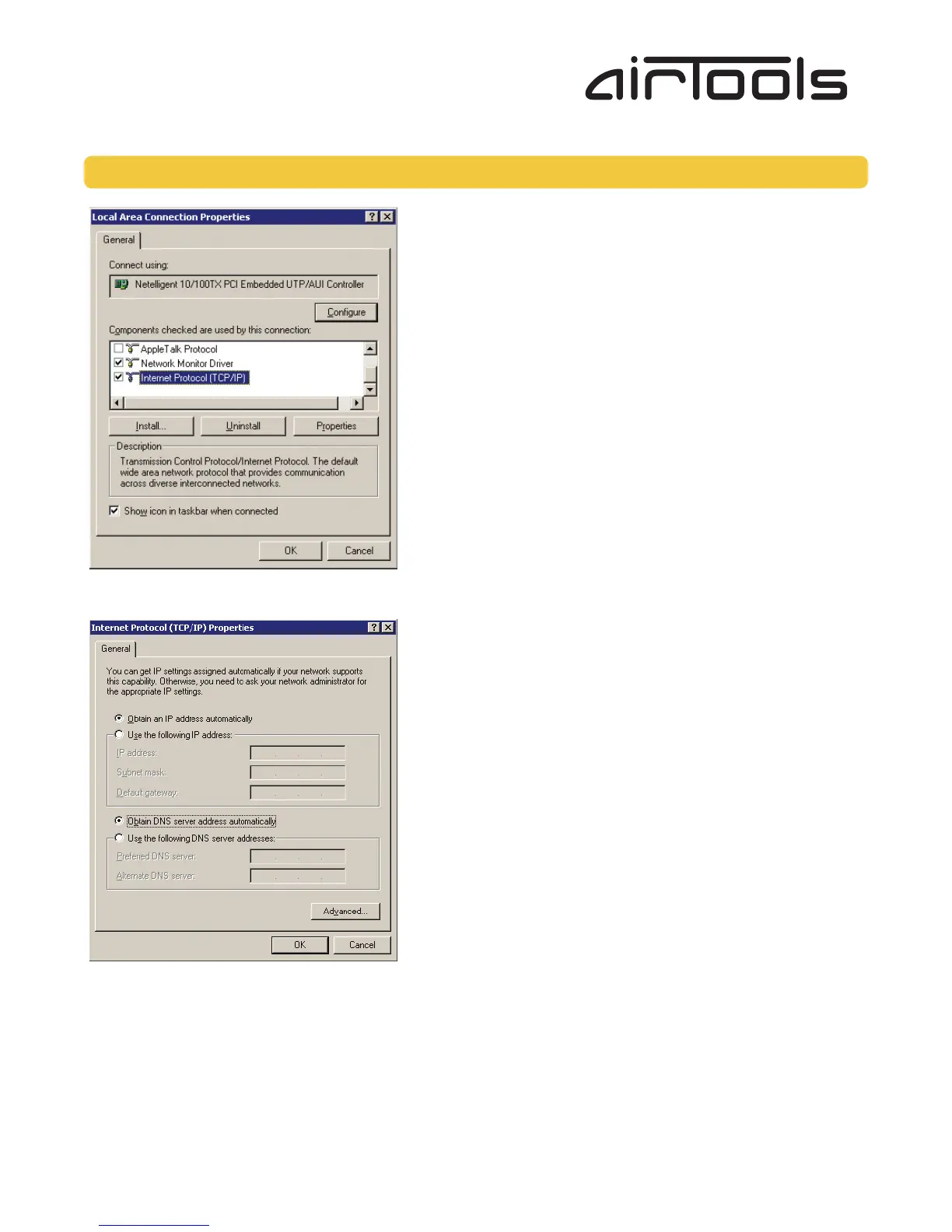
5. On the “General” tab, you may select “Use the following IP address” to enter in the appropriate information. (DNS server is
not required for connection to a 6200).
6. Press OK to save and “Close” to exit out of the “Local Area Connection Properties”.
B. Windows XP
1. Select “Start->Control Panel”.
2. Open the “Network Connections” Control Panel.
3. Right click on your “Local Area Connection” and select “Properties”.
4. Under “This connection uses the following items”, select “Internet Protocol (TCP/IP)” and press “Properties”.
Alternate Communications Connections... continued



 To Next Page