EasyManua.ls Logo

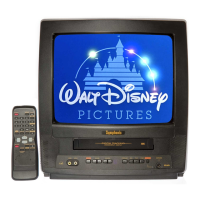
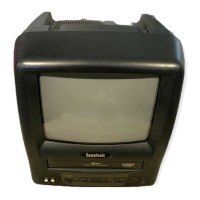
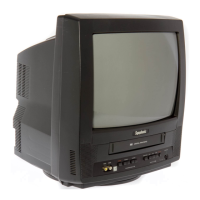
Symphonic WF0213C - User Manual

Symphonic WF0213C
32 pages
Print Icon
To Next Page IconTo Next Page
Loading...
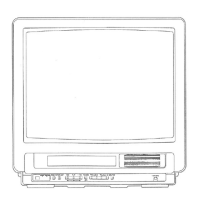
COLOR TV/VCR
WF0213C
OWNER’S
MANUAL
As an ENERGY STAR
Partner, our company has
determined that this product meets
the E
NERGY STAR guidelines for
energy efficiency. E
NERGY STAR is
a U.S. registered mark.
®
®
®
If you need additional assistance for set-up or operating
after reading owner’s manual, please call
TOLL FREE : 1-800-242-7158.
Please read before using this equipment
INSTRUCCIONES EN ESPAÑOL INCLUIDAS.
This Owner’s Manual is made of
recycled paper.
Question and Answer IconNeed help?

Do you have a question about the Symphonic WF0213C and is the answer not in the manual?

Summary

IMPORTANT SAFEGUARDS

LOCATION

PRECAUTIONS

FEATURES

OPERATING CONTROLS AND FUNCTIONS

PREPARATION FOR USE

ANTENNA;CABLE CONNECTIONS

Instructions for connecting antennas and cable systems to the TV/VCR for optimal reception.

CHANNEL SET UP FOR THE FIRST TIME

Step-by-step guide to scan and set up TV channels for the first time.

CLOCK SET UP (AUTO; MANUAL)

Instructions for setting the TV/VCR clock automatically via PBS or manually.

TV OPERATION

WATCHING A TV PROGRAM

Steps to turn on the TV/VCR, select channels, and adjust volume for viewing.

PICTURE CONTROL

Details on adjusting picture settings like brightness, contrast, color, tint, and sharpness.

CLOSED CAPTION SYSTEM

V-CHIP SET UP

PLAYBACK

NORMAL PLAYBACK

Steps to begin and stop standard playback of a video cassette.

RECORDING

NORMAL RECORDING

Steps for recording TV programs, including channel selection and tape speed.

OTR (One Touch Recording)

How to start instant recording by pressing the REC/OTR button.

TIMER RECORDING

Guide to programming the TV/VCR to record programs automatically at set times.

WAKE UP TIMER

SLEEP TIMER

COPYING A VIDEO TAPE

ON SCREEN DISPLAY

SPECIAL FEATURES

MAINTENANCE

SERVICING

Guidance on what to do if the TV/VCR becomes inoperative and requires professional service.

TROUBLESHOOTING GUIDE

GENERAL SPECIFICATIONS

ELECTRICAL SPECIFICATIONS

OTHER SPECIFICATIONS

Summary

IMPORTANT SAFEGUARDS

LOCATION

PRECAUTIONS

FEATURES

OPERATING CONTROLS AND FUNCTIONS

PREPARATION FOR USE

ANTENNA;CABLE CONNECTIONS

Instructions for connecting antennas and cable systems to the TV/VCR for optimal reception.

CHANNEL SET UP FOR THE FIRST TIME

Step-by-step guide to scan and set up TV channels for the first time.

CLOCK SET UP (AUTO; MANUAL)

Instructions for setting the TV/VCR clock automatically via PBS or manually.

TV OPERATION

WATCHING A TV PROGRAM

Steps to turn on the TV/VCR, select channels, and adjust volume for viewing.

PICTURE CONTROL

Details on adjusting picture settings like brightness, contrast, color, tint, and sharpness.

CLOSED CAPTION SYSTEM

V-CHIP SET UP

PLAYBACK

NORMAL PLAYBACK

Steps to begin and stop standard playback of a video cassette.

RECORDING

NORMAL RECORDING

Steps for recording TV programs, including channel selection and tape speed.

OTR (One Touch Recording)

How to start instant recording by pressing the REC/OTR button.

TIMER RECORDING

Guide to programming the TV/VCR to record programs automatically at set times.

WAKE UP TIMER

SLEEP TIMER

COPYING A VIDEO TAPE

ON SCREEN DISPLAY

SPECIAL FEATURES

MAINTENANCE

SERVICING

Guidance on what to do if the TV/VCR becomes inoperative and requires professional service.

TROUBLESHOOTING GUIDE

GENERAL SPECIFICATIONS

ELECTRICAL SPECIFICATIONS

OTHER SPECIFICATIONS

Symphonic WF0213C Specifications

General IconGeneral
BrandSymphonic
ModelWF0213C
TypeTV VCR Combo
Screen TypeCRT
Number of Speakers2
InputsComposite
OutputsComposite
Power SourceAC 120V

Related product manuals