EasyManua.ls Logo

Symphonic SC309E - User Manual

Symphonic SC309E
32 pages
Print Icon
To Next Page IconTo Next Page
Loading...
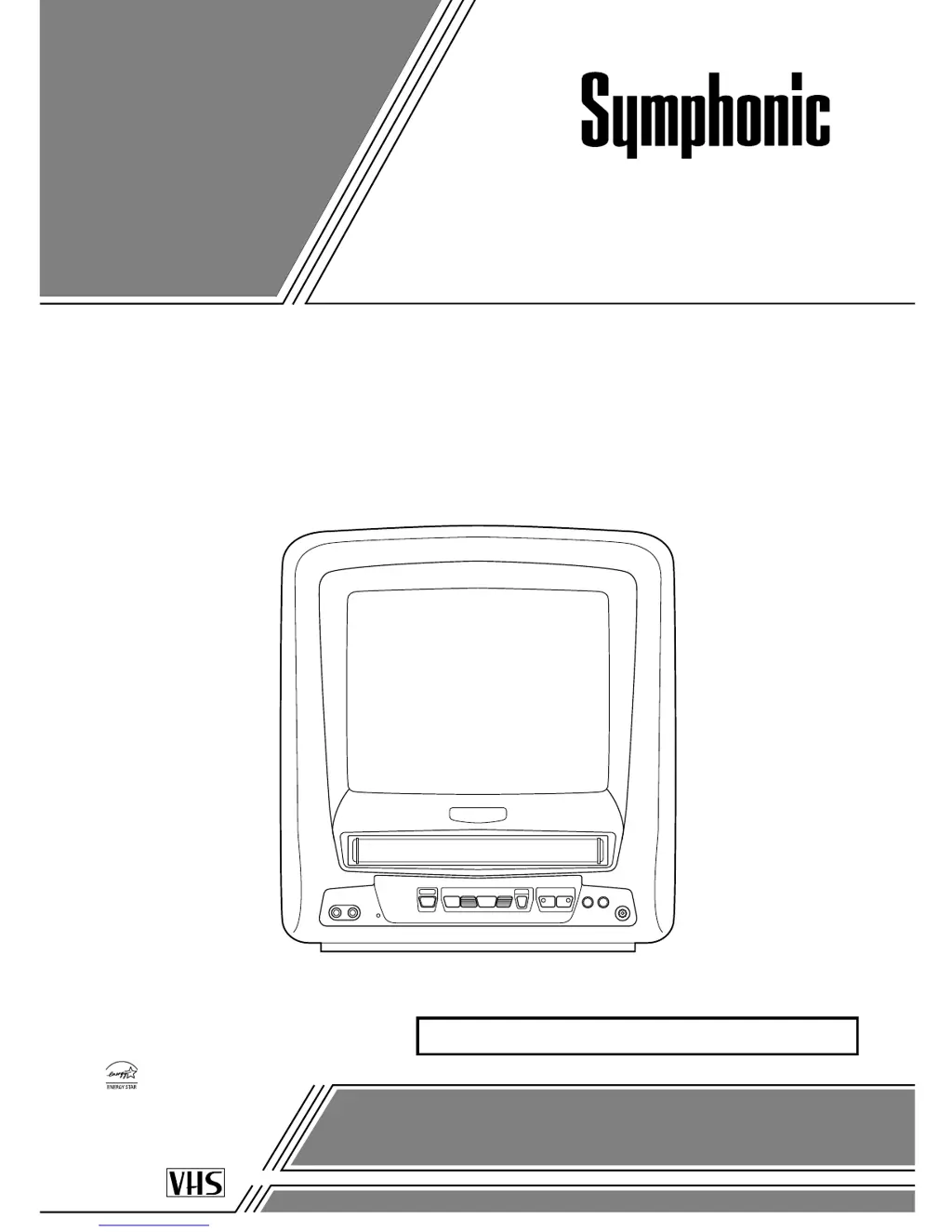
9-INCH COLOR TV/VCR
SC309E
OWNER’S
MANUAL
As an ENERGY STAR
Partner, our company has
determined that this product meets
the E
NERGY STAR guidelines for
energy efficiency. E
NERGY STAR
is a U.S. registered mark.
®
®
®
If you need additional assistance for set-up or operating after
reading owner’s manual, please call TOLL FREE : 1-800-242-7158.
Or visit our WEB SITE at
http://www.funai-corp.com
Please read before using this equipment
INSTRUCCIONES EN ESPAÑOL INCLUIDAS.
This Owner’s Manual is made of
recycled paper.

Questions and Answers

  • A
    angelamonroeAug 17, 2025
    Why is my Symphonic TV VCR Combo not turning on?
    • J
      Joel HannaAug 17, 2025
      If your Symphonic TV VCR Combo isn't powering on, ensure the AC cord is properly connected to an AC outlet. If you're using a car battery cord, check that it's connected to the vehicle's cigarette lighter socket and the DC 13.2V (12V) jack on the back of the unit. Also, inspect the fuse (5A, 250V) in the car battery cord. Finally, verify that the power is turned on.
  • T
    Thomas HammondAug 20, 2025
    What to do if my Symphonic TV VCR Combo has no picture and sound?
    • C
      cameron09Aug 20, 2025
      If your Symphonic TV VCR Combo is showing no picture and producing no sound, first ensure the AC cord is properly connected to an AC outlet. Next, check the antenna connection. If both are fine, let the TV/VCR program its tuner memory.
  • K
    Kelly HernandezAug 23, 2025
    How to fix Symphonic TV VCR Combo with no sound or poor sound?
    • J
      Joseph HowellAug 23, 2025
      If you are experiencing no sound or poor sound quality on your Symphonic TV VCR Combo, first adjust the volume control either on the remote or the main unit. If that doesn't work, try pressing the MUTE button to restore the sound.
  • K
    Karen ChavezAug 26, 2025
    How to fix no picture or poor picture on Symphonic TV VCR?
    • D
      Debra FieldsAug 26, 2025
      To resolve a missing or poor picture quality issue on your Symphonic TV VCR Combo, try adjusting the direction or replacing the antenna. Additionally, adjust the picture controls to improve the image.
  • R
    Rebecca TateAug 28, 2025
    How to fix a partially noisy playback picture on Symphonic TV VCR Combo?
    • R
      Ryan LeeAug 28, 2025
      To improve a partially noisy playback picture on your Symphonic TV VCR Combo, adjust the tracking control using the CHANNEL K or L button on the TV/VCR until the picture improves.
  • K
    Kathleen SantiagoAug 31, 2025
    What to do if Symphonic TV VCR Combo remote control is not working?
    • H
      hansenshawnAug 31, 2025
      If the infrared remote control isn't operating your Symphonic TV VCR Combo, ensure the AC cord is connected to an AC outlet. Also, check the batteries in the remote control and replace them if necessary.
  • A
    Anne GoldenSep 3, 2025
    Why is timer recording not working on my Symphonic TV VCR Combo?
    • J
      John WilsonSep 3, 2025
      If the timer recording function isn't working on your Symphonic TV VCR Combo, make sure the timer recording is set correctly. Also, ensure that the power is off and that the TV/VCR clock is set correctly.
  • C
    Catherine JonesSep 5, 2025
    Why can't I record on my Symphonic TV VCR Combo?
    • S
      Stephanie GarrettSep 6, 2025
      If you're unable to record with your Symphonic TV VCR Combo, check if the tape has an erase-prevention tab. If it does not, cover the hole with plastic tape.
  • T
    Tracey UnderwoodSep 8, 2025
    Why does the picture fade when copying a video tape on my Symphonic TV VCR Combo?
    • M
      mlewisSep 8, 2025
      If the video or color fades in and out while copying a video tape with your Symphonic TV VCR Combo, it's likely because you cannot copy a copyrighted video tape due to copy guard protection.
  • G
    Grant WardSep 12, 2025
    Why I can not set the auto clock to ON on Symphonic TV VCR Combo?
    • B
      Brenda HoffmanSep 12, 2025
      If you're unable to set the auto clock to ON on your Symphonic TV VCR Combo, make sure the AC cord is connected to an AC outlet.

Summary

Important Safeguards

Precautions

Electrical Shock and Fire Hazards

Essential safety measures to prevent electric shock and fire hazards when operating the TV/VCR.

Operating Controls and Functions

TV;VCR Front Panel Controls

Identifies and explains the buttons and indicators on the front panel of the TV/VCR unit.

Remote Control Functions

Details the purpose and operation of each button on the remote control for TV/VCR functions.

Rear Panel Connections

Describes the ports and terminals located on the rear of the TV/VCR for connectivity.

Preparation for Use

Antenna and Cable Connections

Instructions for connecting various antenna types and cable systems to the TV/VCR.

Set Up for Use

Clock Setup (Auto;Manual)

Instructions for setting the internal clock, either automatically or manually, for timer functions.

TV Operation

Playback

Inserting and Normal Playback

Instructions for inserting a cassette and starting standard playback of video tapes.

Recording

Normal Recording

Procedure for recording a TV program while watching it simultaneously.

OTR (One Touch Recording)

Sets a recording length instantly by pressing the REC/OTR button.

Timer Recording Setup

Programming the TV/VCR to record programs automatically at scheduled times.

Troubleshooting Guide

Limited Warranty

Symphonic SC309E Specifications

General IconGeneral
Screen TypeCRT
TV Tuner TypeAnalog
VCR FormatVHS
TypeTV VCR Combination
Power SourceAC

Related product manuals