Wait briefly until the connection is successful.
Operate the device to be connected (transmitter, etc.) and enter the pairing mode.
To connect with other devices (transmitter, etc.)
Explaination of the common connection steps for devices without an operation screen.
BLUETOOTH speaker
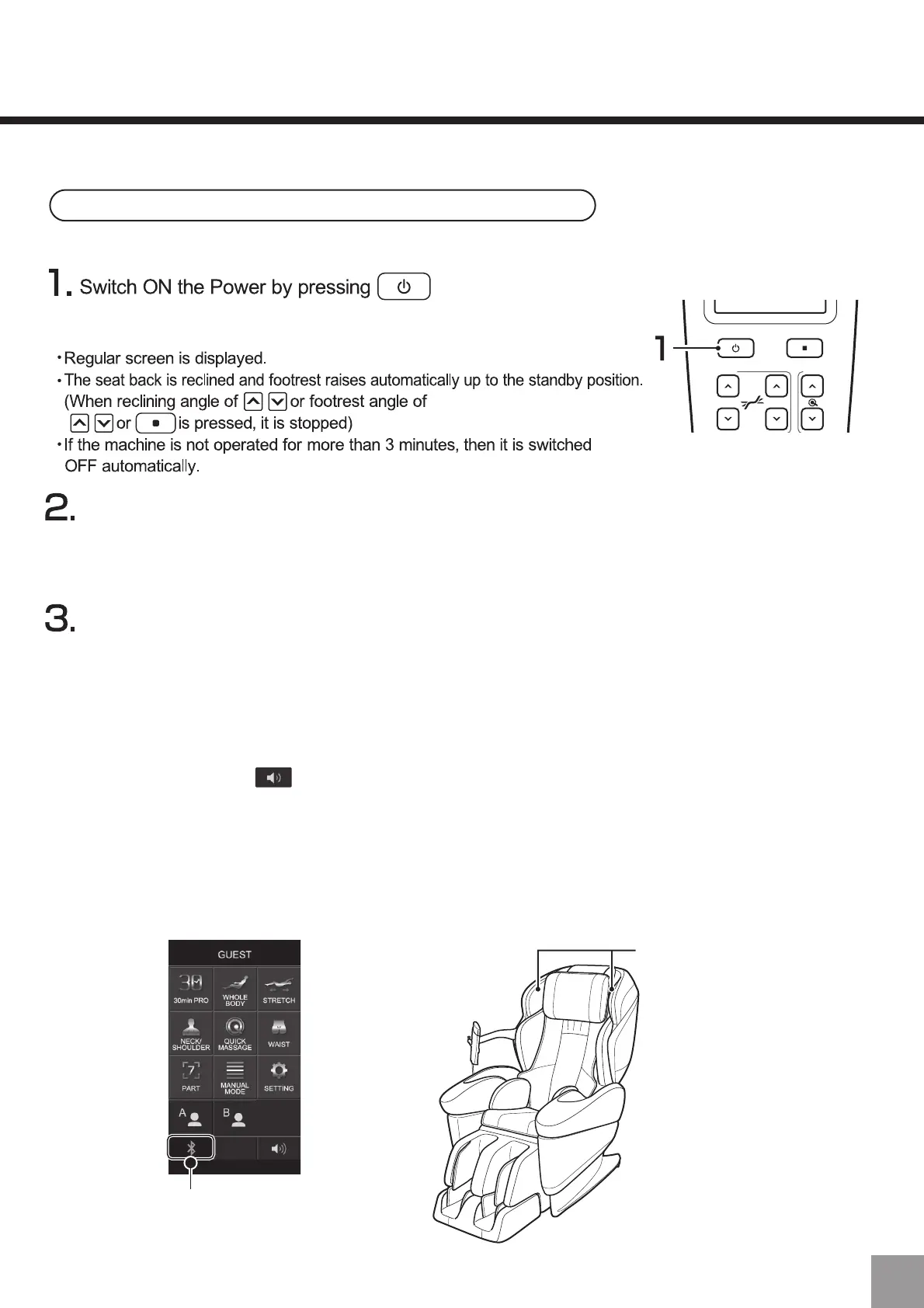
During connection, the
BLUETOOTH icon will be blue.
・Do not place other devices with BLUETOOTH communication function
around the massage chair and the device.
・The name of pairing mode and operations of switching to pairing mode vary according to the device.
Please refer to the instructions of the device for details.
・When the display status of the LED of the device changes, it means that it has entered pairing mode.
・When the display status of the LED of the device changes, it means that the connection has been completed.
・After pairing is complete, the BLUETOOTH icon on the remote control will turn blue.
・After pairing is complete, the device will connect automatically from the following time. (up to 5)
・If pairing fails, restart the power of the massage chair main body and try again.
・Since the voice may be output at high volume, please turn down the volume of the speaker device before
usage.
・Volume adjustment button on the screen of the remote control is unable to adjust the volume of BLUE-
TOOTH speaker. Please adjust the volume on the speaker device.
・In case massage, please complete the connection first and then perform the massage operations as usual.
・If used together with massage, the music will also stop playing when the massage is over.
・If used together with the heater, the heater will stop after about 60 minutes, but the music will continue playing.
・If there is no music playing or no operation for 3 minutes during the BLUETOOTH connection, the power will be
turned off automatically.
53


 To Next Page
 Loading...