22
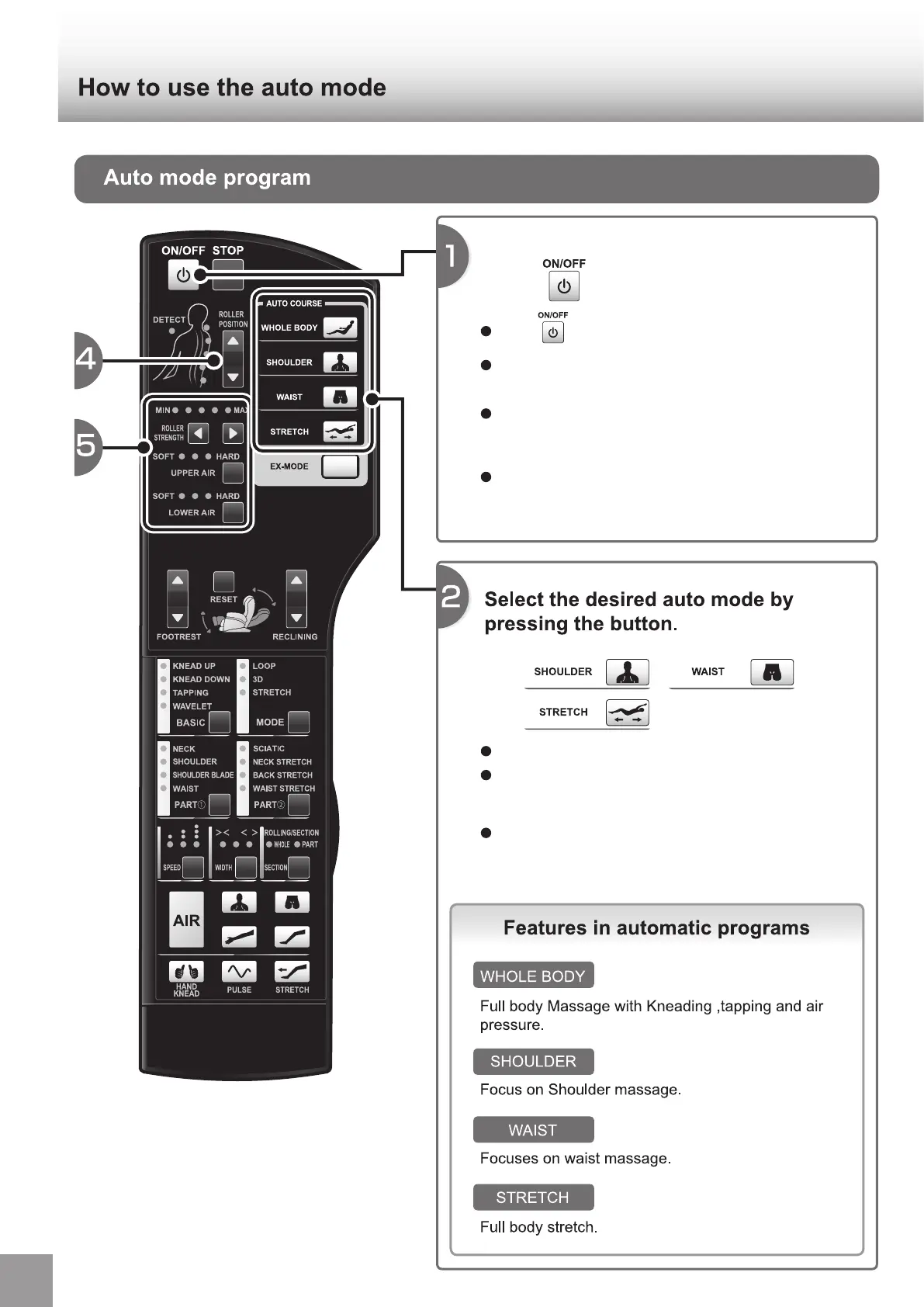
Whole body course will start when
press button.
Press button .
Sensing(Body detection) begins. Refer to the page 23
[3. About sensing] for the details. (P.23)
After sensing, whole body course begins and lamps of
"ROLLER POSITION", "ROLLER STRENGTH",
"UPPER/LOWER AIR" light up.
Refer to the page 31 [For adjusting your favorite
massage] to change the setting during the auto course.
(P.31)
Selected button lights up and massage begins.
Auto course can not be changed during the sensing.
Select a course you want to change after sensing is
finished.
Refer to the page 31 [For adjusting your favorite
massage] to change the setting during auto course.
(P.31)


 To Next Page