11www.syncoaudio.com
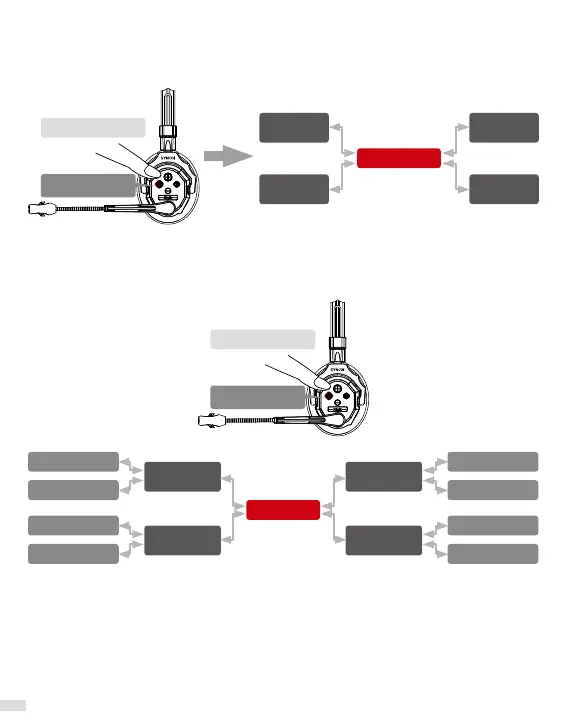
3.3.4. Pairing the Master and Connection Level 1
In 1 minute, Long press all the buttons A for 3 seconds to hear the rst "beep" then release,
the voice prompt will say "Connecting and Pairing" "Pairing Succeed" or wait for the
indicator light of all headph1s to stay green, and all are paired.
Connecting
Long press for 3s
Connecting
Long press for 3s
Connection
Level 1
Connection
Level 1
Connection
Level 1
Connection
Level 1
Master
3.3.5. Pairing the Connection Level 2 and Connection Level 1
In 1 minute, Long press all the buttons A for 3 seconds to hear the rst "beep" then release,
the voice prompt will say "Connecting and Pairing" "Pairing Succeed" or wait for the
indicator light of all headph1s to stay green(or ash), and all are paired.
*After pairing is complete, please restart all headset before use.
*When restarting, please turn on the Master rst, then the Connection Level 1. It is
recommended to turn on Connection Level 2 only while using.
*For moving the Connection Level 2, please stay close to the paired Connection Level 1 for
better transmission.
Connection
Level 1
Connection
Level 1
Connection
Level 1
Connection
Level 1
Connection Level 2 Connection Level 2
Connection Level 2 Connection Level 2
Connection Level 2 Connection Level 2
Connection Level 2 Connection Level 2
Master


 To Next Page
 Loading...