15www.syncoaudio.com
11. Real-Time Monitoring
Connect the device(Camera, Camcorder, etc.) with the Xtalk headset via 3.5mm TRS port for
monitoring the audio from the device.
* This port is only for monitoring and is not the outputting port.
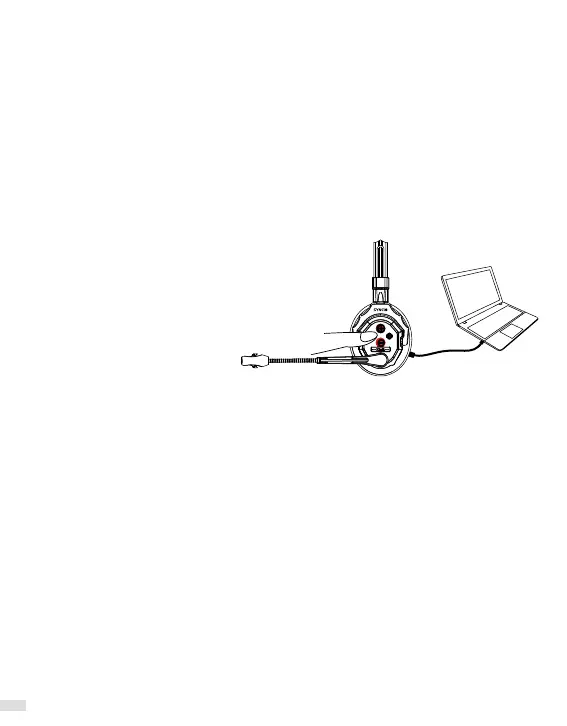
12. Firmware Update
1. Connect the Xtalk headset to the PC using a data-capable USB-C cable and power on the
Xtalk.
2. Long press Volume+ and Volume- for 10 seconds until you hear “BiBi” twice.
3.Release Volume+, then Volume-.
Click “Next” within 3 seconds and wait for the "Firmware updated successfully!" message.
*Use a data-capable USB cable.
*If the popup disappears quickly, reverse the sides of the Type-C connector on the headset
end and repeat step 3.
*Please note that the upgrade can only
be performed on a Windows system
*Not only the Master, all headsets
need to be upgraded.


 To Next Page