3www.syncoaudio.com
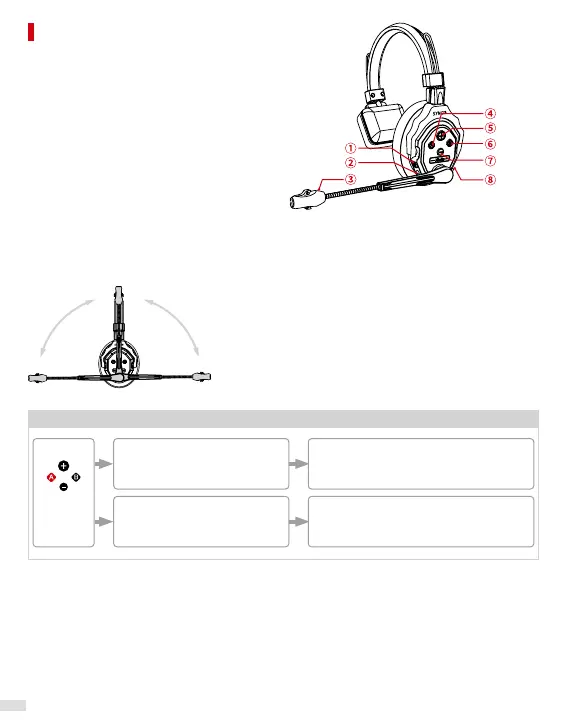
① 3.5mm Mic In Port
② Power On/O Toggle
③ Indicator Light
④ Button A
⑤ Volume + & Voice Prompts Button
⑥ Button B
⑦ Volume -
⑧ Type-C Port
Note: The operations may vary depending on the rmware version. Please follow the
instructions below to check the current rmware version.
Move the boom up and down:
Play the voice prompt → Previous rmware
No voice prompt → New rmware
Product Introduction
Operations and Functions of Buttons
Button A
Previous
Firmware
Long press for 3 seconds to
hear the rst "beep" sound
then release
Long press for 8 seconds to
hear the second "beep" sound
then release
Pairing/Unpairing
Voice Prompts: Connecting and Pairing/
Unpairing
Set/Unset as the Master
Voice Prompts: Master Mode on/Exiting
Master Mode



 To Next Page