Monitor speaker volume adjustment
The indoor unit speaker volume adjustment hole on the back of the monitor, The
end user can use the small flat type or plus type screw driver adjust the
semi-fixed resistor change the output sound like them desire level. If the output
too loud will generate some feed back noise. To avoid this problem, please try to
reduce the sound volume by adjusting.
Operation Precautions
DO NOT drop or shake the unit or subject the unit to shock.
DO NOT clean the unit with benzene, thinners, or any solvents. Wipe off dust and marks
with a soft cloth which is slightly moistened in mild soapy water.
DO disconnect from the main power if the unit is not be used for a while.
DO NOT connect the unit to public telephone network.
WARNING
-To prevent injury, this apparatus must be securely attached to the wall in
accordance with the installation instructions.
-Power adaptor shall remain readily operable after installation.
-The unit may malfunction when there is radio interference appeared on the
power line. The unit will revert to normal operation when the interference
stops.
-Under the environment with radio frequency interference, the sample may
malfunction and require user to reset the sample.
-Not for outdoor use.
Technical data:
1) Adaptor:
Input:100-240VAC~50/60Hz
Output:15V 1000mA 15AV
Operating consumption: 5W;
Standby consumption: 0.7w;
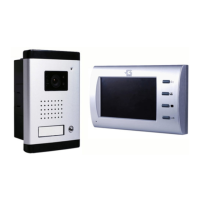
2) Monitor :
With 3.5 Inch TFT color LCD
Resolution:320xRGBx240
DC input: 15V 1A
Chime sound: Ding-Dong
3) Camera:
Image: 1/4CMOS Image
sensor
Type of lens: F=2.0
For use in ambient temperature
up to Max: 35ºC
For use in ambient temperature from -10ºC to 45ºC
www.global-export-import.eu


 To Previous Page