4.3. Download and Installation of Windows software
STEP 1: SOFTWARE DOWNLOAD
Please go to the official website to download the installation program:
www.synido.com/support/downloads
STEP 2: SOUND CARD CONNECTION
Connect the PC interface to the computer using the USB-C cable included in
the package.
STEP 3: SOFTWARE INSTALLATION
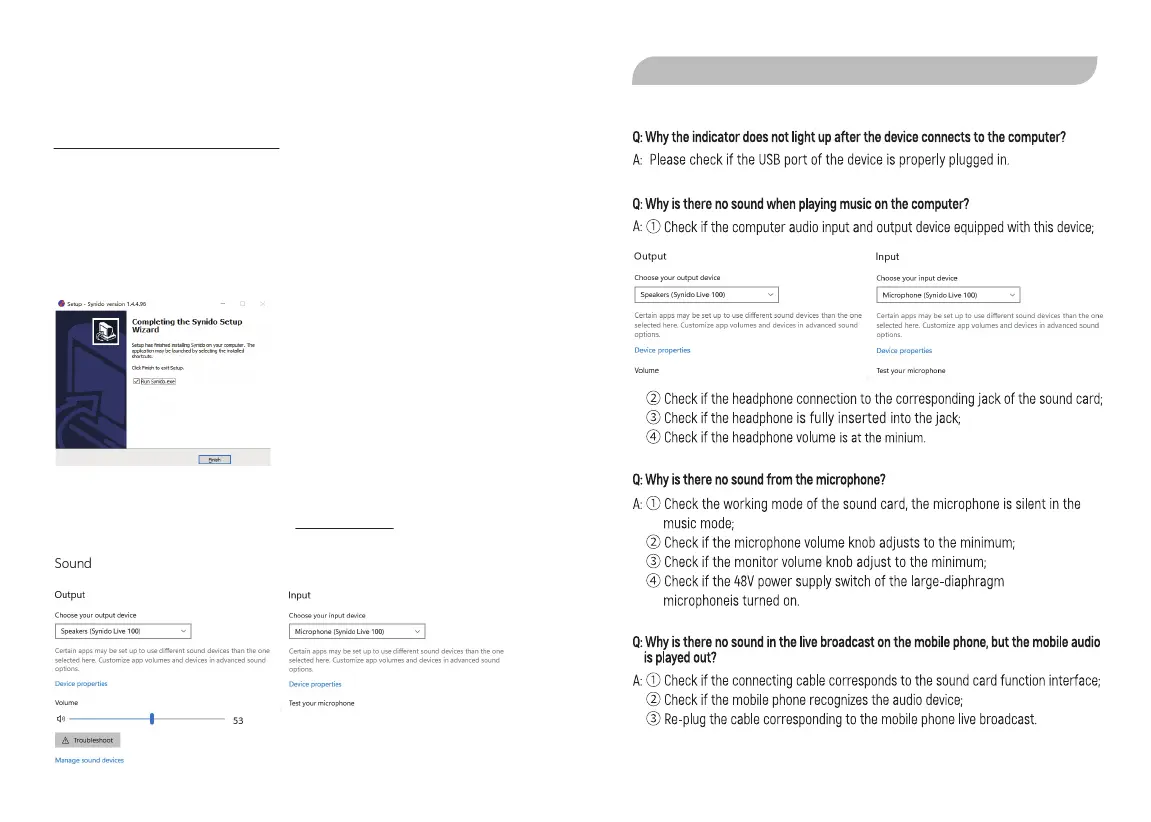
Double-click the downloaded driver and follow the instructions to install it.
STEP 4: SYSTEM SETTINGS
After confirming that the device has been recognized by the computer, right-click
the speaker in the system tray, open the SOUND SETTINGS, find the audio device list,
and select Synido Live 100 as your input and output device.
User Manual - Service & Support - 13 User Manual - Service & Support - 14
5.1. FAQ
5. SERVICE & SUPPORT


 To Next Page