11
Chapter 2: Hardware Setup
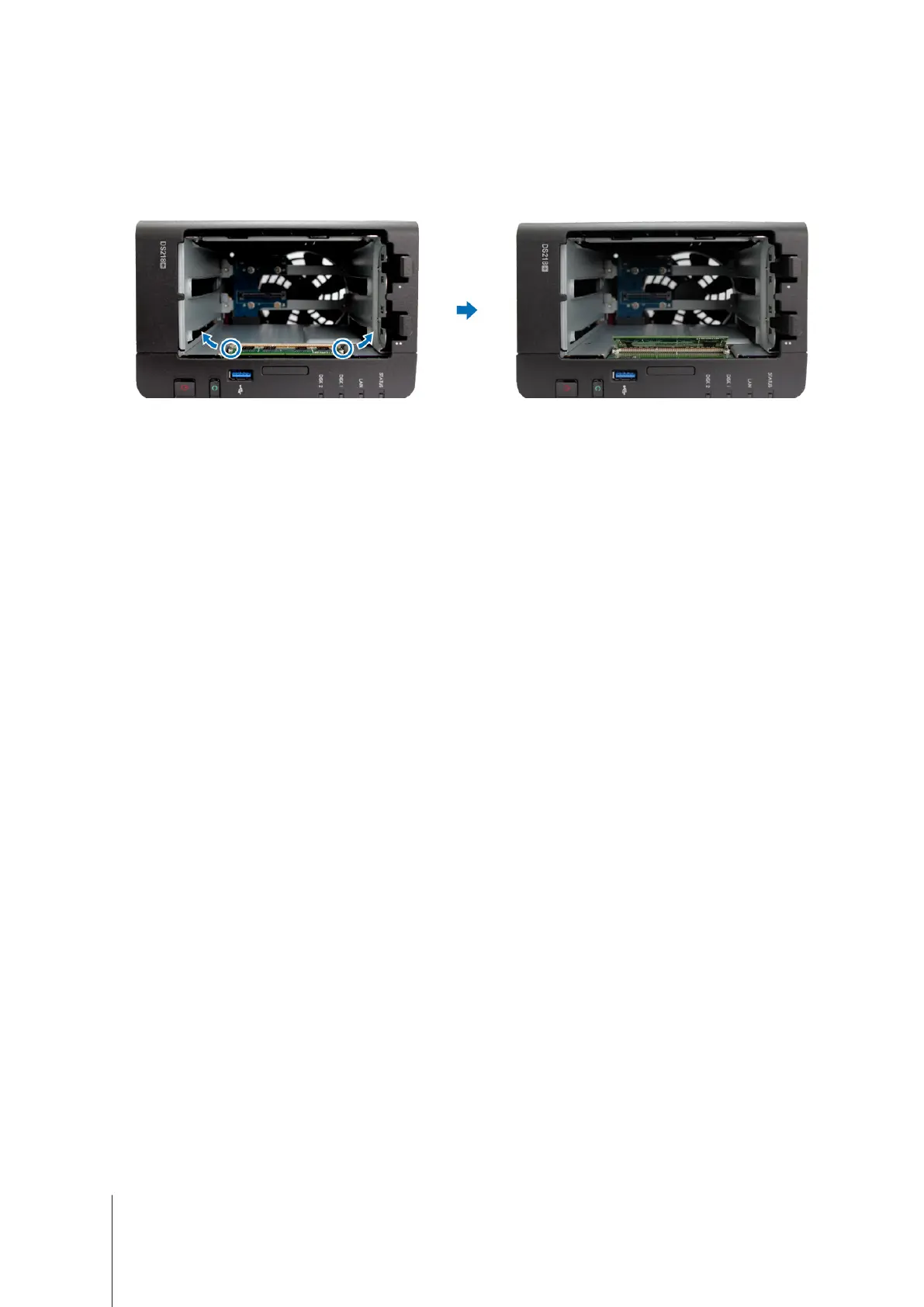
To remove the memory module:
1
Follow step 1 and 2 of the "To install a memory module" section to shut down your DiskStation, disconnect the
cables, and then remove the two hard drive trays.
2
Push the levers on both sides of the memory module outward. The memory module will be released from the
slot.
3
Hold the memory module by its notches and remove it from the slot.
4
Insert the hard drive trays back into the hard drive bays.
5
Reconnect the cables removed in step 1. Now you may turn on your DiskStation.












 To Next Page