9
Chapter 2: Hardware Setup
Start Up Your DiskStation
1
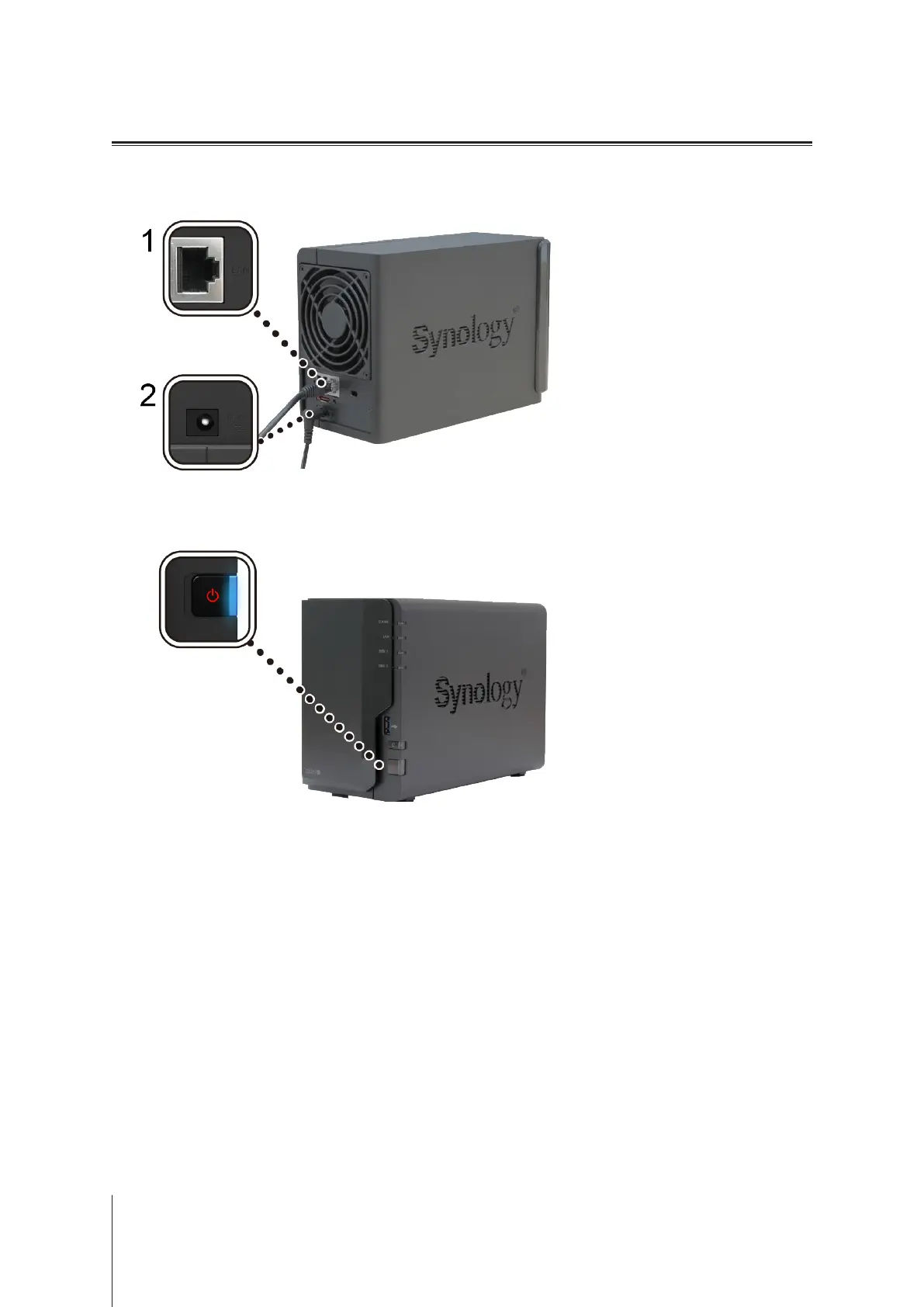
Use the LAN cable to connect the DiskStation to your switch, router, or hub.
2
Connect the AC adapter to the power port of the DiskStation. Connect one end of the AC power cord to the AC
power adapter, and the other to the power outlet.
3
Press the power button to turn on your DiskStation.
Your DiskStation is now online and detectable from a network computer.












 To Next Page