4 Chapter 1: Before You Start
Synology DiskStation at a Glance
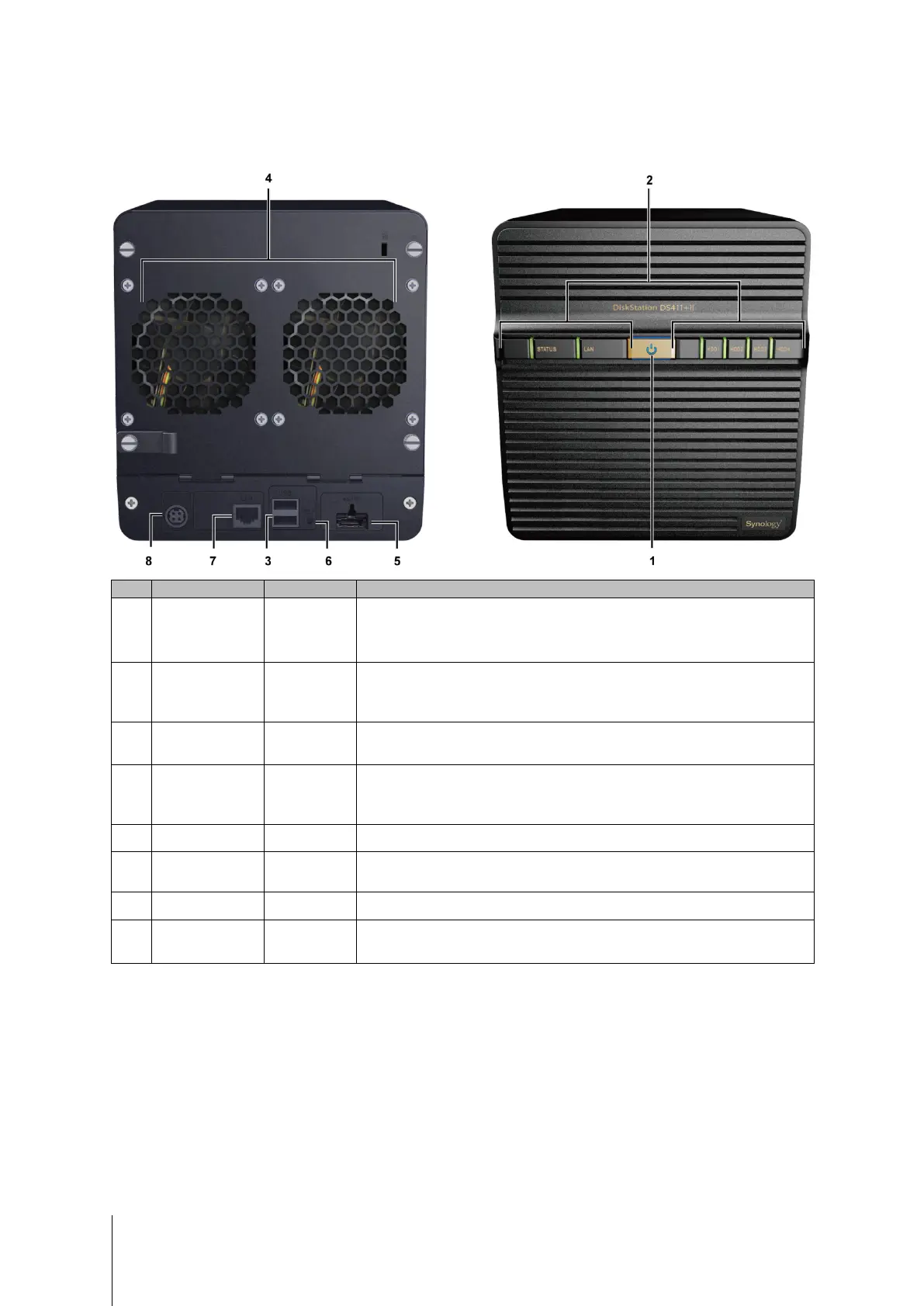
See below for the basic features on your DiskStation (using DS411+II for example).
No. Name Location Description
1) Power Button Front Panel
The power button is used to turn Synology DiskStation on or off.
To turn off Synology DiskStation, press the power button and hold it until you
hear a beep sound and the Power LED starts blinking.
2) LED Indicators Front Panel
The LED indicator is used to display the status of the internal disk and the
system. For more information, see "Appendix B: LED Indication Table" on Page
17.
3) USB Port Back Panel
The Synology DiskStation offers USB ports for adding additional external hard
drives, USB printers, or other USB devices.
4) Fan Back Panel
The fan is built to exhaust waste heat out of Synology DiskStation. It will start
automatically when the server starts. If the fan is malfunctioning, system will
beep every 1 second.
5) eSATA Port Back Panel
The eSATA port is for connecting with an external SATA HDD.
6) RESET Button Back Panel
1. To restore IP, DNS, passwords for the admin account to default value.
2. To reinstall the Synology DiskStation.
7) LAN Port Back Panel
The LAN port is where you connect RJ-45 cable to Synology DiskStation.
8) Power Port Back Panel
The power port is where you connect the AC power adapter to
Synology DiskStation.













 To Next Page