7 Chapter 2: Hardware Setup
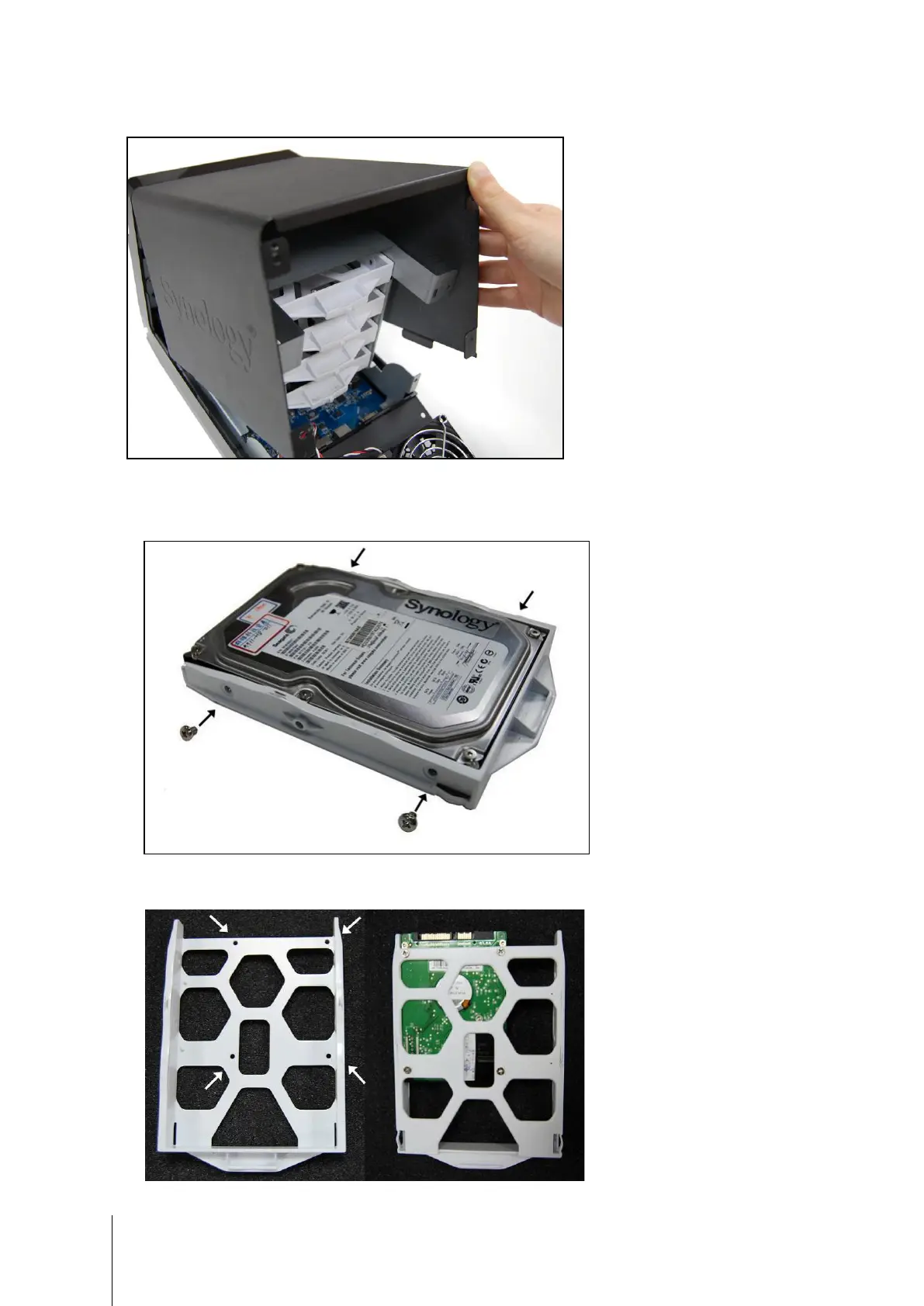
3 Lift the upper case and then pull it out.
4 You will see four hard disk trays. Pull one hard disk tray out.
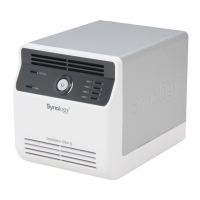
If you are using 3.5” hard disks, place the hard disk into the hard disk tray. Secure the hard disk on the two
sides with the 4 screws (for securing 3.5” hard drives) provided.
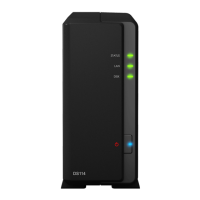
If you are using 2.5” hard disks, align the hard disk with the 4 smaller holes on the hard disk tray, and secure
the hard disk from the bottom with the screws (for securing 2.5” hard drives) provided.








 To Next Page