
 Need help?
Do you have a question about the Synology DiskStation DS423 and is the answer not in the manual?
Details the items included in the product's packaging.
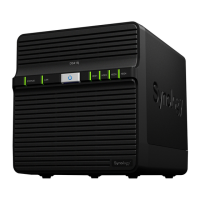
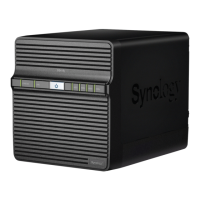
Provides an overview of the DS423 hardware, including ports and indicators.
Explains the different system operating modes and their associated LED light patterns.
Clarifies the meaning of additional LED indicators not covered in system modes.
Lists the detailed technical specifications for the DS423 hardware.
Information on available spare parts for maintenance or replacement.
Describes optional accessories that can enhance the DS423's functionality.
Essential safety precautions to ensure safe operation and handling of the device.
Lists the tools and parts required for the hardware setup process.
Step-by-step instructions for installing hard drives into the Synology NAS.
Guide on how to power on and initialize the Synology NAS after hardware setup.
Instructions for installing the DiskStation Manager (DSM) operating system using Web Assistant.
Provides links to Synology's website for additional information and tutorials.
Detailed procedure for replacing a malfunctioning cooling fan in the Synology NAS.
A checklist to help identify potential hardware issues before seeking support.
Solutions and steps to resolve common problems encountered with the Synology NAS.
Recommended steps to follow before contacting technical support for assistance.
Information on how to get in touch with Synology's technical support team.
Resources for accessing documentation, help articles, and service information.
 General
| Processor cache | 4 MB |
|---|---|
| Processor model | RTD1619B |
| Processor threads | 4 |
| Processor frequency | 1.7 GHz |
| Processor manufacturer | Realtek |
| CPU configuration (max) | 1 |
| Processor boost frequency | 2.7 GHz |
| RAID levels | 0, 1, 5, 6, 10, JBOD |
| Storage drive size | 2.5/3.5 \ |
| Hot-swap drive bays | Yes |
| Storage drive capacity | 4000 GB |
| Supported file systems | BTRFS, FAT32, HFS+, NTFS, exFAT, ext3, ext4 |
| Storage drive interface | Serial ATA |
| Installed storage drive type | HDD |
| Storage drive sizes supported | 2.5, 3.5 \ |
| Supported storage drive types | HDD & SSD |
| Total installed storage capacity | 16 TB |
| Maximum supported storage capacity | 72 TB |
| Cables included | AC, LAN (RJ-45) |
| Ethernet LAN data rates | 10, 100, 1000 Mbit/s |
| Supported network protocols | SMB, AFP, NFS, FTP, WebDAV, CalDAV, iSCSI, Telnet, SSH, SNMP / VPN (PPTP, OpenVPN™, L2TP) |
| Copper ethernet cabling technology | 10BASE-T, 10BASE-TX, 100BASE-TX, 1000BASE-T, 1000BASE-TX |
| Operating system installed | DiskStation Manager |
| Operating altitude | 0 - 5000 m |
| Storage temperature (T-T) | -20 - 60 °C |
| Operating temperature (T-T) | 0 - 40 °C |
| Operating relative humidity (H-H) | 8 - 80 % |
| AC input voltage | 100 - 240 V |
| AC input frequency | 50/60 Hz |
| Power supply location | External |
| Power supply unit (PSU) capacity | 90 W |
| Chassis type | Desktop |
| Cooling type | Active |
| Fan diameter | 80 mm |
| Product color | Black |
| Number of fans | 2 fan(s) |
| Built-in display | No |
| Cable lock slot type | Kensington |
| Type | NAS |
| Noise level | 20.6 dB |
| Device class | Home & Home Office |
| Backup features | Cloud, iSCSI LUN |
| Number of users | 1024 user(s) |
| Browser supported | Google Chrome, Firefox, Microsoft Edge, Safari 13+ |
| Security algorithms | HTTPS, SSH, SSL/TLS |
| Sustainability certificates | BSMI, CCC, CE, EAC, Federal Communications Commission (FCC), KC, RoHS, UKCA |
| Internal memory | 2 GB |
| Memory form factor | SO-DIMM |
| Internal memory type | DDR4 |
| Maximum RAM supported | 6 GB |
| USB 3.2 Gen 1 (3.1 Gen 1) Type-A ports quantity | 2 |
 Weight and Dimensions
| Depth | 230 mm |
|---|---|
| Width | 168 mm |
| Height | 184 mm |
| Weight | 2210 g |






 To Next Page