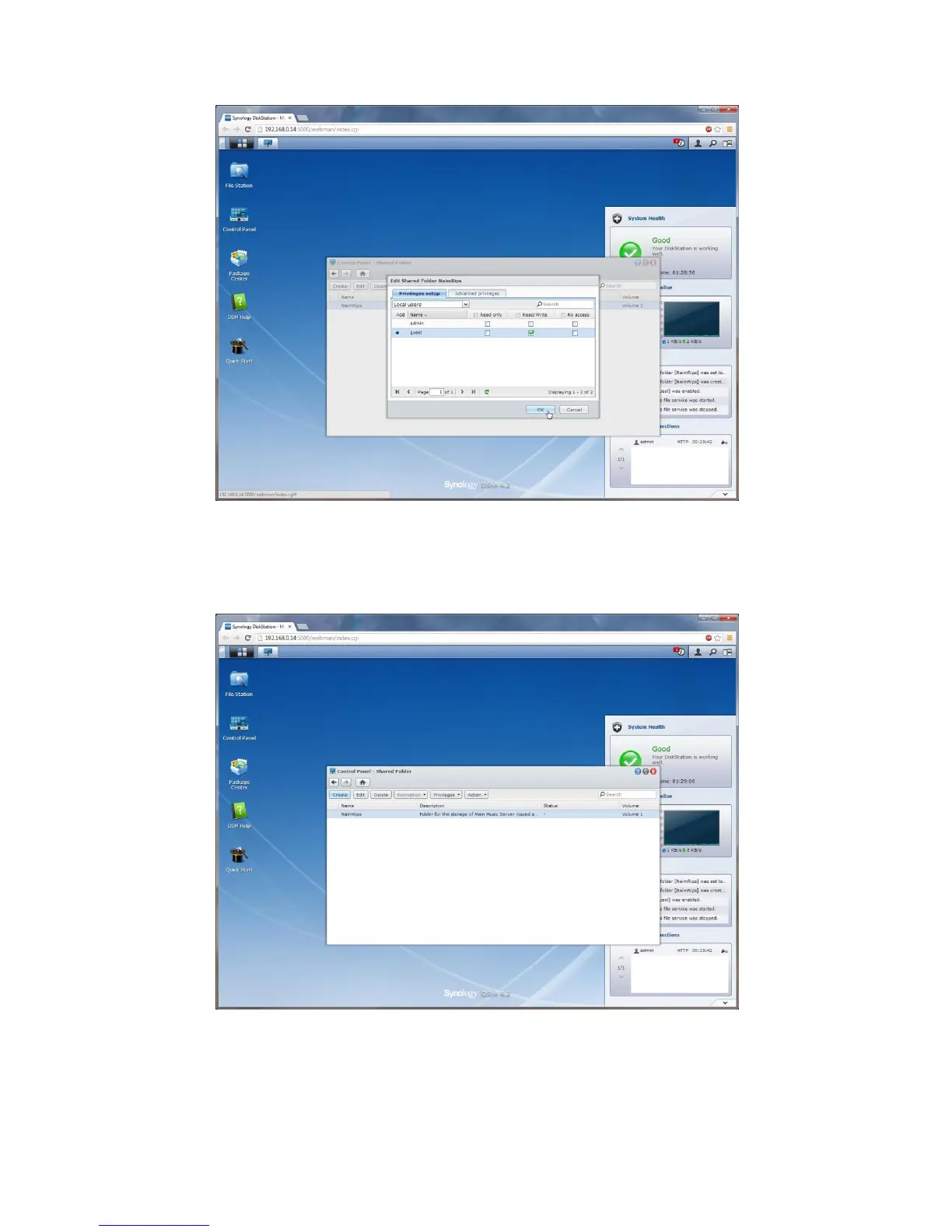
...to go to the user access rights page for this shared folder. For ease of configuration (and as there is no
personal data stored by our servers) then we are going to give these folders what is called "Full Guest Access"
which means the folders can be accessed without a username and password. To do this ensure the "Read /
Write" checkbox is ticked on the "guest" line and click "OK" "Control Panel - Shared Folder" window.
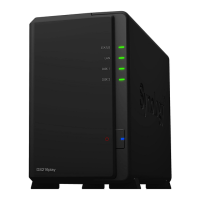
You will see that there is now a shared folder listed called "NaimRips". You now need to create the
"NaimBackup" and "NaimDownload" folders in exactly the same way so create the "NaimBackup" folder by
clicking "Create" and following exactly the same steps to create the "NaimBackup" folder then do the same
again to create the "NaimDownloads" folder...









 To Next Page