EasyManua.ls Logo

Synology DS224+ - User Manual

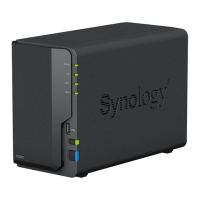
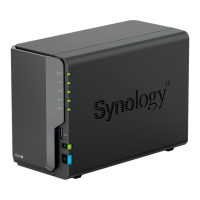
Synology DS224+
50 pages
Print Icon
To Next Page IconTo Next Page
Loading...
P
ro
d
u
c
t
Ma
n
u
a
l
D
S
224
La
st
Ma
r
27,
2023
Question and Answer IconNeed help?

Do you have a question about the Synology DS224+ and is the answer not in the manual?

Summary

Chapter 1: Before You Start

1.1 Package Contents

Lists items included in the product package.

1.2 Synology DS224+ at a Glance

Provides an overview of the Synology DS224+ hardware.

1.3 System Modes and LED Indicators

Explains different system modes and their corresponding LED status indicators.

1.4 Other LED Definitions

Details the meaning of various LED indicators on the device.

1.5 Hardware Specification

Lists the technical specifications of the DS224+ hardware.

1.6 Spare Parts

Lists available spare parts for the Synology DS224+ unit.

1.7 Optional Accessories

Details optional accessories that can be used with the Synology NAS.

Chapter 2: Hardware Setup

2.1 Recommended Tools

Lists tools required for the installation procedures.

2.2 Precautions

Provides important precautions to follow before and during hardware installation.

2.3 Safety Instructions

Outlines essential safety instructions for operating and handling the device.

2.4 Install Drives

Step-by-step guide on how to install hard drives into the Synology NAS.

2.5 Add a Memory Module to Synology NAS

Instructions for installing, checking, or removing a memory module.

Chapter 3: Install DSM on Synology NAS

3.1 Start up Your Synology NAS

Guide on how to power on and connect the Synology NAS for the first time.

3.2 Install DSM with Web Assistant

Detailed steps to install the DiskStation Manager (DSM) operating system.

3.3 Learn More

Points users to Synology's official website for more information and resources.

Chapter 4: System Maintenance

4.1 Replace the Malfunctioning Fan

Step-by-step instructions for replacing a faulty cooling fan.

Chapter 5: Troubleshooting

5.1 Troubleshooting Checklist

A checklist to help diagnose potential hardware issues with the Synology NAS.

5.2 Common Issues Resolution

Provides solutions for common problems encountered with the Synology NAS.

5.3 Before You Contact Synology Technical Support

Guidance on preliminary steps to take before contacting technical support.

5.4 Contacting Synology Technical Support

Information on how to contact Synology's technical support team for assistance.

5.5 Getting Information, Help, and Service

Resources for obtaining further information, help, and service for the product.

Summary

Chapter 1: Before You Start

1.1 Package Contents

Lists items included in the product package.

1.2 Synology DS224+ at a Glance

Provides an overview of the Synology DS224+ hardware.

1.3 System Modes and LED Indicators

Explains different system modes and their corresponding LED status indicators.

1.4 Other LED Definitions

Details the meaning of various LED indicators on the device.

1.5 Hardware Specification

Lists the technical specifications of the DS224+ hardware.

1.6 Spare Parts

Lists available spare parts for the Synology DS224+ unit.

1.7 Optional Accessories

Details optional accessories that can be used with the Synology NAS.

Chapter 2: Hardware Setup

2.1 Recommended Tools

Lists tools required for the installation procedures.

2.2 Precautions

Provides important precautions to follow before and during hardware installation.

2.3 Safety Instructions

Outlines essential safety instructions for operating and handling the device.

2.4 Install Drives

Step-by-step guide on how to install hard drives into the Synology NAS.

2.5 Add a Memory Module to Synology NAS

Instructions for installing, checking, or removing a memory module.

Chapter 3: Install DSM on Synology NAS

3.1 Start up Your Synology NAS

Guide on how to power on and connect the Synology NAS for the first time.

3.2 Install DSM with Web Assistant

Detailed steps to install the DiskStation Manager (DSM) operating system.

3.3 Learn More

Points users to Synology's official website for more information and resources.

Chapter 4: System Maintenance

4.1 Replace the Malfunctioning Fan

Step-by-step instructions for replacing a faulty cooling fan.

Chapter 5: Troubleshooting

5.1 Troubleshooting Checklist

A checklist to help diagnose potential hardware issues with the Synology NAS.

5.2 Common Issues Resolution

Provides solutions for common problems encountered with the Synology NAS.

5.3 Before You Contact Synology Technical Support

Guidance on preliminary steps to take before contacting technical support.

5.4 Contacting Synology Technical Support

Information on how to contact Synology's technical support team for assistance.

5.5 Getting Information, Help, and Service

Resources for obtaining further information, help, and service for the product.

Synology DS224+ Specifications

General IconGeneral
CPURealtek RTD1619B
CPU Architecture64-bit
Memory2 GB DDR4 non-ECC
Memory ExpandableNo
Drive Bays2
USB Ports2 x USB 3.2 Gen 1
Link AggregationYes
Wake on LAN/WANYes
Scheduled Power On/OffYes
Power Supply Unit / Adapter60W
AC Input Power Voltage100V to 240V AC
Frequency50/60 Hz, Single Phase
Storage Temperature-20°C to 60°C (-5°F to 140°F)
Relative Humidity5% to 95% RH
Dimensions165 mm x 108 mm x 232.2 mm
Weight1.3 kg
Maximum Single Volume Size108 TB
iSCSIYes
Encryption EngineYes (AES-NI)
CPU Frequency1.7 GHz
Maximum Raw Capacity36 TB (18 TB drive x 2)
Compatible Drive Type3.5" SATA HDD, 2.5" SATA SSD
Supported RAID TypesBasic JBOD RAID 0 RAID 1
File SystemBtrfs, EXT4
Supported ProtocolsSMB, AFP, NFS, FTP, WebDAV, CalDAV, iSCSI, SSH, SNMP, VPN
System Fan1 x (92 x 92 x 25 mm)

Related product manuals