
 Need help?
Do you have a question about the Synology DS418play and is the answer not in the manual?
Lists all items included in the Synology DiskStation package for initial setup.
Provides a visual overview of the DiskStation's front and back panel components and their functions.
Details critical safety precautions and guidelines to prevent harm and damage during operation.
Lists the required tools and components needed for successfully installing hard drives into the unit.
Step-by-step instructions for physically installing hard drives into the Synology DiskStation drive bays.
Guidance on connecting the necessary cables and powering on the DiskStation for the first time.
Instructions for upgrading or replacing the memory module within the DiskStation.
Describes the process of installing DiskStation Manager (DSM) using the web-based assistant tool.
Points users to additional resources and online information for further assistance.
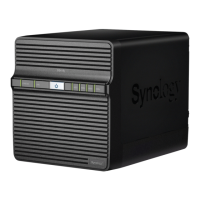
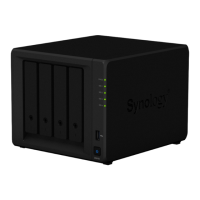
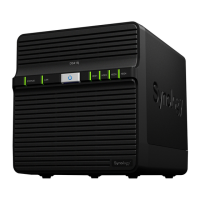
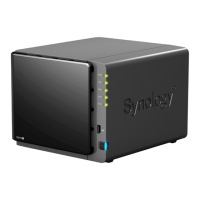
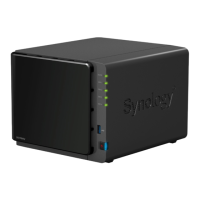
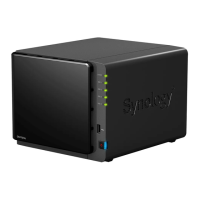
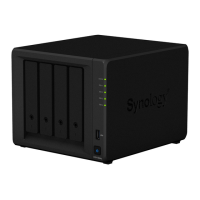
The Synology DiskStation DS418play is a network-attached storage (NAS) device designed for home and small office use, offering robust data storage, management, and multimedia capabilities. Its primary function is to provide a centralized location for storing and sharing files, backing up data, and streaming media. The DS418play is equipped with four drive bays, allowing for flexible storage configurations and expansion.
At its core, the DS418play serves as a powerful file server, enabling users to store a wide variety of data, including documents, photos, videos, and music, in a secure and accessible manner. It supports various RAID types (Basic, JBOD, RAID 0, RAID 1, RAID 5, RAID 6, RAID 10, and Synology Hybrid RAID), providing options for data redundancy and performance optimization. This means users can choose a configuration that best suits their needs, whether prioritizing maximum storage capacity, data protection against drive failure, or a balance of both.
Beyond simple file storage, the DS418play excels as a multimedia hub. Its "play" designation highlights its enhanced capabilities for streaming and transcoding media content. Users can store their entire movie and music libraries on the DiskStation and stream them to various devices such as smart TVs, computers, mobile phones, and gaming consoles. The device's hardware is optimized to handle on-the-fly video transcoding, ensuring smooth playback even on devices that don't natively support the original video format. This makes it an ideal solution for users who want to access their media collection from anywhere without worrying about compatibility issues.
The DS418play also functions as a comprehensive backup solution. It can automatically back up data from multiple computers and mobile devices, protecting against accidental data loss. Users can configure scheduled backups, versioning, and even synchronize files with public cloud services, adding an extra layer of data security. This centralizes backup management, simplifying the process for individuals and small businesses.
Furthermore, the DiskStation acts as a private cloud, allowing users to create their own secure and private file synchronization and sharing service. This eliminates reliance on third-party cloud providers for sensitive data, giving users full control over their files. It supports remote access, enabling users to retrieve their files from anywhere with an internet connection, making it a versatile tool for productivity and collaboration.
Setting up the DS418play is designed to be straightforward. The hardware installation involves pulling out drive bays, loading 3.5-inch or 2.5-inch SATA drives, and securing them in place. For 3.5-inch drives, fastening panels are removed, the drive is placed, and the panels are re-inserted. For 2.5-inch drives, fastening panels are removed, the drive is placed in a designated blue area, the tray is turned upside down, and screws are tightened to secure it. Once drives are installed, the trays are inserted back into the DiskStation until a click confirms they are locked. The device is then connected to a network via LAN cables and powered on.
The software installation, Synology DiskStation Manager (DSM), is initiated through a web-based assistant. By accessing find.synology.com or diskstation:5000 in a web browser, users can find the DiskStation on their local network and follow on-screen instructions to install DSM. This intuitive process guides users through the initial setup, making it accessible even for those with limited networking experience.
The DS418play offers flexible connectivity with two USB 3.0 ports, allowing users to connect external drives for additional storage or other USB devices. It also features two RJ-45 LAN ports, providing options for network redundancy or link aggregation to enhance network performance. Drive trays are equipped with locks to prevent accidental removal of drives, adding a layer of physical security.
For users looking to enhance performance, the DS418play supports memory expansion. An optional memory module can be added by shutting down the DiskStation, disconnecting all cables, removing the four drive trays, and inserting the new module into an empty slot. The module is aligned by its notch and pushed down until it clicks into place. This upgrade can improve the device's responsiveness, especially when running multiple applications or handling intensive tasks. After installation, users can verify the new memory capacity through the DSM's Info Center.
The DS418play incorporates several features to ensure reliable operation and ease of maintenance. LED indicators on the front panel provide quick visual cues about the system's status and the health of individual drives. The "Status Indicator" shows if the volume is normal, degraded, crashed, or not created, and if DSM is not installed or if HDD hibernation is active. "Disk Indicators" for each drive bay show whether a drive is ready and idle, being accessed, has an error, or is not present. The "Power" LED indicates if the device is powered on, booting up, or powered off. Rear LAN indicators show network connectivity and activity (Gigabit, 100 Mbps, or 10 Mbps connection). These indicators allow users to quickly diagnose potential issues without needing to log into the DSM interface.
The device includes a fan at the back to dispose of excess heat and cool the system, crucial for maintaining optimal operating temperatures and extending the lifespan of internal components, especially hard drives. If the fan malfunctions, the DiskStation will emit a beeping sound, alerting the user to a potential cooling issue that needs attention.
A "RESET" button on the back panel offers two levels of reset functionality. A short press and hold (until a beep) restores the default IP address, DNS server, and passwords for the admin account, useful for recovering access if network settings are misconfigured. A longer press and hold (until three beeps) returns the DiskStation to a "Not installed" status, allowing DSM to be reinstalled, which can be helpful for troubleshooting or performing a clean system setup.
For physical security, the DS418play includes a Kensington security slot, allowing users to attach a compatible lock to prevent theft of the device in public or shared environments.
When performing maintenance such as adding memory, it is important to handle internal components carefully. The manual advises against touching anything other than the memory assembly and warns not to remove the pre-installed memory module to avoid voiding the product warranty. If a non-Synology memory module is used, Synology will not provide complete product warranty or technical support. These guidelines emphasize the importance of proper handling to maintain the device's integrity and warranty coverage.
In case of drive errors, the manual suggests restarting the DiskStation or re-inserting the drive(s), and then running the HDD/SSD manufacturer's diagnostic tool. If DSM is accessible, the built-in S.M.A.R.T. test can be used to scan the drives. If problems persist, contacting Synology Technical Support is recommended. This structured approach to troubleshooting helps users resolve common drive-related issues effectively.
 General
| CPU Architecture | 64-bit |
|---|---|
| Memory | 2 GB DDR3L |
| Drive Bays | 4 |
| Compatible Drive Type | 3.5" SATA HDD, 2.5" SATA HDD, 2.5" SATA SSD |
| Hot Swappable Drive | Yes |
| USB Ports | 2 x USB 3.0 |
| eSATA Port | 1 |
| Hardware Encryption Engine | Yes (AES-NI) |
| Wake on LAN/WAN | Yes |
| Scheduled Power On/Off | Yes |
| AC Input Power Voltage | 100V to 240V AC |
| Operating Temperature | 5°C to 40°C (40°F to 104°F) |
| Size | 166 mm x 199 mm x 223 mm |
| Weight | 2.23 kg |
| CPU | Intel Celeron J3355 |
| LAN Ports | 2 x Gigabit Ethernet |
| System Fan | 2 x 92 mm x 92 mm |
| File System | EXT4 |
| Storage Operating System | DiskStation Manager (DSM) |




 To Next Page