Need help?
Do you have a question about the Synology UC3200 and is the answer not in the manual?
Lists the items included in the Synology UC3200 package.
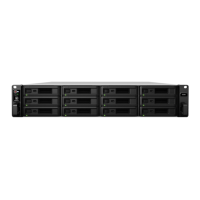
Provides an overview of the UC3200 front panel components and their functions.
Outlines essential safety precautions for operating and handling the UC3200.
Lists the technical specifications and features of the Synology UC3200.
Details optional components like memory modules and PCIe add-in cards for the UC3200.
Lists the necessary tools and parts required before beginning UC3200 setup.
Step-by-step guide on how to install hard disk drives into the UC3200.
Instructions for installing memory modules into the UC3200 for enhanced performance.
Guide on installing PCIe network interface cards into the UC3200 for expansion.
Procedures for installing and removing rail kits for rack mounting the UC3200.
How to connect and configure expansion units with the UC3200.
Steps to power on and initiate the Synology UC3200.
Explains the meaning of different LED indicators on the UC3200.
Instructions for replacing a malfunctioning system fan in the UC3200.
Guide on how to replace a faulty power supply unit (PSU) in the UC3200.
Provides solutions for common issues and frequently asked questions about the UC3200.
Steps to initialize the DSM UC operating system using the Web Assistant tool.
Links to additional resources and information for the Synology UC3200.
 General
| Type | SAN |
|---|---|
| Noise level | 51.3 dB |
| Device class | Small & Medium Business |
| On/off switch | Yes |
| Backup features | iSCSI LUN |
| Browser supported | Chrome, Firefox, Edge, Internet Explorer 10+, Safari 10+, Chrome |
| Stepping | V2 |
| Scalability | 1S |
| Processor code | SR2DF |
| Processor cache | 6 MB |
| Processor cores | 4 |
| Processor model | D-1521 |
| System bus rate | - GT/s |
| Processor series | Intel Xeon D-1500 |
| Processor socket | BGA 1667 |
| Processor threads | 8 |
| Processor codename | Broadwell |
| Processor frequency | 2.4 GHz |
| Processor lithography | 14 nm |
| Processor manufacturer | Intel |
| Processor package size | 37.5 x 37.5 mm |
| CPU configuration (max) | 1 |
| PCI Express slots version | 2.0, 3.0 |
| Processor boost frequency | 2.7 GHz |
| Processor operating modes | 64-bit |
| PCI Express configurations | 1x16, 1x4, 1x8 |
| Thermal Design Power (TDP) | 45 W |
| Maximum internal memory supported by processor | 128 GB |
| Internal memory | 8 GB |
| Memory form factor | UDIMM |
| Internal memory type | DDR4 |
| Maximum RAM supported | 64 GB |
| RAID levels | 0, 1, 5, 6, 10, F1, JBOD |
| Storage drive size | - \ |
| Storage drive capacity | 0 GB |
| Supported file systems | BTRFS |
| Storage drive interface | - |
| Storage drives installed | No |
| Storage drive sizes supported | 2.5, 3.5 \ |
| Supported storage drive types | HDD & SSD |
| Total installed storage capacity | 0 TB |
| Maximum supported storage capacity | 192 TB |
| Number of storage drives installed | 0 |
| Number of storage drives supported | 12 |
| Supported storage drive interfaces | Serial Attached SCSI (SAS) |
| Ethernet LAN data rates | 1000, 10000 Mbit/s |
| Supported network protocols | iSCSI, Telnet, SSH, SNMP |
| Ethernet LAN data rate supported (max) | 10000 Mbit/s |
| USB 2.0 ports quantity | USB 2.0 ports have a data transmission speed of 480 Mbps, and are backwards compatible with USB 1.1 ports. You can connect all kinds of peripheral devices to them. |
| Ethernet LAN (RJ-45) ports | 3 |
| Chassis type | Rack (2U) |
| Cooling type | Active |
| Fan diameter | 60 mm |
| Product color | Black, Grey |
| LED indicators | Power, Status |
| Number of fans | 2 fan(s) |
| AC input voltage | 100 - 240 V |
| AC input frequency | 50 - 60 Hz |
| Power supply location | Built-in |
| Power consumption (typical) | 417.48 W |
| Power consumption (HDD standby) | 274.38 W |
| Power supply unit (PSU) capacity | 500 W |
| Operating altitude | 0 - 5000 m |
| Storage temperature (T-T) | -20 - 60 °C |
| Operating temperature (T-T) | 0 - 35 °C |
| Operating relative humidity (H-H) | 5 - 95 % |
| Certification | EAC VCCI CCC RCM KC FCC CE BSMI |
| Processor ARK ID | 91202 |
| Sustainability certificates | RoHS |
| Cables included | AC |
| Other operating systems supported | Solaris 10, Solaris 11, VMware ESX/ESXi 5.0, VMware ESX/ESXi 5.1, VMware ESX/ESXi 6.0, VMware ESX/ESXi 6.5 |
| Server operating systems supported | Windows Server 2008, Windows Server 2012, Windows Server 2013, Windows Server 2016 |
| Intel Secure Key Technology version | 1.00 |
| Maximum number of PCI Express lanes | 32 |
| Memory types supported by processor | DDR3-SDRAM, DDR4-SDRAM |
| Harmonized System (HS) code | 84714100 |
 Weight and Dimensions
| Depth | 724 mm |
|---|---|
| Width | 482 mm |
| Height | 88 mm |
| Weight | 19700 g |


 To Next Page