TV Installation and Connection Guide
Connecting to a Satellite Receiver or Cable Box
With Component Connectors
Disconnect all power sources before making any connection.
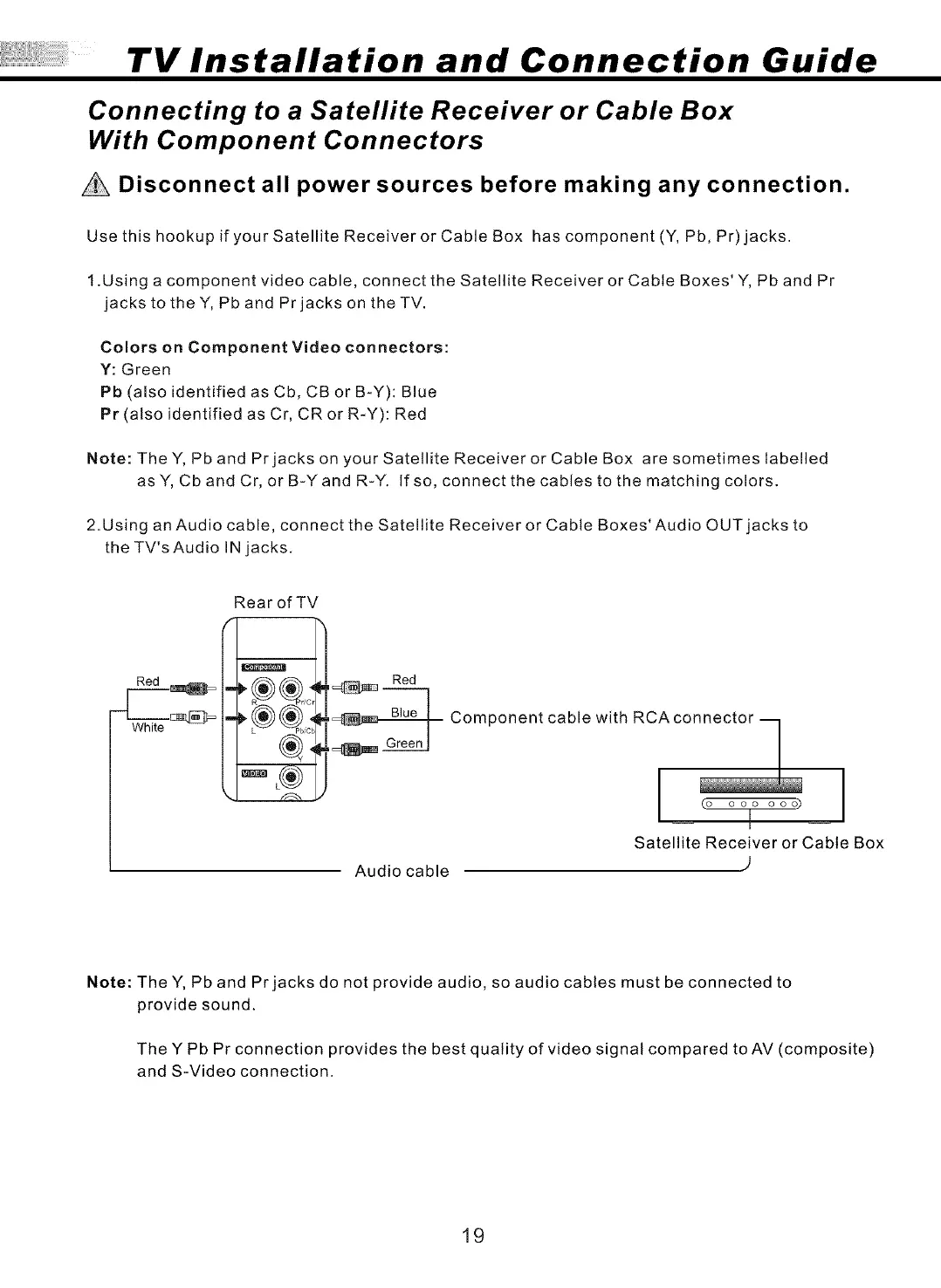
Use this hookup if your Satellite Receiver or Cable Box has component (Y, Pb, Pr) jacks.
t .Using a component video cable, connect the Satellite Receiver or Cable Boxes' Y, Pb and Pr
jacks to theY, Pb and Prjacks on theTV.
Colors on Component Video connectors:
Y: Green
Pb (also identified as Cb, CB or B-Y): Blue
Pr (also identified as Cr, CR or R-Y): Red
Note: TheY, Pb and Prjacks on your Satellite Receiver or Cable Box are sometimes labelled
as Y, Cb and Cr, or B-Yand R-Y. If so, connect the cables to the matching colors.
2.Using an Audio cable, connect the Satellite Receiver or Cable Boxes' Audio OUT jacks to
the TV's Audio IN jacks.
Rear of TV
Red
Red
Component cable with RCAco_
(o ooo ooo)
Satellite Receiver or Cable Box
Audio cable )
Note: The Y, Pb and Pr jacks do not provide audio, so audio cables must be connected to
provide sound.
The Y Pb Pr connection provides the best quality of video signal compared to AV (composite)
and S-Video connection.
19


 To Next Page
 Loading...