TV Installation and Connection Guide
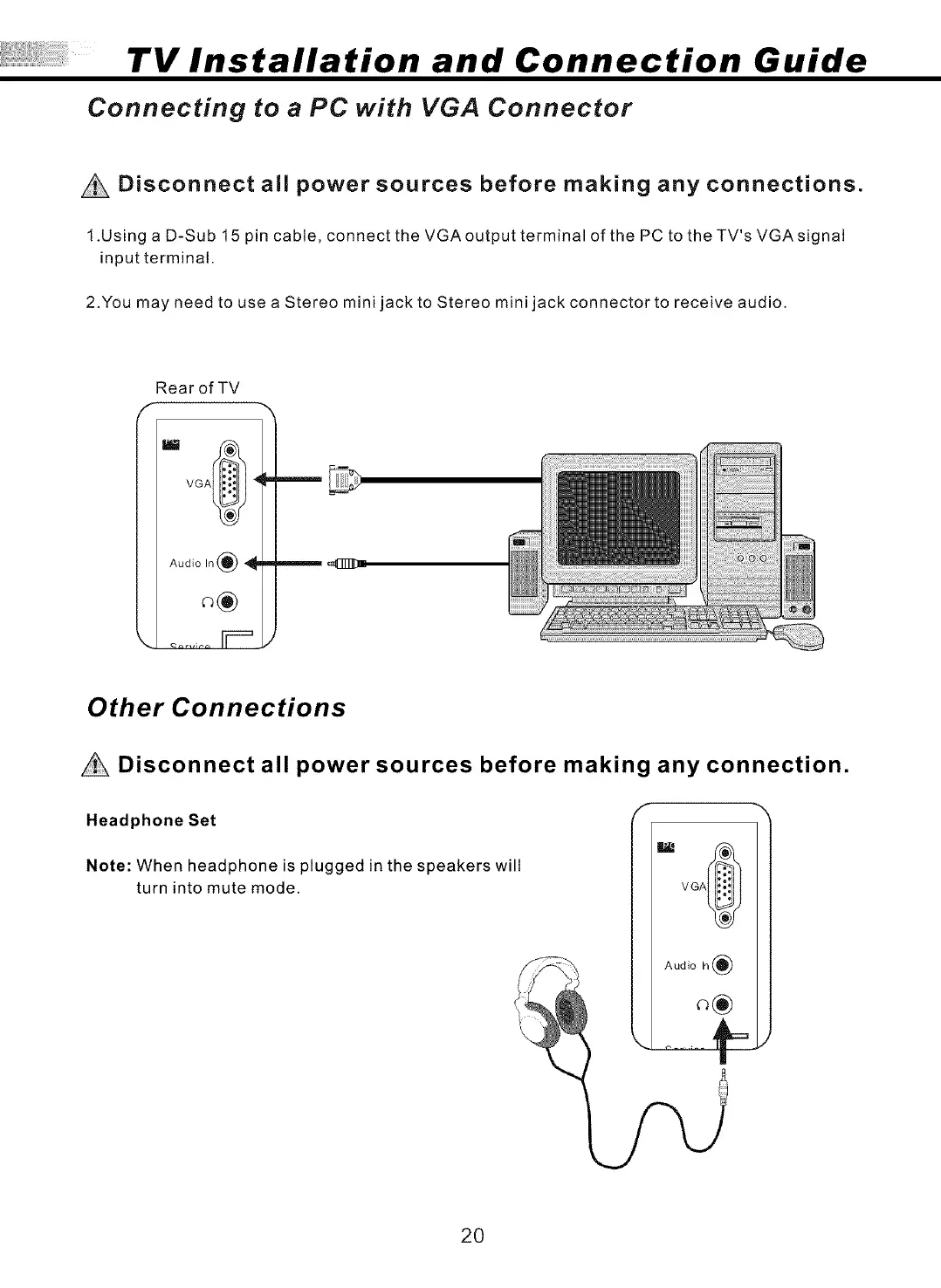
Connecting to a PC with VGA Connector
Disconnect all power sources before making any connections.
1.Using a D-Sub 15 pin cable, connect the VGAoutput terminal of the PC to theTV's VGAsignal
input terminal.
2.You may need to use a Stereo mini jack to Stereo mini jack connector to receive audio.
Rear of TV
VGA_ _
Audio In _ _I_
Other Connections
Disconnect all power sources before making any connection.
Headphone Set
Note: When headphone is plugged in the speakers will
turn into mute mode.
VGA_
!_! Audio In(_
20



 To Next Page