Remote Control Guide
Remote Function Keys & Description
Regular Buttons
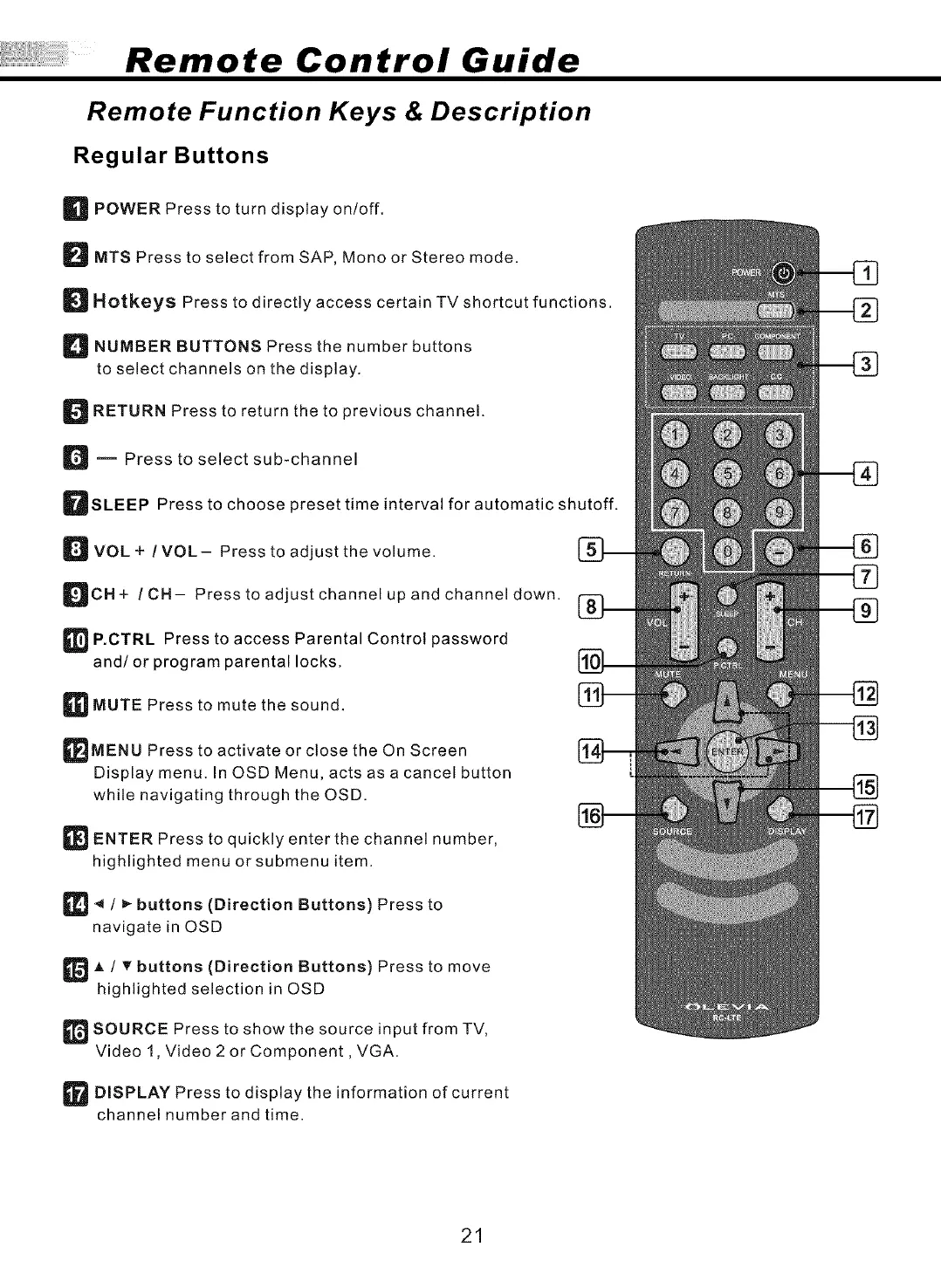
_ POWER Press to turn display on/off.
D MTS Press to select from SAP, Mono or Stereo mode.
D Hotkeys Press to directly access certain TV shortcut functions.
D NUMBER BUTTONS Press the number buttons
to select channels on the display.
D RETURN Press to return the to previous channel.
D m Press to select sub-channel
DSLEEP Press to choose preset time interval for automatic shutoff.
D VOL + !VOL- Press to adjust the volume.
DCH+ / CH- Press to adjust channel up and channel down.
_ P.OTRL Press to access Parental Control password
and/or program parental locks.
_MUTE Press to mute the sound.
_MENU Press to activate or close the On Screen
Display menu. In OSD Menu, acts as a cancel button
while navigating through the OSD.
_ ENTER Press to quickly enter the channel number,
highlighted menu or submenu item.
_ / _ buttons (Direction Buttons) Press to
navigate in OSD
_A / T buttons (Direction Buttons) Press to move
highlighted selection in OSD
_SOURCE Press to show the source input from TV,
Video 1, Video 2 or Component, VGA.
_ DISPLAY Press to display the information of current
channel number and time.
21



 To Next Page
 Loading...