Need help?
Do you have a question about the Synway SMG3016 and is the answer not in the manual?
Provides an overview of the Synway SMG Series Digital Gateway, its models, and key features.
Illustrates common use cases for the Synway SMG Series Digital Gateway in network environments.
Details the comprehensive features and capabilities of the SMG digital gateway product line.
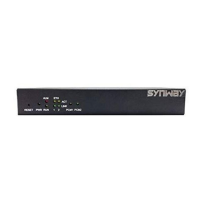
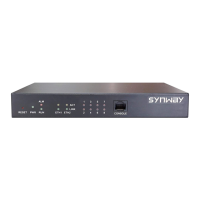
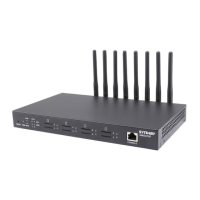
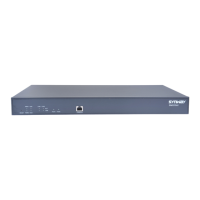
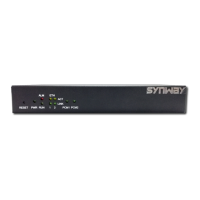
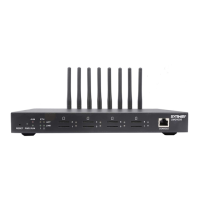
Describes the physical interfaces, buttons, and indicators of the SMG digital gateway hardware.
Explains the status indicators (Run, Alarm) and their meanings for system monitoring.
Guides users through the process of accessing and logging into the gateway's web interface.
Provides access to real-time status information and statistics of the gateway's operation.
Displays detailed system information, including network status, firmware version, and hardware details.
Shows the real-time status of PSTN lines, signaling, and individual channels.
Covers the configuration of general SIP parameters, trunks, accounts, and groups.
Configures general SIP parameters for the gateway, including message handling and network settings.
Details the setup and configuration of SIP trunks for establishing voice communication.
Manages configurations related to Pulse Code Modulation (PCM) interfaces and settings.
Configures PSTN-specific parameters like encoding format, echo cancellation, and call barring.
Defines rules for filtering and processing incoming numbers from PSTN.
Covers the configuration for Signaling System No. 7 (SS7) protocols like TUP and ISUP.
Configures general SS7 parameters, including server settings and dual gateway options.
Sets up and configures the SS7 server parameters required for SS7 signaling.
Manages the configuration for Integrated Services Digital Network (ISDN) signaling.
Configures general ISDN parameters for both user and network sides.
Allows configuration of fax-related parameters, including fax mode and transmission rates.
Configures T.38 fax mode parameters such as version, negotiation, and error correction.
Defines routing rules for calls between IP and PSTN networks.
Configures routing rules for calls originating from IP and destined for PSTN.
Configures routing rules for calls originating from PSTN and destined for IP.
Provides tools for filtering numbers using whitelists, blacklists, number pools, and rules.
Manages lists of permitted CallerIDs and CalleeIDs for call processing.
Manages lists of blocked CallerIDs and CalleeIDs to prevent unwanted calls.
Allows configuration of rules for modifying calling and called party numbers.
Configures rules for manipulating CallerID when calls go from IP to PSTN.
Offers various tools for gateway maintenance, diagnostics, and system management.
Configures network settings for the gateway's LAN interfaces, including IP addresses.
Tests call routing and number manipulation configurations for various call types.
Restores the gateway's configurations to their original factory default settings.
Provides the interface for upgrading the gateway's firmware, service, and web components.
Allows modification of the gateway's username and password for security.
Enables restarting the gateway service or the entire system for applying changes.
Details a typical application scenario involving headquarters and branch connectivity via SIP.
Provides step-by-step configurations for the headquarters in a typical application setup.
Describes an application scenario with independent gateways for each site and IP PBX integration.
Outlines the configurations needed for the headquarters in Application 2.
Explains how to configure gateways for branches in Application 2, matching headquarters settings.


 To Next Page
 General