16
7.4 QR Code Setting
iOS version Android version
Pic 1
Pic 1
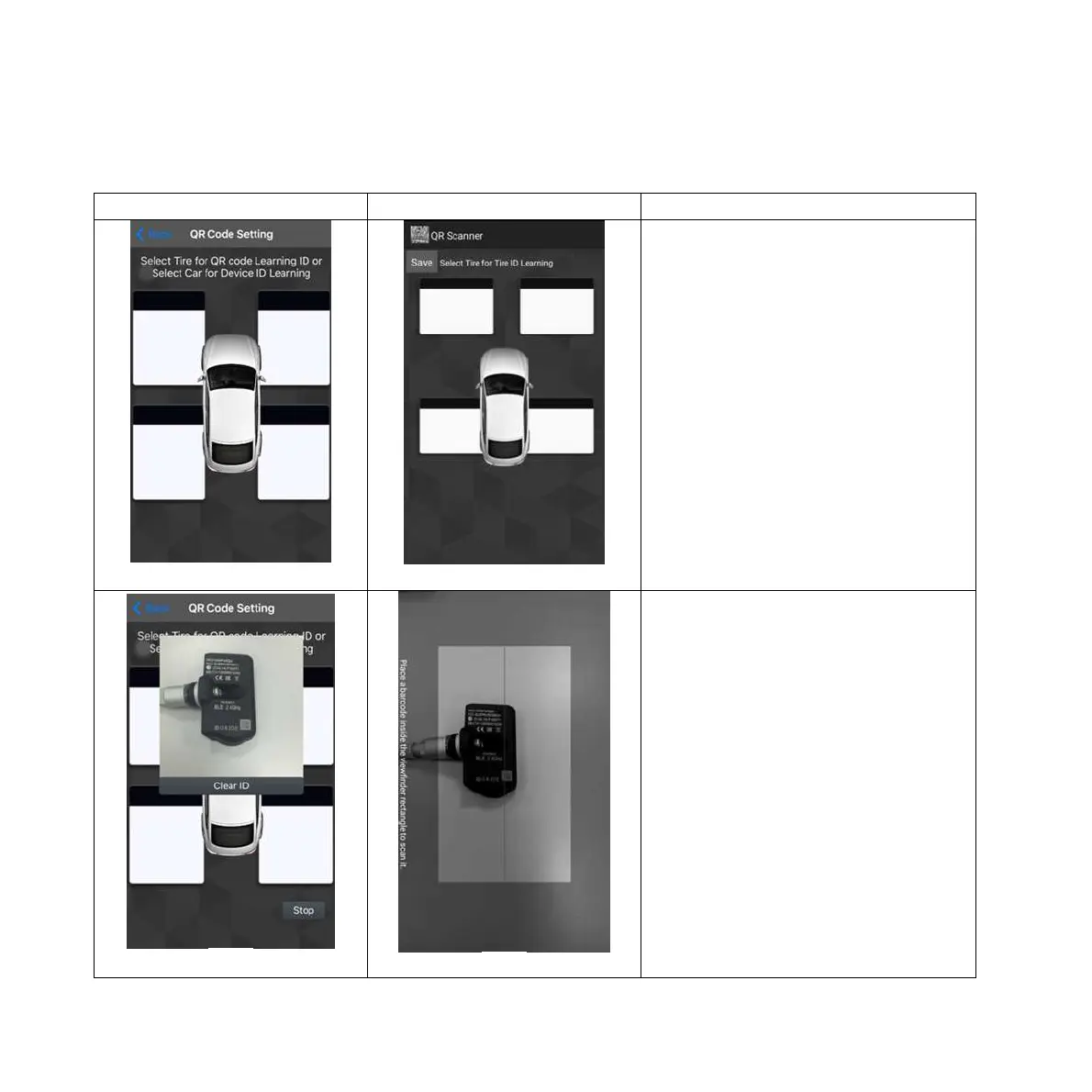
QR Code Setting :
Select QR Code Setting. (Pic 1)
Pic 2
Pic 2
Choose tire 1 (LF)
The APP will scan qr code,
showing new ID number on the
dialogue display. You can press
“Clear ID” or “Stop scan” or
“Save ”button. (Please ask a
qualified tire shop to install the
product) (Pic 2)


 To Next Page