21
iOS version Android version
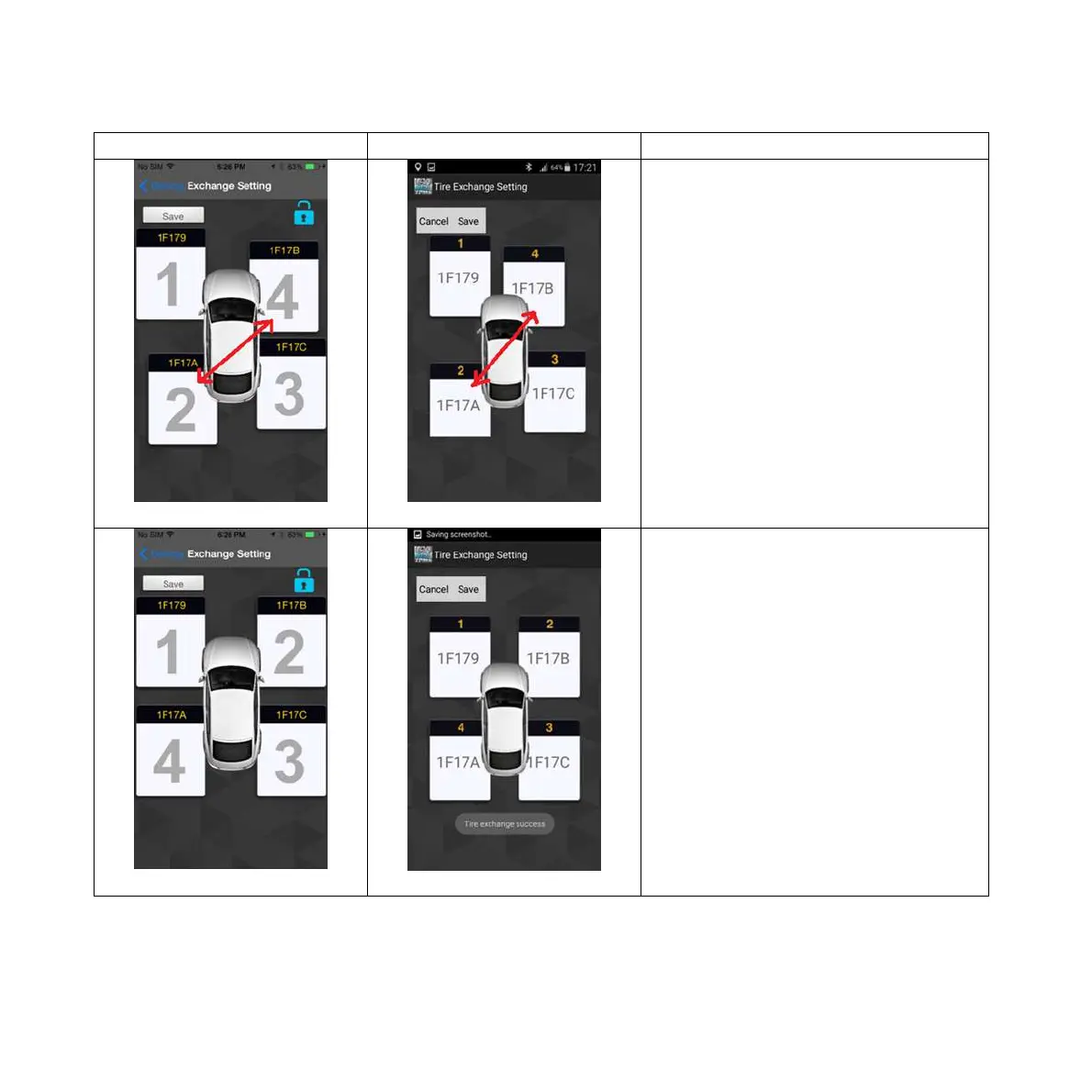
Pic 3 Pic 3
Drag the dialogue display of the tire
to the desired location for all desired
exchanged tires, then press the
“Save” icon. It will display the new
tire positions in sequence (1, 2, 3,
and 4).
Pic 4
Pic 4
iOS version: Click the “lock” icon
once again to complete the settings.
Android version: Click “exit” and
then click on the “lock” icon again to
complete the settings.



 To Next Page