23
iOS version Android version
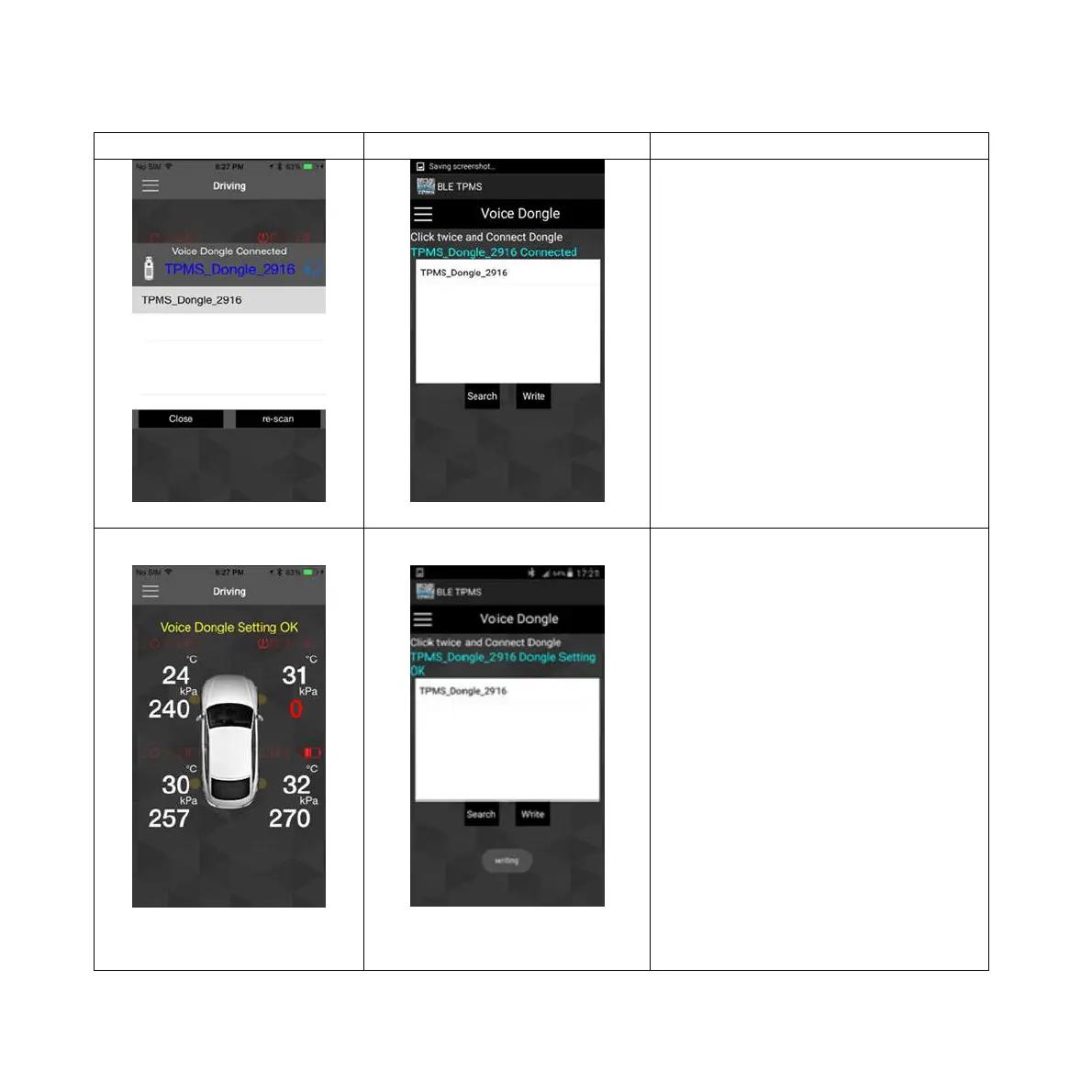
Pic 3 Pic 3
2.Enter menu ->click ”Dongle”
function ->click
“TPMS_Dongle_sn” (random serial
number), “TPMS_Dongle_sn
Connected” will be shown in blue
color. (Pic 3)
Pic 4 Pic 4
3. iOS version: The APP will
automatically download the settings
when you hear “Setup completed.”
You can start using after “Voice
dongle Setting OK” is displayed.
Android version: Please click write.
The APP will automatically
download the settings when you
hear “Setup completed.” When
“Dongle Setting OK” is displayed,
you can start using.
Double click: Tire Status Report.
Mute/ Un-Mute: Press the red
button to mute. Press the red button
again or wait 10 minutes for the
mute function to cancel
automatically.


 To Next Page