EasyManua.ls Logo

SYSTEM Electronics COPILOT PB - User Manual

SYSTEM Electronics COPILOT PB
7 pages
Print Icon
To Next Page IconTo Next Page
Loading...
system-electronics.it
USER MANUAL
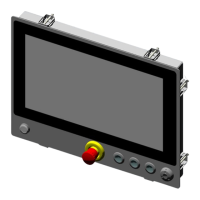
COPILOT 15.6’’ PB
Panel Mount
INDUSTRIAL PC
Order Code: 2E00xxxx
Date: 12/202 0 - Rev: 1.0
Summary
1. General Features........................................3
2. Technical specifi cations.................................................3
3. Operation description......................................3
4. Touchscreen: Operation and Calibration.........4
4.1 Calibrating the touchscreen.................................4
4.2 Default Touch parameter settings............5
5. Adjusting the display brightness...........5
6. Front panel................................................5
7.
Installation.............................................
6
8. Waste Directive.......................................................7
Question and Answer IconNeed help?

Do you have a question about the SYSTEM Electronics COPILOT PB and is the answer not in the manual?

Summary

General Features

Technical Specifications

Description and Operation

Panel Mount Installation

Describes the process for installing the unit into a panel.

Touch-screen Operation and Calibration

Touch Calibration

Procedure to recalibrate the touch screen for optimal performance.

Default Touch Parameter Settings

Instructions to reset touch screen parameters to factory defaults.

Display Brightness Adjustment

Power Options for Brightness

How to adjust screen brightness using Windows Power Options.

Front Panel Buttons

Installation Guide

WEEE and RoHS Compliance

SYSTEM Electronics COPILOT PB Specifications

General IconGeneral
CategoryIndustrial PC
ManufacturerSYSTEM Electronics
ModelCOPILOT PB
Operating SystemWindows 10 IoT Enterprise
PortsUSB 3.0, HDMI
CertificationsCE

Related product manuals