4
2.0 First switching ON - Important information – tuning
the DAB radio
When the E100 is first switched on after installation, it will automatically perform a scan
to detect all available DAB radio stations. This may take a few minutes to complete..
Once the scan is complete, the E100 will return to normal operation
Note1: If power to the E100 is interrupted during the DAB scan process, the scan will
need to be repeated when the power is restored. See MENU functions on how to
initiate a DAB scan
Note2: The exact number of DAB stations available will vary from area to area.
If you experience poor reception, it may be that you are in a weak signal area
and require an external DAB antenna (recommended), or a higher gain amplified
antenna.
If you do change or move the antenna after installation or first connection of antenna a
factory reset will be required to ensure a full DAB scan is performed. see section 11.8.
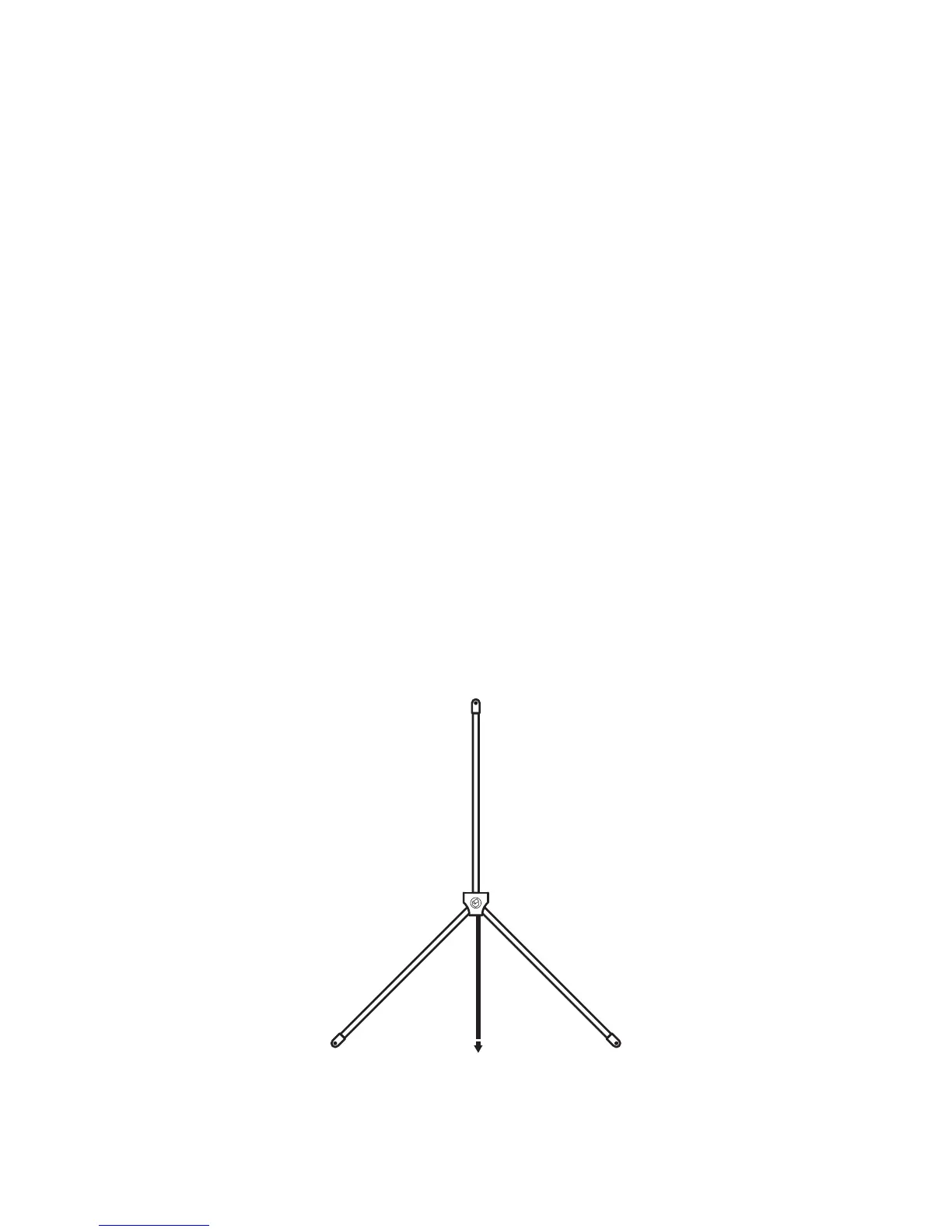
2.1 Installation of included DAB antenna
The supplied DAB aerial should be instaled in the highest possible location and
mounted vertically in an upsidedown Y position.
Note: The aerial cable can be installed beforehand or extended using an CT100 or QED
QX100 cable
To the E100


 To Next Page