5
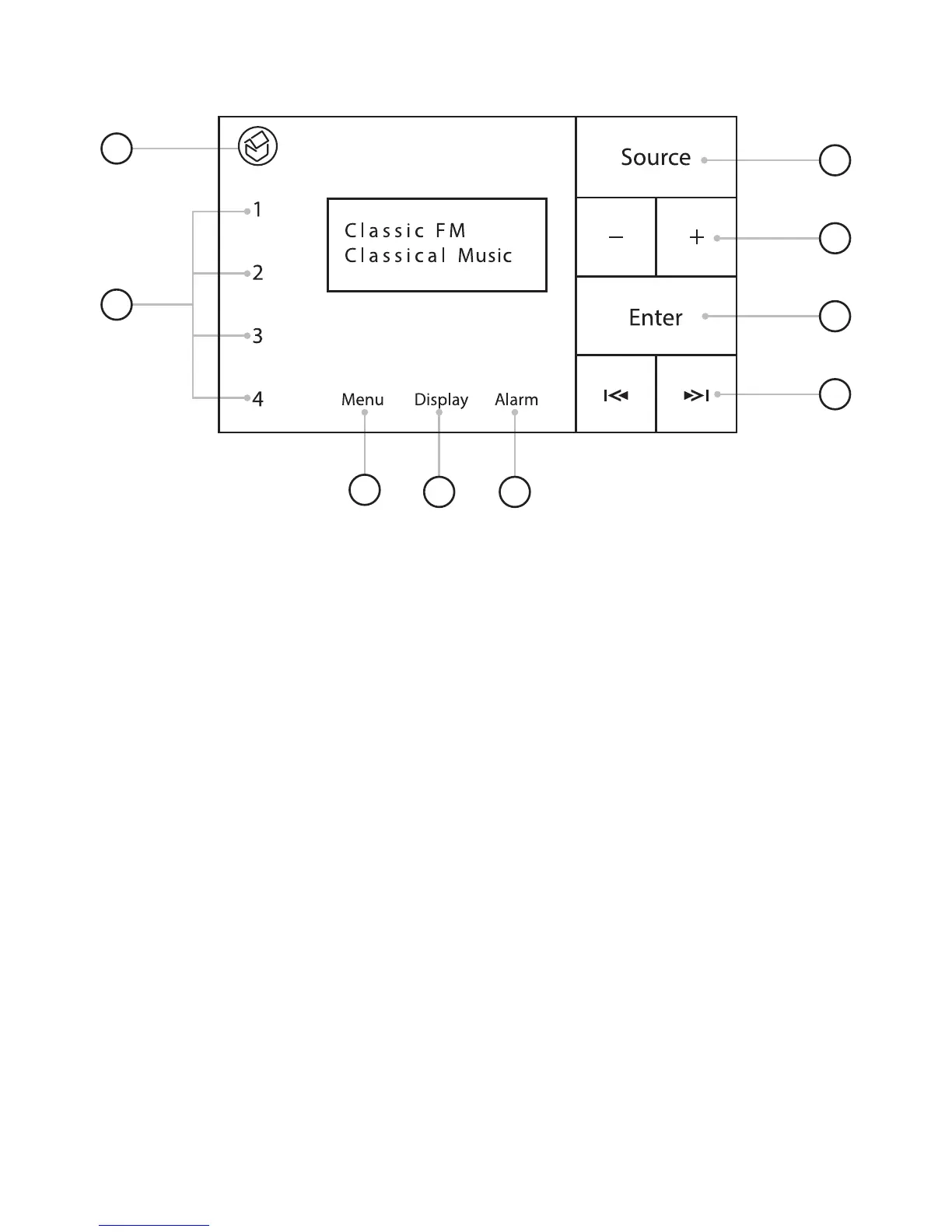
3.0 Front panel controls
1. Standby
Illuminates red to indicate the unit has entered standby.
2. Pre-set 1-4
Touch here to choose or set pre-sets
3. Source selection
Touch here to switch between DAB/FM/Bluetooth/Line input
4. Volume keys
Touch here to increase or decrease the volume.
5. Enter key
DAB - Select radio station
Bluetooth - Play / Pause
Menu – Enter
6. Forward and back keys
DAB - Station + / -
FM – Tune frequency
Bluetooth – Skip track
Menu – Next / Prev item
7. Menu
8. Change dispay information
9. Set alarms and on/off
1
2
3
4
5
6
8 9
7


 To Next Page