FUNCTION CHARACTERISTICS
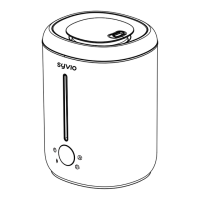
■ Power Button:
On the stand-by state:
1st Press: Turn on the medium mist with two mist icon indicators light
on, blue LED light on.
2nd Press: Turn off the humidifier.
Note: When waterless, the display will shows “E2” error code and the
waterless icon light will flash with buzzer warning 3 times (around
7S), and then will power off; If you press again, it will repeat the flash
and the warning again.
■ Mist Button:
On medium mist state:
1st Press: Turn on the high mist with three mist icon indicators light
on.
2nd Press: Turn on the low mist with one mist icon indicators light on.
3rd Press: Turn on the medium mist with two mist icon indicators light
on.
Cycle control.
■ Sleeping mode:
Long press the mist button for 3 seconds to enter the sleeping mode
with sleeping mode icon light on, the lighting of the water tank and
other icon of the display will turn off, mist volume will turns to low mist
mode; When waterless, unit will auto turn off without buzzer beeps.
Short press any button to exit the sleeping mode, will keep the mist
volume and light mode that setting before.


 To Next Page