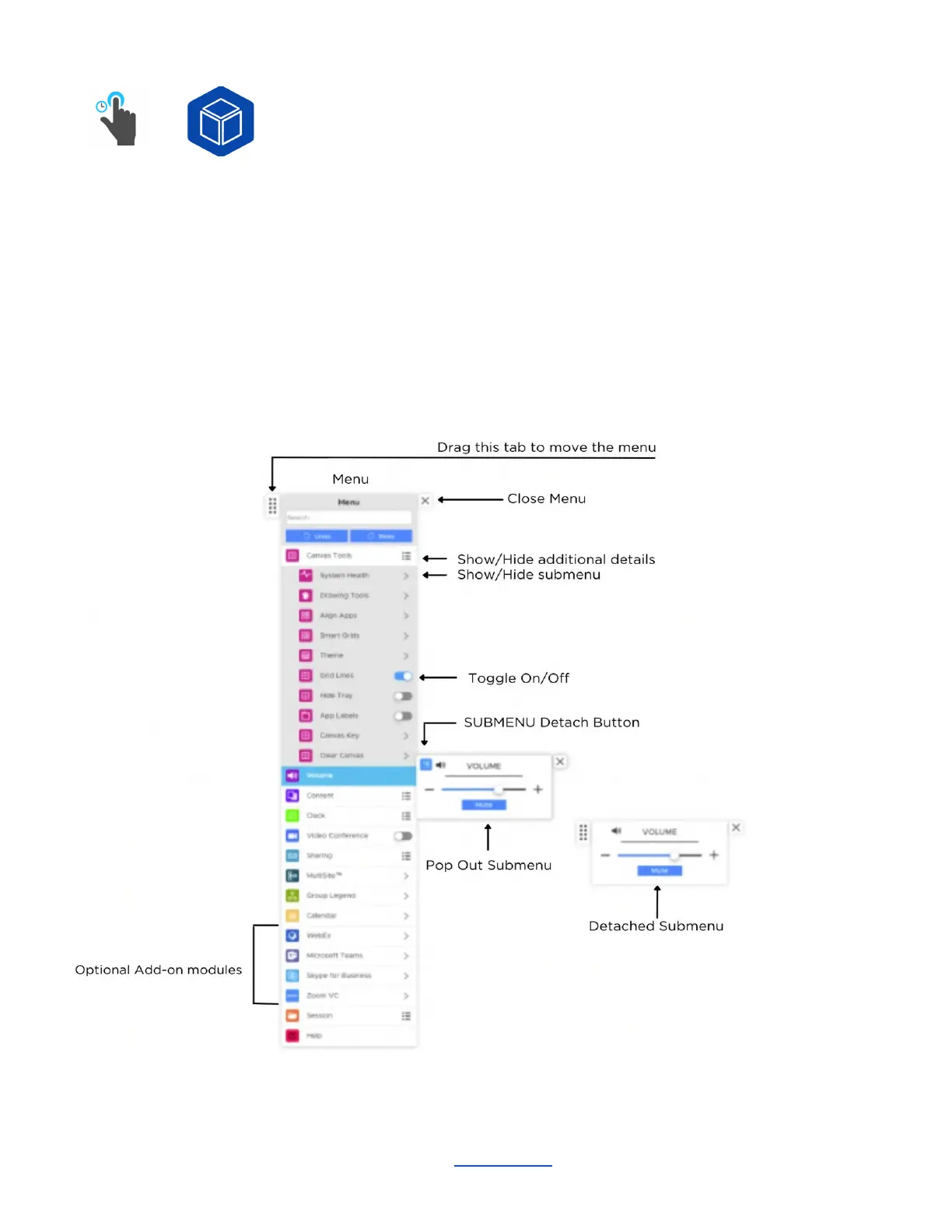
Menu
Or
To open the menu from the Canvas Tray just tap the ThinkHub icon to launch. You can also long tap (tap
and hold) anywhere on the Canvas to open the menu. Multiple users can open the menu at the same
time. If the menu goes idle after a set period of time, it will disappear from the Canvas.
The menu is broken into a series of tabs and submenus. All submenus can be detached by touching the
blue pop-out icon in the top left of the submenu. This will detach the submenu from the menu, and will
remain persistent on your Canvas. Use the submenu tab in the top left corner to drag and place the
submenu anywhere on the Canvas.
________________________________________________________________________________________________________
Contact T1V Support 8am - 10pm EST | +1 877.310.8971 | support@t1v.com | Rev 5.0.2 | 6.13.22 | CONFIDENTIAL | Page 14



 To Next Page