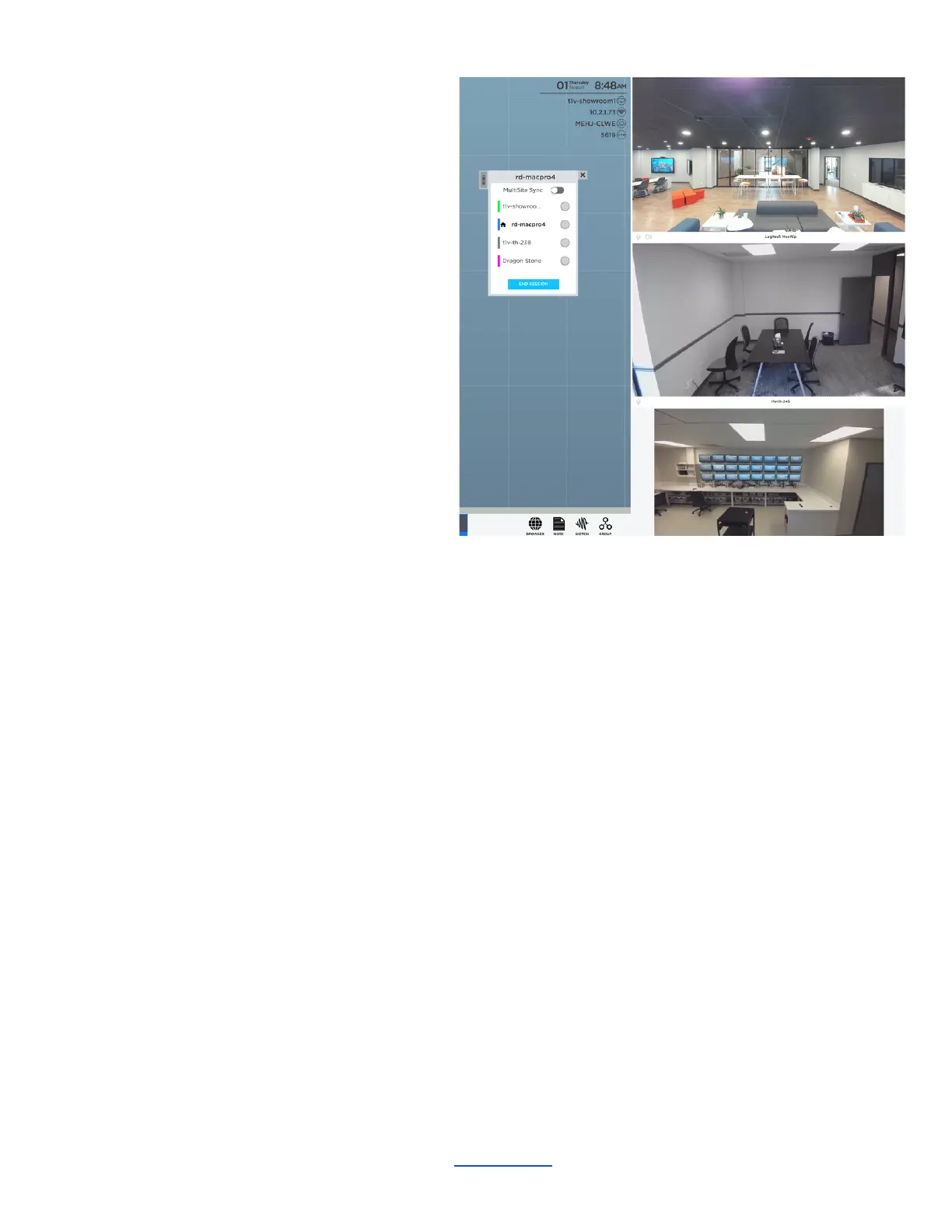
MultiSite Video Conference
ThinkHub MultiSite features built-in video
conferencing, making your MultiSite
meetings more seamless than ever. In
addition to sharing a Canvas, MultiSite VC
supports audio and video for ThinkHub
MultiSite participants across up to ten
connected locations at a time.
To enable MultiSite VC, current MultiSite
customers can simply plug in a USB
camera/microphone to their ThinkHub.
When in the ThinkHub MultiSite session,
participants can navigate to the Menu and
toggle on ‘Videoconference Mode.’
Connected MultiSite VC participants will
appear in a column on the right side of the
Canvas.
MultiSite Room Merging
ThinkHub MultiSite now gives you the option to access any participant’s devices from any ThinkHub.
Shared devices include Hardline Inputs, T1V casted feeds, and cameras.
________________________________________________________________________________________________________
Contact T1V Support 8am - 10pm EST | +1 877.310.8971 | support@t1v.com | Rev 5.0.2 | 6.13.22 | CONFIDENTIAL | Page 24



 To Next Page