To improve sound recording, you may open the back door of your camera. But it would not be a good idea to do this when you are shooting outside in an area where any
dust or water could enter your camera. An open back door will also create a lot of noise if you are moving the camera around. So it would be preferable to do this only
when the camera is still. NEVER open the back door when going under water!
Shock Resistance
Tachyon, Inc. has patented a shock-resistance system that keeps your batteries in place and connected in event of severe jarring.
Disconnected batteries would result in the shut down of the camera and the loss or corruption of your video files.
Be sure that your batteries are inserted correctly into the shock-proof battery cartridge, and that your cartridge is inserted correctly
into the camera, so that the red latch snaps securely over the back of the cartridge.
For additional shock resistance, the Micro has a locking switch to the right of the red latch. When you switch it to the left, the
cartridge will be locked into your camera and you will be unable to remove it even when you depress the red latch.
To remove your battery cartridge, you must move the locking switch back to the right, and then depress the red latch.
Waterproofing & Dive Lock
The Tachyon XC Micro makes use of its patented Dive Lock feature to work under water to a depth of 100 feet (30 Meters).
To ensure waterproofing, be sure to keep the rubber seal around the rear door clean and the door closed properly.
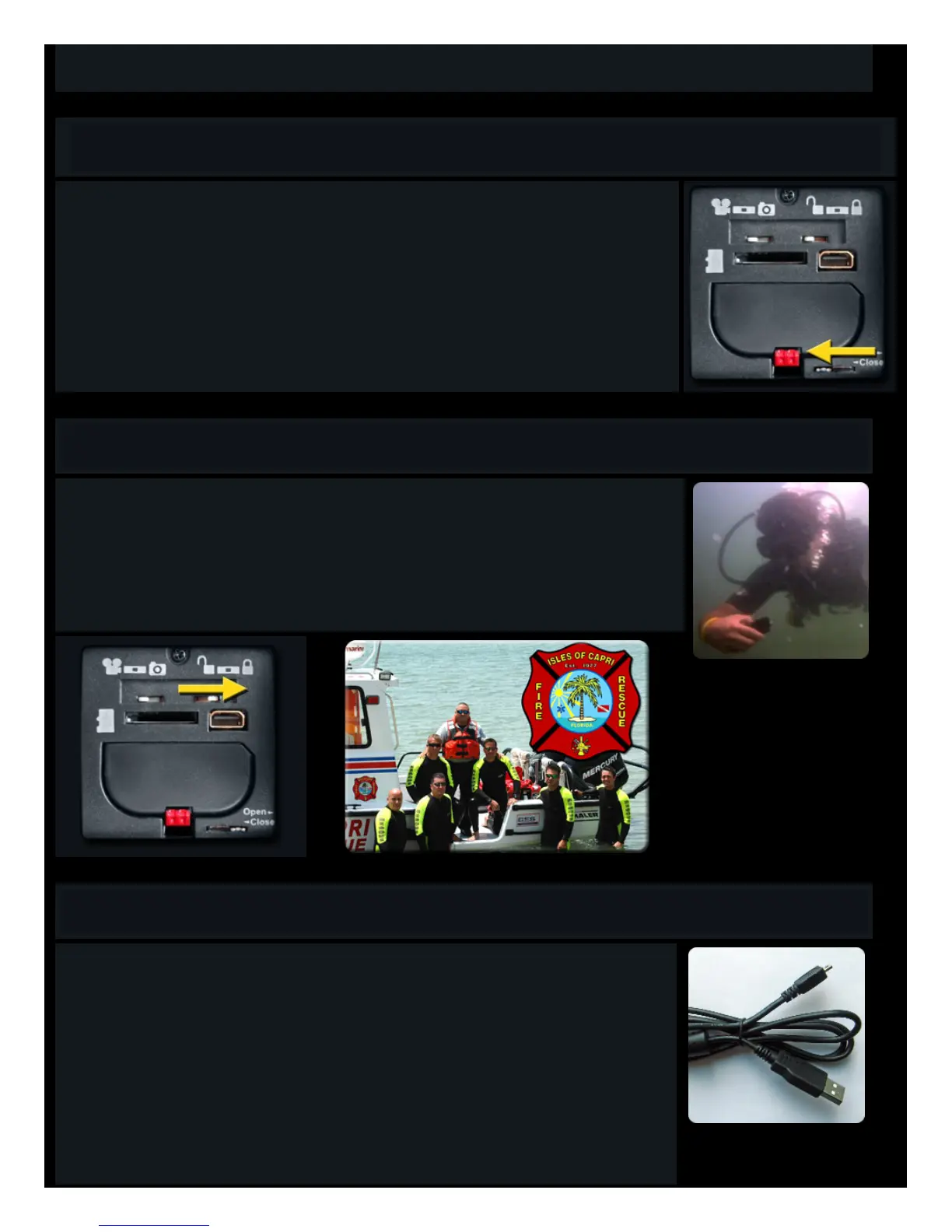
The Dive Lock prevents water pressure from shutting off your camera in the deep water. Lock your camera by opening the back
door and sliding the locking switch to the Right. Close and lock the door and then start recording as normal. You (and high water
pressure) will now be unable to stop the recording.
To stop recording, you must surface, dry your camera, open the door, slide the switch back to the left, and then push the ON/OFF
button until the camera stops.
Connecting to Your Computer
The Tachyon XC Micro comes with a USB cable.
To open your files from your camera, first set the switches on the back of your camera to Photo and Lock.
Then plug the small end into the jack inside the back door of your camera and the large end into your computer’s USB port. (The
jack on your camera is used for both the TV and the USB cables).
Now turn on your camera. You should hear a beep and see a window popping up asking you to view your files.
We suggest that you save your files to your computer as soon as possible after recording.
But if your computer is able to read Micro Memorycards, we highly recommend removing the card from your Tachyon XC Micro,
inserting it into its adaptor, and then plugging it into your computer. Then you will be able to move your files from your camera
onto your computer.
This will not only save the batteries of your cameras, but video files watched directly from the memory card may not run as
smoothly as files that have been copied to your computer’s hard drive.



 To Next Page
 Loading...